Baikonur Cosmodrome (Surface Tiles for Low Global Textures)

OHM Baikonur Cosmodrome (Surface Tiles for Low Global Textures) 1

misha.physics

Well-known member
Joined
Dec 22, 2021
Messages
1,480
Reaction score
2,210
Points
128
Location
Lviv
Preferred Pronouns
he/him
misha.physics submitted a new addon:

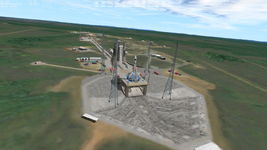
Baikonur Cosmodrome (Surface Tiles) - Surface tiles of levels 8-20 of Baikonur Cosmodrome for Orbiter 2016/2024

This add-on contains surface tiles of levels 8-20 of Baikonur Cosmodrome.

Levels 8-19 are compatible both with Orbiter 2016 and Orbiter 2024.
Levels 8-20 are compatible only with Orbiter 2024.
The size of archive is 395 MB, the size of unpacked files is 913 MB.

INSTALLATION: Unpack this add-on into Orbiter main directory.

NOTES:
  • only surface tiles
  • each tile has resolution 1024x1024
  • good color matching and edge blending with the neighboring...

Read more about this addon...
 
I just noticed one problem.

I made these Baikonur tiles for the default global TREE textures that are located in Archive folder of size 1.09 GB.

But if you install high Earth resolution global textures of size 32.8 Gb, then my Baikonur tiles will not color match and edge blend since I used background tiles of the default low resolution.

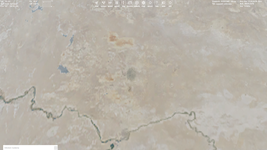
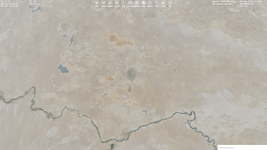
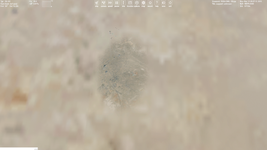
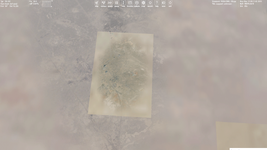
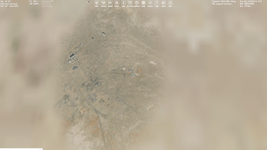
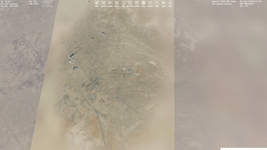
Comparison: left - low (default) global textures, right - high global textures.

1.png1b.png
2.png2b.png
3.png3b.png

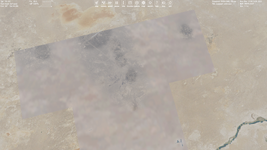
Of course I could make another version of the Baikonur tiles when high resolution global textures are used, but these high global textures have some problems with color matching and edge blending itself. Here are the only high global textures, namely no any custom tiles are used:

Без імені.png

It doesn't look good, so I don't think I should remade my tiles for high global textures.

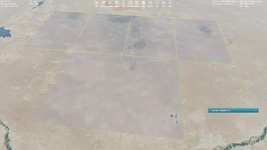
Actually, there's a way just to replace these grey tiles with tiles of higher levels...
 
So, it seems the only these 6 tiles of levels 14 should be replaced with tiles of levels 13.

LVL14.png

Well, I'll try to make a version compatible with high global textures later.
 
Good to know, I wasn't aware that there is a difference in colour, that explains why so many addons look patchy, having a hi-res version would be nice.

Btw I previously asked about the firepit elevation issue (O16/24), I've recently seen that it is doable! Somehow @jacquesmomo has managed to do it with his Kourou addon!

And do you know a good way to de-install tiles! I've become a little hesitant to install, once they in they're very hard to find and delete, I think I've broken my O16 install this way (fps is very jumpy).
 
Btw I previously asked about the firepit elevation issue (O16/24), I've recently seen that it is doable! Somehow @jacquesmomo has managed to do it with his Kourou addon!
It's interesting, I still don't know how to do that.
And do you know a good way to de-install tiles! I've become a little hesitant to install, once they in they're very hard to find and delete, I think I've broken my O16 install this way (fps is very jumpy).
If you mean using these Baikonur tiles for your Orbiter 2016 and my note regarding deleting tiles of level 20 for Orbiter 2016 using, then I really didn't think about other scenery add-ons, sorry. I'm going to release Baikonur tiles for high global textures, and I will release tile of levels 20 in a separate archive that will be optional for Orbiter 2024, so you can wait a little and not to install these tiles. That's my fault.
 
@Buck Rogers, there's a more simple solution. You download the archive, delete folder "20" and copy the rest into your Orbiter 2016. So it's not necessary for me to release tiles of level 20 separately.
 
If you mean using these Baikonur tiles for your Orbiter 2016 and my note regarding deleting tiles of level 20 for Orbiter 2016 using, then I really didn't think about other scenery add-ons, sorry. I'm going to release Baikonur tiles for high global textures, and I will release tile of levels 20 in a separate archive that will be optional for Orbiter 2024, so you can wait a little and not to install these tiles. That's my fault.
Sorry! I didn't mean yours but tiles in general, I found them a little hard to manage, thought you might know a good trick to in/destall quickly:)
 
Sorry! I didn't mean yours but tiles in general, I found them a little hard to manage, thought you might know a good trick to in/destall quickly:)
If you meant this:
Actually, there's a way just to replace these grey tiles with tiles of higher levels...
So, it seems the only these 6 tiles of levels 14 should be replaced with tiles of levels 13.
Then it's easy to do, I extract tiles of levels 13 (they are yellow) from TREE archive and make from them tiles of levels 14 and 15 (tiles of these levels are grey).
 
I meant simply de-installing an addon (any) with tiles from Orbiter, as soon as you have a couple installed it's hard to manually find each file to remove.
I guess I'm thinking something like JGSME haven't tried it with Orbiter yet but I think for tiles this is a good idea (the problem is it makes backups of everything, with large files (tiles) this is not ideal).
 
Last edited:
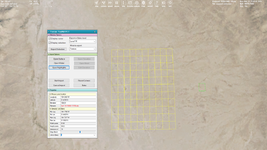
Now I understood what you mean. No I don't know such the way. But I have an idea that may simplified it that I described as one of my ideas:
"Add an option to delete selected tiles in Terrain Tool Kit that will be very useful for removing tiles that contain pure water."

By that I meant selecting an area and delete the tiles like:

a.png

Maybe @jarmonik could implement such the feature.
 
I updated the add-on with editing its title, document TXT file and description. Now I'm going to upload the version compatible with the high global textures.
 
Back
Top