• ORBITER-FORUM will be temporarily closed at 2026-07-23 18:00 UTC while we complete some OF maintenance tasks. The amount of downtime is expected to take up to one hour, but probably less.

Implementing two default MFDs in VC on Lua

Yes. This is the code I used. It is based on the Atlantis source code. I called everything directly from clbk_VCredrawevent() though I should have made a separate function.

Code:
local left_selection = {
    [AID_MFD1_LBUTTONS] = true,
    [AID_MFD1_RBUTTONS] = true
  }

  if left_selection[id] then
    local bt, side
    local mfd = id - AID_MFD1_LBUTTONS and MFDID.LEFT
    side = (id == AID_MFD1_LBUTTONS and 0 or 1)
    local skp = oapi.get_sketchpad(surf)
    skp:set_font(gfont)
    skp:set_textcolor(_RGB(97,160,80))
    skp:set_textalign(SKP.CENTER, SKP.BASELINE)
    skp:set_backgroundmode(SKP.TRANSPARENT)

  local y = 24

  for bt = 0,5 do
    local label = oapi.mfd_buttonlabel(MFDID.LEFT, bt + side * 6)
    if label then
      skp:text(15, y, label, #label)
    end
    y = y + 36.5
  end
  oapi.release_sketchpad(skp)
  return true
  end
 
Thanks. Could you tell me which add-on you used this in? Is it released? I just wanted to try it out.
 
Thanks! It looks like just what I need. I'll try to understand the code you showed above and let you know if I don't understand something.
 
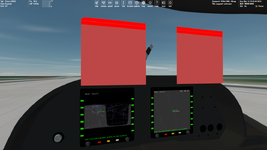
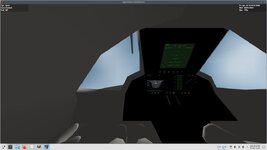
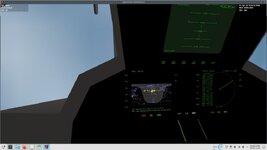
Thanks. I'm experimenting with Sketchpad for the first time. I created test mesh that contains two squares. I'm trying to draw dynamic labels for MFD side buttons. For now I'm noticing an interesting thing I don't understand, namely the upper left corner of the left square is slanted:

Без імені.png

Red rectangles are areas defined here:
Code:
local tex1 = oapi.get_texturehandle(testMESH, 1)
oapi.VC_register_area(AID_CDR1_BUTTONS, _R(0,1,255,14), PANEL_REDRAW.USER, bit.bor(PANEL_MOUSE.LBDOWN, PANEL_MOUSE.LBUP, PANEL_MOUSE.LBPRESSED, PANEL_MOUSE.ONREPLAY), PANEL_MAP.BACKGROUND, tex1)
oapi.VC_register_area(AID_CDR2_BUTTONS, _R(0,15,255,28), PANEL_REDRAW.USER, bit.bor(PANEL_MOUSE.LBDOWN, PANEL_MOUSE.LBUP, PANEL_MOUSE.LBPRESSED, PANEL_MOUSE.ONREPLAY), PANEL_MAP.BACKGROUND, tex1)
 
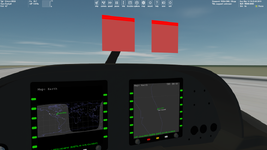
Sorry, it looks it was cut off by the windshield. I reduced the squares and now everything seems to be good:

Без імені.png
 
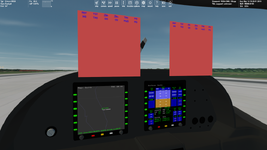
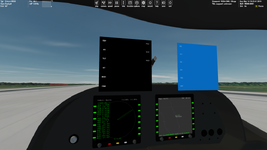
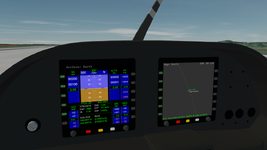
Button labels dissapear when zoom out:

Без імені.pngБез імені2.png

Draw distance depends on the texture that is used for the button labels. For a 256x256 texture the button labels don't disappear, but the labels are quite pixelated. On the screenshots the texture of resolutoin 512x512 is used.

Any suggestion are welcome.
 
Back
Top