
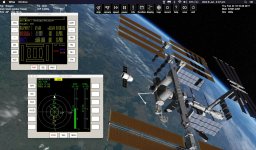
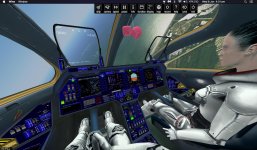
Here's a very simple method to run Orbiter 2016 on an older 32 bit Mac IOS, including a laptop.
1. Download Orbiter 2016 zip folder from http://orbit.medphys.ucl.ac.uk
2. Download Wine from https://winebottler.kronenberg.org/ (latest stable version)
3. Download DirectX End-User June 2010 from DirectX End-User Runtimes (June 2010)
4. Download D3D9 from http://users.kymp.net/~p501474a/D3D9Client/ (latest stable version)
Once you have Wine installed (don't worry about the Wine Bottler program), you can run the directx_Jun2010_redist.exe using Wine. It will install it into the Wine folder.
Then run the Orbiter_ng.exe using Wine with the DirectX files included in the Orbiter folder.
Hope you like it.
Post any install/runtime questions and I'll answer if I can.
fatcat (Tony- from Oz)
1. Download Orbiter 2016 zip folder from http://orbit.medphys.ucl.ac.uk
2. Download Wine from https://winebottler.kronenberg.org/ (latest stable version)
3. Download DirectX End-User June 2010 from DirectX End-User Runtimes (June 2010)
4. Download D3D9 from http://users.kymp.net/~p501474a/D3D9Client/ (latest stable version)
Once you have Wine installed (don't worry about the Wine Bottler program), you can run the directx_Jun2010_redist.exe using Wine. It will install it into the Wine folder.
Then run the Orbiter_ng.exe using Wine with the DirectX files included in the Orbiter folder.
- Enclosed is how each of the mac keys relate to the Orbiter key-mapping.
- Also enclosed is the key-mappings that I use for my mac laptop (no numerical keypad), with minimal conflict with popular addons.
Hope you like it.
Post any install/runtime questions and I'll answer if I can.
fatcat (Tony- from Oz)
Attachments
Last edited:


