Can "tileedit" create ELV tiles of such high levels like 17, 19...? Are there any other ways to make custom ELV tiles? (Except the "Elv Tile Splitter V2" which I mentioned above, but not tried yet.)
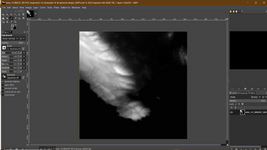
TileEdit can extract a png file that represents the elevation data, which can be edited with an image editor and then imported as .elv back to Orbiter (both extraction and importing are done with tileedit). It can create a tile for a resolution that doesn't exist by synthesizing it from a sub-region of the last resolution that exists.
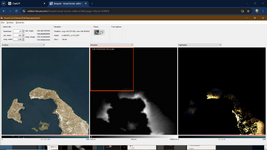
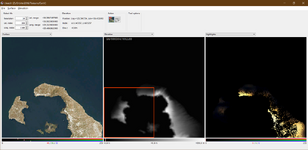
You can even extract a range of tiles that don't exist from a previous tile. In this example this island has level 13 tiles. I want to create level 14 tiles for it from the existing one. (level 14 for this area doesn't exist).
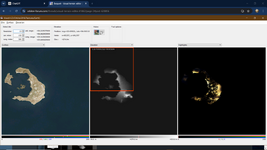
I only need the left side, since the right side is the sea. I check the range of tiles that I need in the next level:
14 000304 001168 to 14 000305 001168
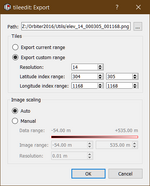
Notice that this image has double the height of a single tile.
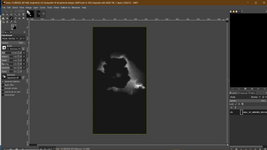
After editing what ever I want, I can import the whole thing back to Orbiter with a single import.
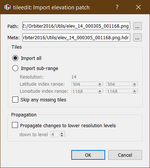
Now I have level 14 tiles for the island.
Is it normal that console window closes immediately after running "treeman.exe"?
Yes if you double click it in Windows. It runs from the command prompt.
Here is an example how to extract a single tile from the tree archive (so you don't clutter your hard drive with tiles that you may not want).
(I am using the -F (file list) option - in this example I will extract a single tile, but you can extract multiple different tiles if you want by adding more lines in the txt file -see below).
Create a file named "Surf.txt" and place it in the same folder as treeman (preferably the utils folder)
Open it and enter the index of the tile that you wish to export (don't forget the zeros): .elv for elevation tiles, .dds for the others. Don't mix different types of tiles (i.e: .elv with .dds)
Save the file and exit.
In the windows search bar, type cmd and click on the command prompt.
In the command prompt, navigate to the utils folder (mine is Z:Orbiter2016\Utils)
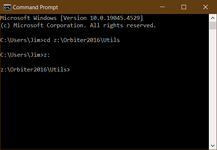
Once you are there, type treeman and hit enter to see all the different options you have.
Now type: treeman Z:\Orbiter2016\Textures\Earth
Elev -e -F Surf.txt
and hit enter.
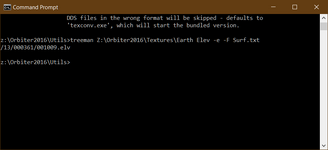
(obviously your path to the textures will be different ; the line below the command prompt that I typed is the tile extracted.
Surf surface layer tiles
Mask water mask and night light texture tiles
Cloud cloud tiles
Elev elevation tiles
Elev_mod elevation modification tiles
This is how I do it and I haven't had any major hickups.