Project SSV virtual cockpit textures and mesh upgrade

Aztronut66

Active member
Joined
Sep 20, 2009
Messages
51
Reaction score
128
Points
33
I am working on a virtual cockpit upgrade for the superb SSV https://github.com/GLS-SSV/SSV/releases add-on.

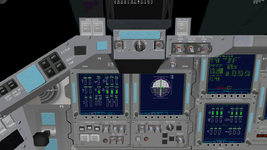
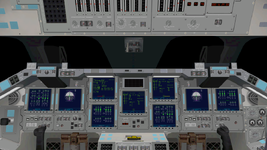
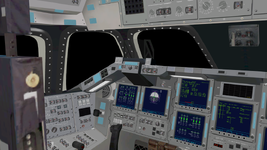
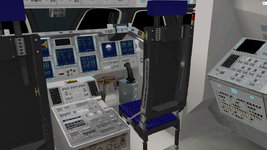
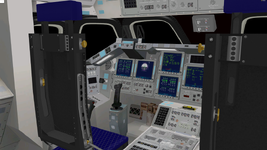
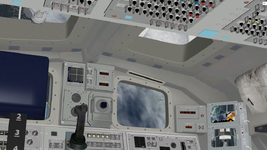
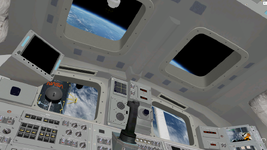
Using the Blender orbiter import/export script, I created a new mesh file for the SSV/OV VC.mesh.

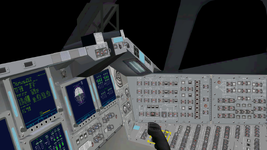
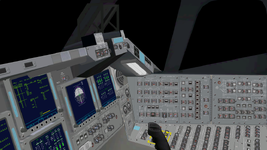
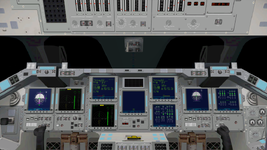
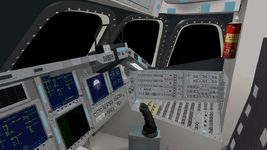
I modeled the main panel plates and added the labels, the vents near the edges of the panel, hand thrust controller plates, and the lights mounted beneath the glareshield.

I have added one additional texture, so far, to map the upgrades. The original texture is largely unchanged.
I modified the original stsvc01.dds texture very slightly in the area of the vents located on the edges of the panel, and the area of the left, lower-front overhead section directly above the CDR's HUD.

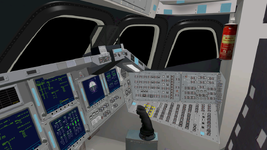
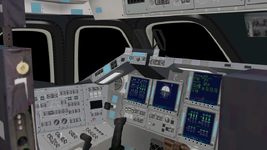
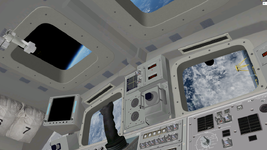
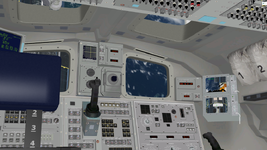
Here are some before and after shots.
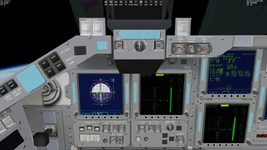
SSV_panelUpgradeBefore1.png
SSV_panelUpgradeAfter1.png
SSV_panelUpgradeBefore2.png
SSV_panelUpgradeAfter2.pngSSV_panelUpgradeBefore3.pngSSV_panelUpgradeAfter3.png

Once I get the results I want, I will consider posting the upgrade as an add-on, with the authors of SSV approval only.
 
I will consider posting the upgrade as an add-on, with the authors of SSV approval only.
As long as the license is followed, addons are always welcome.

But I'm not integrating any graphics changes into the official version, for reasons explained before in the project thread.
 
Thanks GLS. I would certainly follow the license. I really appreciate the work you've done on this! I am in no hurry to post an add-on just yet, but I will let you know before hand. Maybe if you have time, test it out before I post.

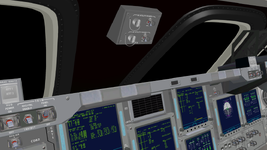
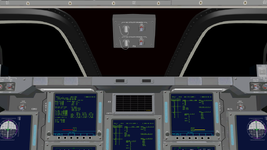
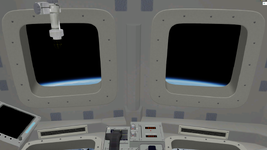
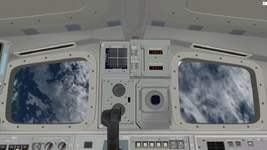
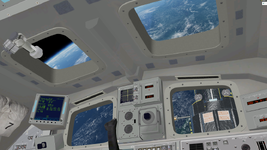
Working on the windows. I think I might have to get rid of the fastener heads. A little too busy. At least tone them down.

SSV_panelUpgradeWindows1.png


SSV_panelUpgradeWindows2.png
 
I always was "horrified" with those legacy old windows... and pixelated texture around them (since low res DXT1 compression) from more than 20 years ago. I mean this "basic" mesh around windows. I know it's there since antiquity (so not related to SSV). But all those switches, all panels themselves are nice though (with animated switches, and etc...). I removed pixelation myself (in STSvc03.dds file), and it is already better. But these quality windows could be nice. But I know that for GLS group numbers and properties are essential, so "hacking" those superwindows into VC mesh, not screwing up all this info, may be a challenge.
 
Last edited:
Quality window textures are very importand for the virtual cockpit. And not only windows.
 
I know that for GLS group numbers and properties are essential
The order of the mesh file is still in tact. I used a different sort number which places all new groups and objects after the originals. So far no issues. I will keep an eye on it though.

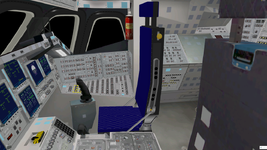
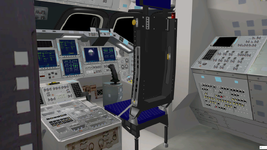
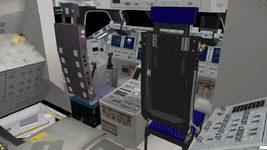
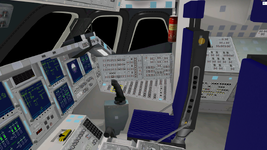
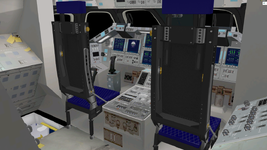
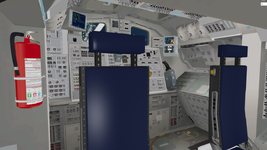
Seat modeling coming along. Need to add the seatbelts, beef up the legs a bit and improve the textures.

Seats1.png

Seats2.png

Seats3.png
 
Looking good! I started my own project a while back doing a similar thing, modifying the Atlantis VC in Blender. The main reason was I wanted to try baking raytraced VC lighting into texture sets, but I immediately discovered that a lot of panels here and there share the same UV mapping coordinates, which ruins texture baking. Fixable, but a pain. Never finished because life got in the way.

Just a suggestion for something to keep an eye on as you go along, if you ever want to try texture baking.
 
I wanted to try baking raytraced VC lighting into texture sets
I will play around with ray traced baking. I baked an ambient occlusion pass for the seat textures. It's hard to tell the difference in these lower resolution images but does look better when in the sim.

SeatsAmb1.png

SeatsAmb2.png

SeatsAmb3.png
 
Could these textures ever be compatible for using with the default Atlantis as well? For example, like a texture add-on.
 
Could these textures ever be compatible for using with the default Atlantis as well? For example, like a texture add-on.
It would take some resizing of the mesh and an update of the texture mapping. If I get time, I will look in to it.

F1 Utility power panel added.

I ran a complete test including launch, OMS 2, plane change and de-orbit burns, ISS rendezvous and docking, re-entry and landing. I had to add the last 3 coordinates to the Virtual Hud group.

LABEL VirtualHUD
MATERIAL 3
TEXTURE 0
FLAG 7
GEOM 8 4 ;Group 60 (VirtualHUD) glass
-0.585841 2.53239 14.6146 0 0 1- 1 1
-0.719564 2.53239 14.6146 0 0 -1 0 1
Everything functioning as it should.


F1_PanelA.png

F1_PanelB.png

F1_PanelC.png
 
Great! Could you look at upper windows too. They are very low poly.
 
Great! Could you look at upper windows too. They are very low poly.
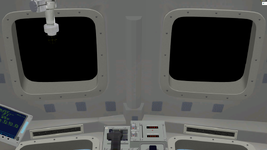
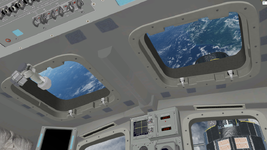
Rear windows now modeled. Still working on the textures. Also added the rear circulation vents.

RearWIndows1.png

RearWIndows2.png

RearWIndows3.png

RearWIndows4.png

Here is a video with the upgrade before the rear windows were complete so you can see how it looks in the sim.

Coming home from a trip to the ISS. From just before arriving at the TAEM phase through landing. Featuring the famous STS-115 crew audio. Watch in up to 4K HD.

 
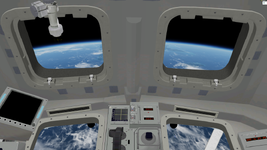
Extruded the edges of the upper window openings in just a bit in the original mesh so I could narrow the flanges for the new upper windows.

Also added a new fire extinguisher with crisper textures.

Any suggestions for further modification welcome.

RearWindowsResized1.png

RearWindowsResized2.png

RearWindowsResized4.png

RearWindowsResized3.png

RearWindowsResized5.png
 
Just thought maybe "side walls \ extrusions" of upper windows ("thickness" ) could be dark grey? Just looked at real photos. Rear windows also have black band there, but white one as well.
 
Back
Top