CG position as a function of SetTouchdownPoints ?

dougkeenan

Addon Developer
Addon Developer
Donator
Joined
Nov 18, 2007
Messages
617
Reaction score
0
Points
16
Location
Indianapolis
Website
www.orbithangar.com
I'm working on a vessel with a user selectable launch angle. The idea is to calculate and relocate the position of virtual touchdown points to supply the desired angle (with an obvious limit approaching PI/2).

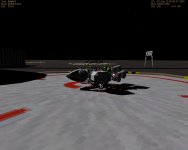
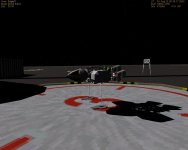
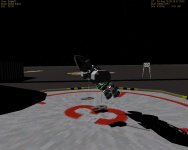
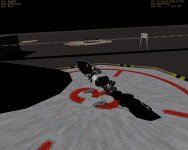
The angle part works fine but I observe an unexpected vertical translation of the ship's CG. I've attached a few stills and (for those with highspeed) a movie of the effect.

The API reports that the "UP" direction is determined using the vector cross-product of the three touchdown points. Q: In what mathematical manner does that cross-product also have an effect on the ship's CG?

LINK to .avi (20Mb avi)
 

Attachments

  • grab_048.jpg
    grab_048.jpg
    127.2 KB · Views: 34
  • grab_044.jpg
    grab_044.jpg
    135.6 KB · Views: 22
  • grab_045.jpg
    grab_045.jpg
    138.2 KB · Views: 27
  • grab_046.jpg
    grab_046.jpg
    158.7 KB · Views: 19
Last edited:
I'm working on a vessel with a user selectable launch angle. The idea is to calculate and relocate the position of virtual touchdown points to supply the desired angle (with an obvious limit approaching PI/2).

The angle part works fine but I observe an unexpected vertical translation of the ship's CG. I've attached a few stills and (for those with highspeed) a movie of the effect.

The API reports that the "UP" direction is determined using the vector cross-product of the three touchdown points. Q: In what mathematical manner does that cross-product also have an effect on the ship's CG?

LINK to .avi (236Mb zip of a 500Mb fraps avi)

Hm. Guessing that it's unlikely you'll be putting several hours of video as evidence of the case, you have no knowledge of any kind of video compressors.
How long that video is supposed to be?


The effect on ship's CG is simple vector math:
tp_rot.png


v1 and v2,v3 are your touchdown points in flat position, v1', v2',v3' are touchdown points of the 40* position.
The points define a single plane, so each set of them correspond to a single position, so i can't understand what you mean by "UP direction determination"?

3 points explicitly define the orientation of the landed vessel, the UP of the vessel is the UP in it's coordinate frame, which is in dot line on the image, same for the points.

Try to think about it as vessel remaining in place, and whole planet spinning 40* (or how much you raise it), and figure out the points on the plane of the ground (figure B, dot line parallel the vessel is flat, solid line is the ground).
 
Hm. Guessing that it's unlikely you'll be putting several hours of video as evidence of the case, you have no knowledge of any kind of video compressors.
How long that video is supposed to be?
About a minute and a half. :( You're right I have no knowledge of invoking compression with fraps. I was happy enough to capture anything beyond black screen! Quick lessons are welcome but for now I'm not trying to make movies so back to subject. :)

The effect on ship's CG is simple vector math:

v1 and v2,v3 are your touchdown points in flat position, v1', v2',v3' are touchdown points of the 40* position.
The points define a single plane, so each set of them correspond to a single position, so i can't understand what you mean by "UP direction determination"?

API_reference.pdf page 30 : "The points should be specified such that the cross product pt3-pt1 x pt2-pt1 defines the horizon UP direction for the landed vessel (given a left-handed coordinate system)."

3 points explicitly define the orientation of the landed vessel, the UP of the vessel is the UP in it's coordinate frame, which is in dot line on the image, same for the points.

Try to think about it as vessel remaining in place, and whole planet spinning 40* (or how much you raise it), and figure out the points on the plane of the ground (figure B, dot line parallel the vessel is flat, solid line is the ground).
Yet that's not the effect I see. If so when the ship raises almost all the way (~PI/2) we would expect the COG to gradually go up and up and up as the "nose" goes higher and higher. Instead the CG goes up for a bit then reverses. I've also been able (by spacing the TP's close together) to get a sinusoidal behavior about of it. Sorry if I'm just being slow, but it seems something else is going on.
 
About a minute and a half. :(
...
Quick lessons are welcome but for now I'm not trying to make movies so back to subject. :)
Ok, google VirtualDub.
I've recompressed your video, download here:
http://orbides.1gb.ru/orbf/eaglet_test_cmp.avi (20.5 Mb, mpeg4 H264).

API_reference.pdf page 30
Cross-product of two vectors produces a perpendicular vector to them.
Simple talk, it explains what the order of the points should be, not the UP as in vessel's UP. Change the order of points, the perpendicular will be in the opposite direction.

at's not the effect I see. If so when the ship raises almost all the way (~PI/2) we would expect the COG to gradually go up and up and up as the "nose" goes higher and higher. Instead the CG goes up for a bit then reverses. I've also been able (by spacing the TP's close together) to get a sinusoidal behavior about of it. Sorry if I'm just being slow, but it seems something else is going on.
Ok, can you give me the numbers you get and equations you use?

I can't remember any Orbiter bugs in this area, since meshland works.
Basically, you should project the points on the ground.
 
Ok, google VirtualDub.
I've recompressed your video, download here:
http://orbides.1gb.ru/orbf/eaglet_test_cmp.avi (20.5 Mb, mpeg4 H264).
Spasiba! For both the avi and the compression tip. :)

Cross-product of two vectors produces a perpendicular vector to them. Simple talk, it explains what the order of the points should be, not the UP as in vessel's UP. Change the order of points, the perpendicular will be in the opposite direction.
Quite true. It's startling for Orbiter to fire up with the world upside down when those points are backwards. My interest with "UP" only relates to changing the TP's to determine what the surface HUD angle reads. I couldn't find an easier way to simulate that, and that method also keeps all the thrusters oriented correctly.

Ok, can you give me the numbers you get and equations you use?

I can't remember any Orbiter bugs in this area, since meshland works.
Basically, you should project the points on the ground.
I tried eliminating the translation and got the same effect. Here's the code, and I appreciate your time taking a look at it. The ship is to start at 3.25m above the surface, stand another 5m, then rotate.

Code:
   // virtual touchdown points
#define TP_YDIST (3.25f)
#define TP_ZDIST (8.25f)
#define TP_ZBACK (8.25f)
#define TP_X  (8.25f)
#define TP1_INIT _V(0,-TP_YDIST,TP_ZDIST)
#define TP2_INIT _V(-TP_X,-TP_YDIST,-TP_ZBACK)
#define TP3_INIT _V(TP_X,-TP_YDIST,-TP_ZBACK) 
#define INITIAL_COG  _V(0,TP_YDIST,0) // initial distance of COG from feet
 
void Eaglet::clbkPostStep( double simt, double simdt, double mjd )
{
 double theta ;
 double dunsel ;
 if( running )
 {
  anim_step += ANIM_SPEED * simdt ;
  if( anim_step > 1.0f )
  {
   // end of loop
   anim_step = 0.0 ;  // trim value
   running = false ;
   ordered_to_sit = false ;
   cog = INITIAL_COG ;
   tp1 = TP1_INIT ;
   tp2 = TP2_INIT ;
   tp3 = TP3_INIT ;
   SetTouchdownPoints( tp1, tp2, tp3 ) ;
  }
  else
  {
   if( anim_step >= 0.75f )
   {
    if( ordered_to_sit )
    {
     // done spinning back, ready to sit
     cog.y = INITIAL_COG.y + ((1-anim_step)*20.f) ;
     tp1.y = tp2.y = tp3.y = -cog.y ;
     SetTouchdownPoints( tp1, tp2, tp3 ) ;
    }
    else
    {
     // ready to sit
     anim_step = 0.75 ;  // trim value
     running = false ;  // stop any animation activity
     ordered_to_spun = false ;
     tp1.y = tp2.y = tp3.y = -cog.y ;
     SetTouchdownPoints( tp1, tp2, tp3 ) ;
    }
   }
   else
   {
    if( anim_step >= 0.5f )
    {
     if( ordered_to_spun )
     {
      theta = (anim_step-0.5f)*(launch_angle*4) ;
      theta = launch_angle - theta ;
      if( theta >= MAX_LA )
      {
       theta = MAX_LA ;
      }
      tp2.y = tp3.y = -cog.y ;
      tp1.y = - ( cog.y + ( (TP_ZDIST+TP_ZBACK) * tan(theta) ) ) ;
      SetTouchdownPoints( tp1, tp2, tp3 ) ;
     }
     else
     {
      anim_step = 0.5 ;  // trim value
      running = false ;  // stop any animation activity
      ordered_to_spin = false ;
      theta = launch_angle ;
      dunsel = ((TP_ZDIST+TP_ZBACK) * tan(theta)) ;
      tp2.y = tp3.y = -cog.y + gammar*dunsel ;
      tp1.y = - cog.y - ((1-gammar)*dunsel );
      SetTouchdownPoints( tp1, tp2, tp3 ) ;
     }
    }
    else
    {
     if( anim_step >= 0.25f )
     {
      if( ordered_to_spin )
      {
       theta = (anim_step-0.25f)*(launch_angle*4) ;
       if( theta >= MAX_LA )
       {
        theta = MAX_LA ;
       }
       dunsel = ((TP_ZDIST+TP_ZBACK) * tan(theta)) ;
       tp2.y = tp3.y = -cog.y + gammar*dunsel ;
       tp1.y = - cog.y - ((1-gammar)*dunsel );
       SetTouchdownPoints( tp1, tp2, tp3 ) ;
      }
      else
      {
       anim_step = 0.25 ;  // trim value
       running = false ;
       ordered_to_stand = false ;  // ready to spin
       cog.y = 8.25 ;
       tp1.y = tp2.y = tp3.y = -cog.y ;
       SetTouchdownPoints( tp1, tp2, tp3 ) ;
      }
     }
     else
     {
      if( ordered_to_stand )
      {
       // standing up
       cog.y = INITIAL_COG.y + (anim_step*20.f) ;
       tp1.y = tp2.y = tp3.y = -cog.y ;
       SetTouchdownPoints( tp1, tp2, tp3 ) ;
      }
      else
      {
       // why running but not doing anything?
       // REBOOT ANIMATION
       anim_step = 0 ;
       cog = INITIAL_COG ;
       running = false ;  // any animation activity
       ordered_to_stand = false ;
       ordered_to_sit = false ;
       ordered_to_spin = false ;
       ordered_to_spun = false ;
       tp1 = TP1_INIT ;
       tp2 = TP2_INIT ;
       tp3 = TP3_INIT ;
       SetTouchdownPoints( tp1, tp2, tp3 ) ;
      }
     }
    }
   }
  }
  SetAnimation( anim_launch, anim_step ) ; // use trimmed value of anim_step
 }
   return ;
}

 
I tried eliminating the translation and got the same effect. Here's the code, and I appreciate your time taking a look at it. The ship is to start at 3.25m above the surface, stand another 5m, then rotate.
{code}

Ok, it's 10 minutes to Friday where i am, so no ready-made solution.
If it's not working anyway, it's till day MSK, or someone else help.

Here is the idea of what is wrong:
tp_rot-2.png


Figure A is the starting point.

Figure B is basically, what you do - you change the elevation of the points, but not their locations, which gives you the angle, but not the rotation.

Figure C is what is to be expected - the points are rotated properly instead, so the COG position is preserved.

If none above makes sense, see line 1 of my post.
 
No it makes perfect sense, and it's something I hadn't yet tried. In short the TP's need to be relocated (rotated) in local coordinates to keep them "under" the ship. I have high hopes this will work, thanks again!
 
Your code looked a bit too complicated for me to try and work through, but if I understand correctly, all you want to do is rotate the touchdown points around the vessel's pitch (x) axis.

All you need to do is set up a rotation matrix and apply it to all touchdown points. Let's say p1, p2, p3 are the original points, and you want to rotate around angle theta. Then
Code:
R = [[1 0 0];[0 cos(theta) -sin(theta)];[0 sin(theta) cos(theta)]]
is the rotation matrix you are after, and
Code:
p1' = R p1, p2' = R p2, p3' = R p3
are the modified touchdown points.
 
Yes the code was gummed up with flags trying to debug that sequence.

Wow - all my work to try and "simplify things" and three calls handle it easily. You understood the problem better than I did!

Code:
 RotateVector( tp1, _V(-launch_angle,0,0), tp1r ) ;
 RotateVector( tp2, _V(-launch_angle,0,0), tp2r ) ;
 RotateVector( tp3, _V(-launch_angle,0,0), tp3r ) ;
 SetTouchdownPoints( tp1r, tp2r, tp3r ) ;

Sweet! It still has a funny "pulse" on its way down but that's much better. Thanks!
 

Attachments

  • grab_049.jpg
    grab_049.jpg
    146.5 KB · Views: 18
  • grab_000.jpg
    grab_000.jpg
    111.4 KB · Views: 6
Sweet! It still has a funny "pulse" on its way down but that's much better. Thanks!
A pulse? How exactly does this manifest itself?

Looking at your images, it seems that the animation includes a translation along the vertical (y) axis as well as the rotation. Are you doing this in two separate steps (first lifting the vessel, then tilting it) or simultaneously? Assuming it is simultaneous (somehow seems cooler ;)) here is how the transformation would be modified:

Let's say the rotation is given by matrix R(theta), as defined in my previous post. You now also want to apply a translation
Code:
t(theta) = [0 -y(theta) 0]
to the touchdown points. The only thing to take care of is to apply the translation before you apply the rotation, i.e.
Code:
p' = R (p+t)
for each touchdown point p. Now we only need to figure out the value of y(theta). This should be so that the engines don't scrape the ground during the animation, therefore
Code:
y(theta) = s sin(theta)
where s is approximately half the length of your ship (the distance from the rotation point z=0 to the back end z=zmin of the vessel) or slightly larger as required.
 
You understood the problem better than I did!

Well... leave it up to the guy who built the core program in the first place.

I would've probably tried letting him do a lot of the math and tied the touchdown points into the leg animations.

API_Reference said:
· Instead of adding mesh groups to an animation, it is also possible to add a
local VECTOR3 array. To do this, set “mesh” to LOCALVERTEXLIST, and
set “grp” to MAKEGROUPARRAY(vtxptr), where vtxptr is the VECTOR3
array. “ngrp” is set to the number of vertices in the array. Example:

VECTOR3 vtx[2] = {_V(0,0,0), _V(1,0,-1)};
MGROUP_TRANSFORM *mt = new MGROUP_TRANSFORM (LOCALVERTEXLIST,
MAKEGROUPARRAY(vtx), 2);
AddAnimationComponent (anim, 0, 1, mt);

Transforming local vertices in this way does not have an effect on the visual
appearance of the animation, but it can be used by the module to keep track
of a transformed point during animation. The Atlantis module uses this
method to track a grappled satellite during animation of the RMS arm.

Would that have worked, also? (Aack! I'm too hot and tired to work out the details, but hopefully folks get the idea.) Being the penny wise, pound foolish fellow I am in the coding efficiency department, how would doing things that way effect performance?

EDIT: Oops... Maybe I'd better take a look at the original question and the associated code, and make sure I understand it... It looks like maybe that's what Doug was originally doing...
 
Last edited:
A pulse? How exactly does this manifest itself?

Looking at your images, it seems that the animation includes a translation along the vertical (y) axis as well as the rotation. Are you doing this in two separate steps (first lifting the vessel, then tilting it) or simultaneously? Assuming it is simultaneous (somehow seems cooler ;)) here is how the transformation would be modified:
The "pulse" can be seen in the video (link fixed in OP, thanks again Artlav!) as the ship is descending in the final quarter of the sequence (stand-spin-unspin-sit). smooth smooth pause smooth smooth pause - like a blood pressure gauge

The animation is sequential for now but that's because it's rigged to debug my rotation problem. The combo however is cooler and the final version is planned to work that way.

Let's say the rotation is given by matrix R(theta), as defined in my previous post. You now also want to apply a translation
Code:
t(theta) = [0 -y(theta) 0]
to the touchdown points. The only thing to take care of is to apply the translation before you apply the rotation, i.e.
Code:
p' = R (p+t)
for each touchdown point p. Now we only need to figure out the value of y(theta). This should be so that the engines don't scrape the ground during the animation, therefore
Code:
y(theta) = s sin(theta)
where s is approximately half the length of your ship (the distance from the rotation point z=0 to the back end z=zmin of the vessel) or slightly larger as required.
Yes the 5m it currently translates is the outer bound for PI/2 launches, as you say so that the engines don't scrape the ground. :) Once again I was trying to "simplify" things by altering solely the y-component of the touchdown points. It occurs to me the "pulsing" might be caused by some sort of discrepancy creeping in using that method, and your approach is simpler and more elegant. I'll try the translation directly and see if the problem remains.

Well... leave it up to the guy who built the core program in the first place.
Absolutely! :)
 
The pulsing seems to be the touchdown points being retracted faster than the ship can fall. It pulses more quickly at the Cape than on the moon. Slowing the animation speed reduces the effect and is probably more mechanically realistic, but in practice induces a snooze.
 
Back
Top