Advanced Question Drawing on a texture in VC

Yes It has been a while. But it crashes on exit. So when I press Ctrl Q it exits but hangs up.

Happens pretty often with Orbiter depending on your configured shutdown behavior.

But generally, you can avoid this.
 
So would the debugger help here. I remember you can add breaks to see values,...
 
So would the debugger help here. I remember you can add breaks to see values,...

Yes, pretty much, if there is a problem in your module, since Orbiter has no debugging information included.

More so, you can let the debugger kick in when orbiter crashes to look if the stack trace ends at one of your own code lines. Which it sometimes does.
 
So just compile using the debug and run orbiter and exit. Should the debug have a readout of issues? I can try this later today
 
So just compile using the debug and run orbiter and exit. Should the debug have a readout of issues? I can try this later today

set orbiter.exe as main executable for your DLL and start in debug mode... somewhere here in the forum was a tutorial for that.
 
Last edited:
Thanks. Yes I will do that. I guess when I exit and it crashes it will give some report.
 
OK. I exited . it said it created a break point.
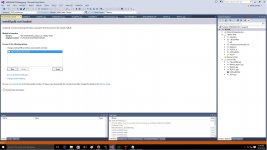
i went to break point and got this.
 

Attachments

  • DEBUG.jpg
    DEBUG.jpg
    298.7 KB · Views: 14
Do you see the small window with the title "Call stack"? There you can find a line with "ENDURANCEVC.DLL", that is the point in your program where it failed, if you click on it, you should find the line in your sources.

You can ignore the message about the no symbols loaded for winnt.dll. It is not needed for finding your problem.
 
Thanks. I found the Endurancevcdll line but when I click on it nothing. I right click and brought up a disassembly.

I ran it again. Now it shows ntdll.dll has the issue

---------- Post added at 09:01 PM ---------- Previous post was at 05:05 PM ----------

I reboot the computer and ran the debugger again the only think it points to is ntdll.dll.

debug3_zpss9esrpa7.jpg


---------- Post added 05-13-16 at 05:52 AM ---------- Previous post was 05-12-16 at 09:01 PM ----------

OK Same thing on the debugger.
I load the scenario and exit no problems go to current state scenario runs good and when it exit it breaks to this.
debug4_zpsmlayepvn.jpg


if I press break it goes to here:
debug5_zpswjrnmmhv.jpg


any ideas?
 
Last edited:
I can't see your images here, but since your problems appear in different places on reboots and relaunches, it looks like a missing initialization to me.

Seeing the line where it fails in your DLL would be better, are you sure you are running the correct DLL in debug mode?
 
Seeing the line where it fails in your DLL would be better, are you sure you are running the correct DLL in debug mode?


I think so. I ran a dll in release and then in debug. Then open the debugger and ran it.
In the call stack it never goes to my dll just that ntdll.dll
 
I think so. I ran a dll in release and then in debug. Then open the debugger and ran it.
In the call stack it never goes to my dll just that ntdll.dll

Never?

The last time I saw your call stack, it did just that. How to read call stacks:

(something, maybe ntdll.dll) <--- Here it explodes
...
(anything you called in your DLL, passes the problem down the system)
ENDURANCEVC.DLL <---- here is the cause
(other stuff that calls your DLL, usually boring)
...
 
Your right it did hit my dll but only once in several tries


So I run the debugger;
I pick the scenario and then exit CTRL Q. it will go to the orbiter.exe has caused a break. In the call stack the arrow is on ntdll.dll. If I say continue it goes back to the ntdll.dll and then again then it goes to the launchpad dialogue box.

Tried this several times and the arrow only goes to ntdll.dll
 
Your right it did hit my dll but only once in several tries


So I run the debugger;
I pick the scenario and then exit CTRL Q. it will go to the orbiter.exe has caused a break. In the call stack the arrow is on ntdll.dll. If I say continue it goes back to the ntdll.dll and then again then it goes to the launchpad dialogue box.

Tried this several times and the arrow only goes to ntdll.dll

The arrow does always point to the last CPU instruction that was executed, when something illegal was done. That instruction is rarely the cause. The Call stack reveals, which functions had been called for reaching this point. The debugger does NOT do the analysis for you, it only gives you the information you need for locating the cause.

In your case, you need to click on the ENDURANCEVC.DLL entries in the Call Stack and find out what happened in your program and what you used as parameter BEFORE this parameter crashed deep in the system.

That it does not always happen when your DLL is actively called, is no reason that it does not happen in your DLL - it is much worse.
 
ok. So when the break occurs. I need to clickonthe Endurancedll, right? and look in the call stack.

I will try that. But I think I had and nothing show
 
ok. So when the break occurs. I need to clickonthe Endurancedll, right? and look in the call stack.

I will try that. But I think I had and nothing show

Yes, on that line there.
 
Will it point to the line in the cpp/h or show the error/issue in the call stack window?
 
Will it point to the line in the cpp/h or show the error/issue in the call stack window?

if you compile with debug info and without optimizations (as usual for a debug build), it will point to the source code line. If it can't point to the line, fix your project settings in the debug mode.
 
So when the break occurs. I need to clickonthe Endurancedll, right? and look in the call stack.

You need to click on the Endurance entry INSIDE of the call stack window. Then it will show you the line in the document window.
 
Back
Top