I'm going to try making a simple animation on Lua, and I've never done that before, so I'd like to learn it. I'd like to understand the basic principles with a simple example (template). Maybe it will be useful for other beginners too. I've seen some Lua script examples, but I'm afraid they confuse me with their complexity.
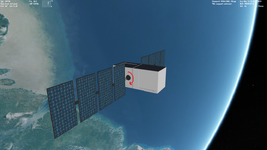
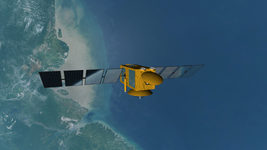
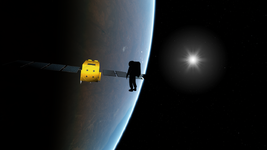
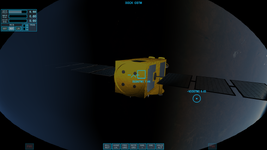
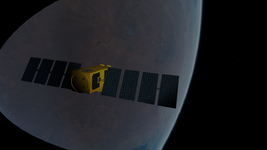
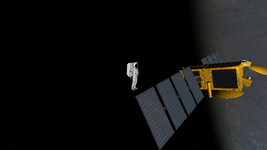
I modelled a simple OSTM/Jason satellite (it's not finished yet):
View attachment 42512
So, firstly I'd like the solar panels to rotate uniformly and automatically all the time in the direction the red arrow indicates.
This is easy enough. I assume you want them to turn once every orbital period?
Lua syntax is pretty well described in the Orbiter Lua Script Interface.chm file in the OrbiterSDK docs.
I'd like to put all my code into a single Lua script. For now I have a Lua script that contains the only one function:
Code:
function clbk_setclasscaps(cfg)
setclasscaps = Set Class Capabilities. This is the callback where you want to define things like the mass, moments of inertia, thrusters, airfoils (if needed), animation definitions, etc.. All the things that define the physics of the vessel should go in here.
Looking at examples, I noticed I should use a code like that:
Code:
panels =
    {
    type =  'rotation',
    mesh =  0,
    grp = {1, 2, 3, 4},
    ref = {x=,y=,z=},
    axis = {x=,y=,z=},
    angle =
    }

anim_panels = vi:create_animation(0)

vi:add_animationcomponent()
The panels table describes the transformation.
- type defines whether it is translation, rotation (this example), or scaling.
- mesh defines the mesh. If you have only a single mesh file loaded, that is index 0.
- grp defines the meshgroups within the indicated mesh file to be animated. They are numbered in the order that they appear in the mesh file.
- ref is a vector that should be a point somewhere on the rotational axis of the parts of the mesh that you want to rotate.
- axis defines the direction of the axis of rotation. This would be in line with the main panel support.
- angle should be the complete angle of rotation, in radians. Here that would be 360*RAD (RAD is a helper constant that converts numerical degrees to radians). You can also use 2*PI here. EDIT: Also note that you can specify the rotation direction here with a sign.
The line anim_panels = vi:create_animation(0) creates the animation and specifies the initial state of the animated parts as they are oriented in the mesh file. Here, using 0, you are saying the 0 state corresponds to the orientation of the panels as they were drawn in the mesh file.
EDIT: I forgot this, but here you must then create the animation component that you will be adding to the animation.
Code:
hTrans = vi:create_animationcomponent(panels)
vi:add_animationcomponent() is where you add the particular transformation to the defined animation.
vessel:add_animationcomponent (anim, state0, state1, hTrans[, hParentAnim])
- vessel is the vessel interface (vi) for this particular vessel.
- anim in this case should be anim_panels, the animation you created.
- state0 and state1 define the range of the animation. Since you should define the range of rotation to be a full circle, you should set these to 0 and 1.
- hTrans is the transformation handle, the name of the table where you define the transformation (panels in your case).
- [,hParentAnim] isn't needed for your animation and should just be left empty. In certain animations (like the rotor blades of our R-4), each blade rotates on their own axis for collective pitch, but all of the blades also rotate around the rotor axis. This requires a nested or parent-child animation where this is needed to add both rotational transformations together.
All of the above code can go into a function, and you can call that function in clbk_setclasscaps. This defines the animation.
Also, it looks I should use the following function for animation (setting some cycle for infinite rotation):
Either clbk_prestep or clbk_poststep should work for setting the animation state. One defines it at the start of the time step, the other at the end of the time step. Use one or the other, not both. There are certain instances where you need things to happen either before or after the timestep, but most animations aren't usually limited.
If you want them to rotate over a period of time T you will have to calculate the animation state as a function of time. The state can only be between 0 and 1. You'll see in the arguments of the prestep/poststep callbacks that the simulation time and step and mean Julian date are passed so you can use them to set animations within:
Code:
function clbk_prestep(simt,simdt,mjd)
...
end
So what you need to do is determine the animation level, and apply it to the animation you created in clbk_setclasscaps. To get one revolution in a period of time T in seconds (e.g. time of one orbit, depends on the orbit) you could determine the level like this:
Code:
panel_anim_level = simt/T
When you start the simulation, simt is 0, so panel_anim_level is 0. When simt = T, this will be 1. So far, so good. But you will run into a problem when simt goes beyond T, because your animation level will exceed 1 then. The animation won't crash, but it will simply stop at 1 and won't go further. What you need to do is get the remainder of your panel_anim_level in excess of 1. You can do this by using the modulo function:
Code:
panel_anim_level = (simt/T) % 1
So if simt/T exceeds a multiple of 1, the modulo function will return the remainder greater than 1. This will allow the animation to continuously rotate in one direction perpetually.
Then you just need to set the animation level at each time step:
vessel:set_animation (anim, state)
where anim is again the handle of the animation (anim_panels), and the state is the level you calculated in panel_anim_level.
Have fun!