Problem UNABLE to get off the pad using Orbiter 2024 - ???

After a suggestion from francisdrake over in the 'Orbiter 2024 Release' thread, I copied zlib.dll from the root directory into Orbiter-2024\Modules\Server and now Orbiter 2024 WORKS!
 

Attachments

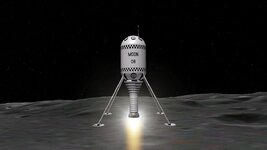
  • MoonBulb.jpg
    MoonBulb.jpg
    46.7 KB · Views: 8
A zlib* function is called at/near the CTD... I don't have a theory that explains this, but it seems something to explore.


*) The zlib library has compression and decompression functions, and is used by Orbiter to decompress the big texture/elevation archives.
 
Hello,

It's. Amazing. :D
I just tried this and it works well ! Orbiter_ng, either with D3D7 or D3D9, works !
Thanks for the tip ! (y)
 
BINGO! It works! 😁 What a relief...

I can see in the VS debugger that Orbiter.exe loaded zlib from C:\Windows\SysWOW64\Zlib.dll which is version 1.01.2.0 on my machine, from 1998. So I guess that version has some compatibility issues.

(In one of my previous posts, I said that the stack pointer shifts 16 bytes up after zlib's uncompress function returns, corrupting the return address to ReadData. Now that the proper zlib.dll is loaded, that shift doesn't happen. Also, the reason I didn't see a difference when changing the zlib version is because Windows was not even loading those versions 😁)

For what it's worth, the latest version of zlib, v1.3.1, also seems to work on my machine. But I'll leave it to the rest of the development team to properly test that.

Thank you @francisdrake :hailprobe:
 
Last edited:
I'm not following the latest changes in github, so maybe this is history already, but I hope this zlib issue is solved "at the source" so users don't have move dlls around.
 
And maybe post this as a "known issue", with the fix, in the Orbiter download page, so people know this might happen and how to fix it.
 
Back
Top