SSU Development Thread (2.0 to 3.0)

Status
Not open for further replies.
Talking about releasing the stuff in the ShuttleCentaur branch, that has the CISS rotation and Centaur release working. I'm just waiting for the new Centaur mesh so I can update the RCS positions and AFAIK it's good to go.
It's still lacking the engines.
 
The RL-10 looked good in the Centaur thread... we can afford to buy 2 of them, right? :lol:
Sure, but the engine contractor(Loru) never delivered them to the stage contractor(Me).
 
BTW just saw your RCS update, looks good in space but it needs more atmospheric slowdown, otherwise it doesn't look good when flying TAEM.
 
BTW just saw your RCS update, looks good in space but it needs more atmospheric slowdown, otherwise it doesn't look good when flying TAEM.
Could you check in a TAEM test scenario for me to use?
 
Could you check in a TAEM test scenario for me to use?

There's the "EDW 22 TAEM" in the "Testing scenarios" folder. Just go CSS on R/Y and start rolling left and right and the RCS will fire.
Also, the SRB lights in the Altantis_SRB.cpp need to match the ones in Atlantis.cpp, so there's no change at SRB SEP.
 
There's the "EDW 22 TAEM" in the "Testing scenarios" folder. Just go CSS on R/Y and start rolling left and right and the RCS will fire.
Also, the SRB lights in the Altantis_SRB.cpp need to match the ones in Atlantis.cpp, so there's no change at SRB SEP.
Could you check that the RCS is what you expect now? Changed the atmslowdown parameter and increased the lifetime parameter as well.
 
This is a question that has been on my mind for a while now: In the Crawler we have a feature that allows the saving/loading of the actual VC position used at the time of scenario exit.
Could this feature be implemented into the main shuttle code? I think that this could potentially save some time setting things up when testing visual stuff, mainly VC changes/additions.
Checked this in.
 
Just checked the SRB lights in D3D9 and it looks like they are not aligned with the SRBs, as they are iluminated on the inboard side and the outboard side is dark.

Could you check that the RCS is what you expect now? Changed the atmslowdown parameter and increased the lifetime parameter as well.

I tried these settings and looks good to me:
RCS_PSSpec.lifetime=0.2;
RCS_PSSpec.atmslowdown=5.0;
 
Just checked the SRB lights in D3D9 and it looks like they are not aligned with the SRBs, as they are iluminated on the inboard side and the outboard side is dark.
If you mean that the inboard sides are lit up more than the outboard sides, then this is very much correct:

2010-2548.jpg
 
Yes, but that's not because their "light sources" are offset... (I don't know if ours are)
 
Yes, but that's not because their "light sources" are offset... (I don't know if ours are)
Ours are using the offsets of the SRBs:

Code:
    SRBLight[0] = AddPointLight (_V(LSRB_OFFSET.x,LSRB_OFFSET.y,LSRB_OFFSET.z-25.8), 300, 1e-3, 0, 0.0025, col_diff_SRB, col_zero_SRB, col_ambient_SRB);
    SRBLight[1] = AddPointLight (_V(RSRB_OFFSET.x,RSRB_OFFSET.y,RSRB_OFFSET.z-25.8), 300, 1e-3, 0, 0.0025, col_diff_SRB, col_zero_SRB, col_ambient_SRB);

And here's a screenshot from a similar angle:
SRB_light_lift-off.jpg
 
A couple of questions:
1) What's the difference between total attitude error and digital autopilot attitude error? I was working on the Orbit PFD and needed to drive the error needles, and noticed that they use the same error shown in the UNIV PTG display, where the selection between the 2 error sources is also made. I made the easy part of having the toggle show in the display but I'm not sure what is to toggle...
2) Could someone check the alignment of the SRB plume? I've attached a screenshot. I know it's never going to be perfect because of the angle of attack and the source being well aft of the vehicle, but it seems like it's off by too much for that alone (if it's aligned then we'll live with it).

In other news, I managed to highlight the button of the select display (screenshot below), and it was easier than expected. Still missing the "box" around the text. Will upload later.
 

Attachments

  • plume.PNG
    plume.PNG
    44.3 KB · Views: 377
  • menuhighlight.PNG
    menuhighlight.PNG
    191.2 KB · Views: 452
Committed a corrected version of panel R2. I wrote an explanation here.
 
April 12'th 2016 is a Tuesday. :lol:
 
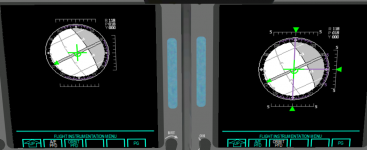
Finally committed the Orbit PFD, after finding out recently that the difference between it and the A/E PFD was the size of the ADI. So currently the Orbit PFD works in MM201, 202 and 801, and the A/E PFD is for the rest. The source of the data to drive the error needles needs some work... I don't know the exact inner workings of the OrbitDAP. :shrug:

In the attached screenshot it is visible that the increase of a few pixels in the Orbit PFD makes the 8-ball there look slightly better.
 

Attachments

  • pfds.PNG
    pfds.PNG
    149.3 KB · Views: 439
Potential show stopper for the new CRTMFD menus: when I "switch seats" in the virtual cockpit and then click on a MFD button (the UP does it), the labels and the menu title appear overwritten... and that's for all MFDs, not just CRTMFD. The function that draws the menu is not being called twice in a row, and even if it did, orbiter would clear the DC between calls, right? I can't find the source of the problem... :sos:
 
Can someone from the "graphics department" take a look at the position of the body flap? It seems a little buried in the aft compartment. Also there's some flickering going on, at the edges of the hinge in the default graphics client.
 
Status
Not open for further replies.
Back
Top