SSU Development Thread (2.0 to 3.0)

Status
Not open for further replies.
Just for the sake of reference, can you note down the crease angle for all meshes that make up the orbiter mesh?

I have come to be of the opinion that we should have everything open, the 3D models included in the case of somebody leaving the project or is otherwise unable to further lend assistance in any way. This also protects against local source losses (I have myself experienced this in the recent years).

What are your opinions?

I sent you the SSU orbiter AC3D file. It's the only format I have it in.
 
I'm sad to report that the wierd shadows/black planes are back. :uhh:
 
When did it break ?
 
I'm sad to report that the wierd shadows/black planes are back. :uhh:
Fixed in revision 2020. For some reason, the PLB sill longeron equipment mesh group decided on its own to become corrupt. I replaced it with a fresh and good working copy and now everything is back to normal. I never even touched it to begin with, so this is very puzzling.
 
The shadows are gone, but the PLB camera pan-tilt units (I think that's what they are called) are missing, and the ones for camera A and C are way outboard of the vehicle.
 
The shadows are gone, but the PLB camera pan-tilt units (I think that's what they are called) are missing, and the ones for camera A and C are way outboard of the vehicle.
I just checked and everything is fine here. Did you update your orbitersdk folder to get the latest meshres file? That's the only thing I can think of that could cause something like this (the animations are tied to the wrong mesh groups).
 
I forgot to compile :facepalm::facepalm:. Sorry for the "scare".
 
I forgot to compile :facepalm::facepalm:. Sorry for the "scare".
No problem. That has happened to me a couple of times as well.
 
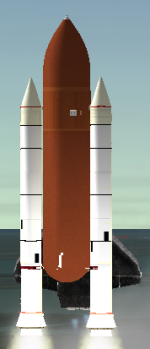
So I managed to change the SRB texture to add the missing 4º black rectangle. I had to create a copy of the texture so that both SRBs looked correct and I used VS to edit the texture list at the bottom of the right SRB meshes to use the new right SRB texture. Surprisingly it all worked and the result is below for scrutiny. If there are no complaints I'll commit it.
One thing that I don't know how to "fix" is the aft segment of the right SRB: it appears to be mirrored, with the cable tray is on the "inboard side" and the ET attach ring not in the correct orientation. Anyway, the "graphics department" already has a lot (and more important stuff) on its plate for this release, so I have absolutely no problems with the aft segment waiting until the bug fix release or something (I just want to get this release out the door :lol:).

BTW: looks like the texture "Frustrum.dds" (typo there) slipped thru the cracks during the texture deletion exercise a few weeks back. I can't find any reference to it, so it goes out, right?
 

Attachments

  • newsrbtex1.PNG
    newsrbtex1.PNG
    81.9 KB · Views: 423
  • newsrbtex2.PNG
    newsrbtex2.PNG
    121.6 KB · Views: 704
Looks good. I have checked in a fixed RH-SRB aft segment.
 
2 problems: the ET attach ring is still not correct and the whole segment is "sideways" (and this time I recompiled everything :P).
 
2 problems: the ET attach ring is still not correct and the whole segment is "sideways" (and this time I recompiled everything :P).
Now rotated correctly. What do you mean that the ET attach ring is not correct? Do you mean that the ET H/W doesn't align with the H/W on the SRBs? Then that is a known issue due to sizing differences. Seeing as new ETs are in the works, planned for the next major version, I prefer not change things now.
 
Now rotated correctly. What do you mean that the ET attach ring is not correct? Do you mean that the ET H/W doesn't align with the H/W on the SRBs? Then that is a known issue due to sizing differences. Seeing as new ETs are in the works, planned for the next major version, I prefer not change things now.

Yes, I know about the size thing. This is what I mean: in the original design the ET attach ring was just 270º, and it is like that in the mesh, but the "missing" 90º are not at the correct location on the right SRB. The ring on the left SRB, and the electronics boxes on the SRBs are correct.
 
GLS said:
Yes, I know about the size thing. This is what I mean: in the original design the ET attach ring was just 270º, and it is like that in the mesh, but the "missing" 90º are not at the correct location on the right SRB. The ring on the left SRB, and the electronics boxes on the SRBs are correct.
This has now been corrected.
 
Ok, now it looks good, thanks! :thumbup: I also committed the missing black rectangle.

What about the Frustrum.dds texture? And also, there's a missing texture showing up in the log "asphalt.dds" that is used in the VAFBasphalt.msh file. We have a "VAFBasphalt.dds" texture... not sure if a missing file or wrong name... but none of those files are "ours". They came from the VAFB pack we're using... should we do something?
 
The MDU edgekey menu issue should be fixed now. It turned out to be related to the code to load/save the VC position from the scenario file.
 
The MDU edgekey menu issue should be fixed now. It turned out to be related to the code to load/save the VC position from the scenario file.
Thanks! I was already losing sleep because of that. :lol:

So let's talk release. To me, these tickets should be fixed before release:
62 Reentry plasma mesh/​texture in wrong position
63 Switch covers (and their appearance in D3D9)
67 Aft MDU is distorted
74 Edwards lakebed runways
83 ET&SRBs twitch during launch
86 Stack falls at T0
I'll try to work on ticket 74, but the only thing I can do is change the position of runway 05/23.
Special mention to ticket 11 MECOTool calcs off, a few months ago I changed the earth radius value so it is equal to the one orbiter uses, and all the math there checks out. AscentGuidance has trouble hitting the correct flight path angle (altitude and speed are 99% correct), so we don't (always) get the correct apogee/perigee at MECO. I didn't upload the fix (and new project) because there where objections to working in something that old and obsolete, but I still think the MECOTool is a plus and should be included in the release. Thoughts on this?

We still need to work more on the documentation, specifically the main manual. It doesn't have a "source" in the repository so I can't work on it. Also, should the 3 folders we have there (Tech Notes, architecture and Images) be included? That's almost half of the total package size, on something the vast majority of people won't even open once.

 
I would need to review the tickets first before saying something about their priorities, but I believe many of them are no showstoppers at all and can be delayed.

It is not like the release must be perfect, I think we will have much more bug reports and resulting tickets after release anyway. If we have the chance to release without known issues, its great, but some tickets describe things I have never seen before.
 
I would need to review the tickets first before saying something about their priorities, but I believe many of them are no showstoppers at all and can be delayed.

It is not like the release must be perfect, I think we will have much more bug reports and resulting tickets after release anyway. If we have the chance to release without known issues, its great, but some tickets describe things I have never seen before.

Yes, I know the release will not be perfect, and I accept it. I'm not saying we must fix every know bug/discrepancy, but just the ones that are obvious and that can be fixed in a "short" period of time.
That ticket "choice" was just my POV, and it is as valid as anybody else's. It's all up for debate. For example, on ticket 63, if the covers show up in D3D9 I'll have no problems (for now) with them not looking like the real ones.
 
Yes, I know the release will not be perfect, and I accept it. I'm not saying we must fix every know bug/discrepancy, but just the ones that are obvious and that can be fixed in a "short" period of time.
That ticket "choice" was just my POV, and it is as valid as anybody else's. It's all up for debate. For example, on ticket 63, if the covers show up in D3D9 I'll have no problems (for now) with them not looking like the real ones.
That has now been dealt with (ticket#63).
 
Status
Not open for further replies.
Back
Top