Robsoie
Member
- Joined
- Feb 19, 2008
- Messages
- 67
- Reaction score
- 4
- Points
- 8
Hello,
It's been a while i haven't run my good old Orbiter with my favorite addons, i saw that most of them weren't updated for later Orbiter version, so i stayed with my good old Orbiter 2010 P1 for now.
Testing the D3D9 Client , i ran into an issue using Wideawake International (my favorite earth base)
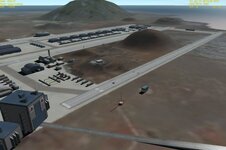
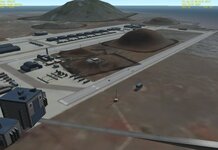
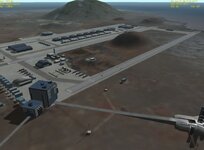
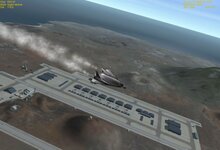
It seems in comparison to the original D3D7 , the mountains have some bizarro shadow around them as shown in the screenshot
So far the only way i can get rid of those ugly shadows is to disable the "Object Shadows" in orbiter_ng -> Visual Effects
But unfortunately it will remove all the objects shadows then (so all those nice buildings will have none anymore.
Is there anything else i could do that could solve this specific issue ?
Using latest D3D9 client for Orbiter 2010 P1
It's been a while i haven't run my good old Orbiter with my favorite addons, i saw that most of them weren't updated for later Orbiter version, so i stayed with my good old Orbiter 2010 P1 for now.
Testing the D3D9 Client , i ran into an issue using Wideawake International (my favorite earth base)
It seems in comparison to the original D3D7 , the mountains have some bizarro shadow around them as shown in the screenshot
So far the only way i can get rid of those ugly shadows is to disable the "Object Shadows" in orbiter_ng -> Visual Effects
But unfortunately it will remove all the objects shadows then (so all those nice buildings will have none anymore.
Is there anything else i could do that could solve this specific issue ?
Using latest D3D9 client for Orbiter 2010 P1