Hello Docteur Schweiger,
The attached file (notes.zip at the end of this message), contains a lite version of an interface - work in slow progress

- for the online help, of which I sometimes spoke on the forum, describing it's principle.
A chm (notes.chm, here) containing - and containing only - a function, that you know (parser / link to an external file), ...
http://msdn.microsoft.com/en-us/library/ms644690.aspx
... giving the possibility to display, with Internet Explorer, an html page ( once again: external to the chm ) - notes.htm, here - being able to serve, itself:
- of relay for others pages through a menu, modifiable, supplied - in doc write - by a file text (liens.txt, here);
- and/or of toolbox for other functionalities offered by javascript (in the complete full file : timer, video flv).
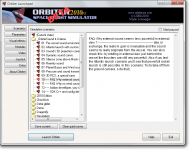
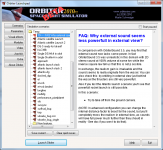
This device was not, is not, in my mind, destined to be displayed in the launchpad (I have besides discover this possibility only very recently), but in Orbiter, in full screen (F4/Help/scenarios).
But, by the fact, if i discover, now, that it works in the launchpad, with the 2010 P1 version, this is not the case with the last beta 121129-100830diff.
Is this the fact of the supported code (or not supported) by the new viewer ? Something related to the parser function ?
Other interrogation:
- In quicksave or in current state, the original's Help lines in scenarios files becomes "Help CurrentState_img".
At last, being the question of the pdf editor, it was a confusion on my part: I wanted to say pdf viewer.
NB: This file - "notes.zip" - is to be unziped in Orbiter as any addon.
A scenario file for essay: "notes.scn", is available at the root of the Scenarios folder. Once inside Orbiter: F4/Help/scenarios, as usual.
Work with IE6 and XPSP1. With IE 7 AND XPSP2 or 3 in the CHM file (if my memory is good), and in any case with necessary authorizations in IE for javascript. Vista ? Seven ? IE8 ?
The display of a standard pdf necessitates an IE compatible viewer (Acrobat Reader, ver 5.0 here, Foxit first or second versions, and. ..) and the abscence of a welcome screen in the viewer (to see: options Acrobat Reader).