Discussion Mesh making with Blender

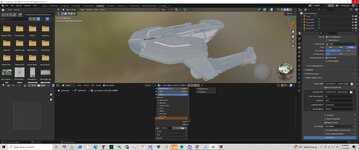
here it is:
 
One problem we are using different versions. the sabre auto smooth was 5.0? I might be able to reture it but then the mesh converter doesn't load.
 
So I am using 4.2LTS and tried to import that sabre mesh
And got this

bpy.context.space_data.system_bookmarks_active = 3
bpy.context.space_data.system_bookmarks_active = 2
bpy.context.space_data.system_bookmarks_active = 3
Python: Traceback (most recent call last):
File "C:\Program Files\Blender Foundation\Blender 4.2\4.2\scripts\addons_core\orbiter-blender-2\__init__.py", line 225, in execute
import_tools.import_mesh(config, path)
File "C:\Program Files\Blender Foundation\Blender 4.2\4.2\scripts\addons_core\orbiter-blender-2\import_tools.py", line 440, in import_mesh
msh_index = up.index('meshes')
^^^^^^^^^^^^^^^^^^
ValueError: 'meshes' is not in list
bpy.ops.object.delete(use_global=False, confirm=False)
Deleted 1 object(s)
Python: Traceback (most recent call last):
File "C:\Program Files\Blender Foundation\Blender 4.2\4.2\scripts\addons_core\orbiter-blender-2\__init__.py", line 225, in execute
import_tools.import_mesh(config, path)
File "C:\Program Files\Blender Foundation\Blender 4.2\4.2\scripts\addons_core\orbiter-blender-2\import_tools.py", line 440, in import_mesh
msh_index = up.index('meshes')
^^^^^^^^^^^^^^^^^^
ValueError: 'meshes' is not in list

The mesh importer will assume you are importing from an Orbiter installation. Its looking for the 'meshes' folder and will try and find the 'textures' folder relative to that. It also looks like the 'uss.dds' file is in '\textures\uss\'. Set that up and it should import.

1778501575748.png
 
The mesh importer will assume you are importing from an Orbiter installation. Its looking for the 'meshes' folder and will try and find the 'textures' folder relative to that. It also looks like the 'uss.dds' file is in '\textures\uss\'. Set that up and it should import.

View attachment 48702
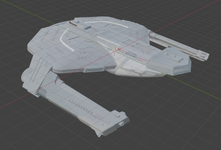
The Saber is looking pretty good so far.

By the way, have you managed to resize the mesh yet? (And by that, I mean the one that Fast_toche included in the earlier download link.)
 
weird. I resized it but when I export to the mesh all I get is a cube.
This is what I get for the mesh?
MSHX1
GROUPS 0
MATERIALS 0
TEXTURES 0
 

Attachments

Last edited:
Anyone have any luck importing a LWO file?
There is an importing addon for LWO/LWO2 files. This is for Blender 3.3 to 4.5. LWO3 is not supported. I note that it is recommended that files be exported from Lightwave as fbx files and then converted or as obj files and then converted.
 
Yes, it's great, but there are still many things to correct, but separating things and analyzing each part of a 3D object helps to isolate the problem.
Do you think you could maybe help out gattispilot with exporting meshes into Blender?
 
Last edited:
Last edited:
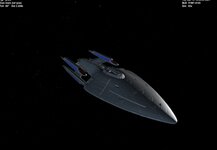
Wow. So I resized the Saber to abt 526 meters. I did notice some hole along the lower section windows.
 
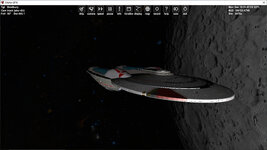
Meanwhile, here's the Bradbury-class starship. The 3D model is originally by Kenny Mitchell. The vessel was mentioned in the ST:TNG episode "Ménage à Troi" (yes, that's actually how it's spelled, as a pun on Deanna Troi's surname) but not shown on screen, so this is a fan-made design.

Shown below is the USS Bradbury in orbit above Earth's moon:

Bradbury.jpg
 

Attachments

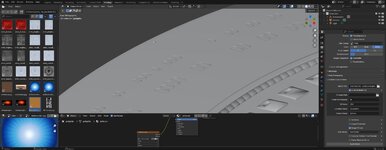
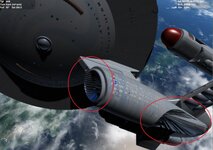
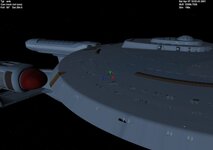
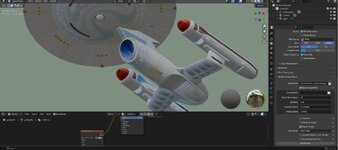
So how to fix these. I need to relook at how to texture. I have auto smoothed the hull and main aft section

In orbiter the mesh has issues but not in blender
 

Attachments

  • amblend23.jpg
    amblend23.jpg
    52.7 KB · Views: 6
  • ambissue2.jpg
    ambissue2.jpg
    73.2 KB · Views: 4
  • ambissue1.jpg
    ambissue1.jpg
    31.6 KB · Views: 6
  • ambblend1.jpg
    ambblend1.jpg
    55.4 KB · Views: 6
So how to fix these. I need to relook at how to texture. I have auto smoothed the hull and main aft section

In orbiter the mesh has issues but not in blender
The Ambassador is looking pretty good, aside from the issues you mentioned. It's pretty clear your skills in Blender have improved considerably.

By the way, you still haven't provided me any updates on any of the other vessels, particularly the Olympic or Prometheus.
 
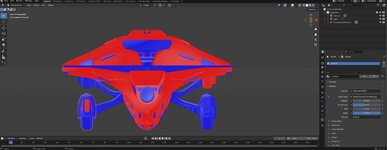
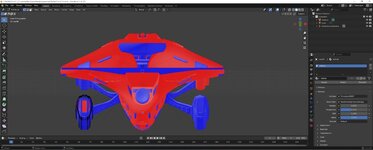
Sometimes I can select a whole subject and hit tab and the whole faces remain and then flip all of the faces from the object. But then I select this and no faces are selected.

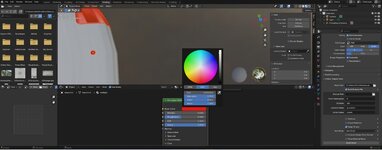
Materials. I have this set as a redlight. But then in the mesh it is just:
all materials are set like this:
MATERIAL redlifght
0.800 0.800 0.800 1.000
1.000 1.000 1.000 1.000
1.000 1.000 1.000 1.000 10.000
0.000 0.000 0.000 0.000
 

Attachments

  • BLENDERCOLOR.jpg
    BLENDERCOLOR.jpg
    54.6 KB · Views: 1
  • BLENDERFLIP1.jpg
    BLENDERFLIP1.jpg
    47.7 KB · Views: 1
  • BLENDERFLIP2.jpg
    BLENDERFLIP2.jpg
    53.8 KB · Views: 1
I get this for the Prometheus. I needs to scale it. I am finding the smooth is messing up the mesh. Can you select which faces to auto smooth rather than all.

I am not sure why the material setting are all the same?
in the zip is the blend file and textures
 

Attachments

  • prom1.zip
    prom1.zip
    11.3 MB · Views: 3
  • promethueus1.jpg
    promethueus1.jpg
    24.4 KB · Views: 3
I'm completely lost here... Prometheus??
It's just crazy how this whole thing is going from one thing to another.

I think the mesh is poorly optimized and processed (no auto-smoothing), and I'd like to understand why.
 
Back
Top