Question My animation is not working

MJR

C++ developer in the mix
Addon Developer
Tutorial Publisher
Donator
Joined
Mar 19, 2008
Messages
2,447
Reaction score
5
Points
0
Location
United States
Could anyone explain to me why this animation is not working?

[ANIM_SEQ_0]
INIT_POS=0
KEY=K
DURATION=5
REPEAT=0
PAUSE=0

[ANIM_COMP_0]
SEQ=0
GROUPS=7
TYPE=TRANSLATE
RANGE=(0,0)
SHIFT=(30,0,0)

The group is right because I used mesh debugger and the mesh that I want is 7.
 
I'm no expert on SC3 but this looks like a problem:
RANGE=(0,0)
I would expect something like RANGE=(0,1).
 
I'll change that and see if it works.

---------- Post added at 08:38 AM ---------- Previous post was at 08:36 AM ----------

Switched it to this and it still does not work. Sorry for the trouble.

[ANIM_SEQ_0]
; cabin door
KEY=D
INIT_POS=0
DURATION=5
REPEAT=1

[ANIM_COMP_0]
SEQ=0
GROUPS=7
TYPE=TRANSLATE
RANGE=(0,1)

---------- Post added at 09:55 AM ---------- Previous post was at 08:38 AM ----------

I had looked in the advanced concepts manual and everything that I did looked similar to what he had given in an example. I chose the right groups and it doesn't look like any syntax is wrong so I guess it could be a problem with the actual mesh. I am still not sure about it.
 
I dont know about SC3 animations, but wouldn't you need to have a second sequence?
 
You mean COMP? I'll try that. Although a translational movement of needs one movement from point to point. I'll try it anyways.
 
You can't use the "D" key, only"G" "K" or Lshift + keypad 0-9
 
Thanks Donamy. It is working now. Thank you thank you thank you.
 
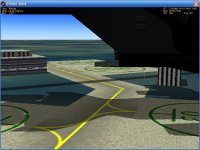
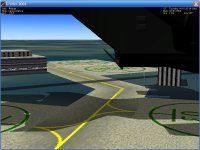
I am also doing a rotational animation now. How do I keep it from looking like picture two? It rotates good, butit goes a little bit downward.
 

Attachments

  • Rotatino.jpg
    Rotatino.jpg
    109.2 KB · Views: 15
  • ta.jpg
    ta.jpg
    109.9 KB · Views: 17
Scratch that. I figured that part.

---------- Post added at 04:18 PM ---------- Previous post was at 10:58 AM ----------

I have been editing around with it and now when I press G it controls two meshes. I do not want that. Looking at this you can tell that it is not supposed to happen.


[ANIM_SEQ_0]
; cabin door
KEY=K
INIT_POS=1
DURATION=5
REPEAT=0

[ANIM_SEQ_1]
; Main doors
KEY=G
INIT_POS=1
DURATION=7.5
REPEAT=0

[ANIM_SEQ_2]
; Canopy
KEY=K
INIT_POS=1
DURATION=7.5
REPEAT=0

[ANIM_SEQ_3]
; elevator
INIT_POS=0.5

[ANIM_COMP_0]
SEQ=0
GROUPS=8,9,18,19,
TYPE=TRANSLATE
RANGE=(0,5)
SHIFT=(38,0,0)

[ANIM_COMP_1]
SEQ=1
GROUPS=2,11,12,21,24,27,28,31
TYPE=ROTATE
RANGE=(0,7.5)
ROT_PNT=(0,6,8)
ROT_AXIS=(-1,0,0)
ANGLE = 360
PARENT=1

[ANIM_COMP_2]
SEQ=2
GROUPS=76,119,233,253,294,295,296,297,298,299,300,301,302,303,304,305
TYPE=ROTATE
RANGE=(0,3.5)
ROT_PNT=(0,10,0)
ROT_AXIS=(4,0,0)
ANGLE = 5
PARENT=1

[ANIM_COMP_3]
SEQ=3
GROUPS=32,33,34,35,38,39,40,41,44,45,46,47
ROT_PNT=(0,-2,-6.0)
ROT_AXIS=(-0.02,0,0)
ANGLE=90
 
Thanks. I'll change that and see what happens.

---------- Post added at 04:33 PM ---------- Previous post was at 04:29 PM ----------

Now it won't even animate.


[TEXTURE_LIST]
TEX_1=Exhaust2
TEX_2=Contrail1
TEX_3=DGHover

[PARTICLESTREAM_1]
NAME=DGHover
SRCSIZE=1.5
SRCRATE=25
V0=150.0
SRCSPREAD=5
LIFETIME=2
GROWTHRATE=9
ATMSLOWDOWN=1.0
LTYPE=EMISSIVE
LEVELMAP=LVL_SQRT
LMIN=0
LMAX=1
ATMSMAP=ATM_PLOG
AMIN=1e-5
AMAX=0.1

[AERODYNAMICS]
; lift/drag attack point of the vertical airfoil
VAIRFOIL_ATTACK=(0,0,-0.2)
; wing chord length of the vertical airfoil
VAIRFOIL_CHORD=5
; wing area of the vertical airfoil
VAIRFOIL_AREA=90
; wing aspect ratio of the vertical airfoil
VAIRFOIL_ASPECT=1.5
; lift/drag attack point of the horizontal airfoil
HAIRFOIL_ATTACK=(0,0,-4)
; wing chord length of the horizontal airfoil
HAIRFOIL_CHORD=5
; wing area of the horizontal airfoil
HAIRFOIL_AREA=15
; wing aspect ratio of the horizontal airfoil
HAIRFOIL_ASPECT=1.5
; surface area of aileron
AILERON_AREA=0.2
; lift change of aileron
AILERON_LIFT=1.5
; lift/drag attack point of left aileron (right aileron deduced by x -> -x
AILERON_ATTACK=(7.5,0,-7.2)
; reference to animation sequence for the left aileron
AILERON_RIGHT_ANIM=9
; reference to animation sequence for the right aileron
AILERON_LEFT_ANIM=8
; surface area of elevator
ELEVATOR_AREA=1.2
; lift change of elevator
ELEVATOR_LIFT=1.5
; lift/drag attack point of elevator
ELEVATOR_ATTACK=(0,0,-7.2)
; reference to animation sequence of elevator
ELEVATOR_ANIM=3
; surface area of rudder

[CONFIG]
MESHNAME="Pelican"
SIZE=12
EMPTY_MASS=8000
FUEL_MASS=7000
MAIN_THRUST=4e5
RETRO_THRUST=3e5
HOVER_THRUST=4.16e5
ATTITUDE_THRUST=50000
ISP=100000
TRIM=0.05
PMI=(2659.62,1949.67,1387.64)
CW_Z_POS=0.5
CW_Z_NEG=0.5
CW_X=1.4
CW_Y=1.4
CROSS_SECTION=(4066.09,8748.19,3115.48)
COG=13.90
PITCH_MOMENT_SCALE=0.00005
BANK_MOMENT_SCALE=0.00005
ROT_DRAG=(0,0,0)
WING_ASPECT=0.7
WING_EFFECTIVENESS=2.5
VISIBLE=1
CAMERA=(0,1.22,5.4)
MAIN_TEX=Exhaust2
HOOVER_PSTREAM1=DGHover

[EX_MAIN_0]
OFF=(-34.067,31.314,10)
DIR=(0,0,-1)
LENGTH=28
WIDTH=2.2

[EX_MAIN_1]
OFF=(-29.067,31.314,10)
DIR=(0,0,-1)
LENGTH=28
WIDTH=2.2

[EX_MAIN_2]
OFF=(29.067,31.314,10)
DIR=(0,0,-1)
LENGTH=28
WIDTH=2.2

[EX_MAIN_3]
OFF=(34.067,31.314,10)
DIR=(0,0,-1)
LENGTH=28
WIDTH=2.2

[EX_MAIN_4]
OFF=(-21.320,46.432,-82)
DIR=(0,0,-1)
LENGTH=22
WIDTH=1.8

[EX_MAIN_5]
OFF=(-17.320,46.432,-82)
DIR=(0,0,-1)
LENGTH=22
WIDTH=1.8

[EX_MAIN_6]
OFF=(17.320,46.432,-82)
DIR=(0,0,-1)
LENGTH=22
WIDTH=1.8

[EX_MAIN_7]
OFF=(21.320,46.432,-82)
DIR=(0,0,-1)
LENGTH=22
WIDTH=1.8

[EX_HOVER_0]
OFF=(-30.365,13.432,35.9147)
DIR=(0,-1,0)
LENGTH=12
WIDTH=1.5

[EX_HOVER_1]
OFF=(-30.365,15.432,29.714)
DIR=(0,-1,0)
LENGTH=12
WIDTH=1.5

[EX_HOVER_2]
OFF=(30.365,15.432,29.714)
DIR=(0,-1,0)
LENGTH=12
WIDTH=1.5

[EX_HOVER_3]
OFF=(30.365,13.432,35.9147)
DIR=(0,-1,0)
LENGTH=12
WIDTH=1.5

[EX_HOVER_4]
OFF=(-20.605,36.432,-54.764)
DIR=(0,-1,0)
LENGTH=12
WIDTH=1.5

[EX_HOVER_5]
OFF=(20.605,36.432,-54.764)
DIR=(0,-1,0)
LENGTH=12
WIDTH=1.5

[ANIM_SEQ_0]
; cabin door
KEY=K
INIT_POS=1
DURATION=5
REPEAT=0

[ANIM_SEQ_1]
; Main doors
KEY=G
INIT_POS=1
DURATION=7.5
REPEAT=0

[ANIM_SEQ_2]
; Canopy
KEY=K
INIT_POS=1
DURATION=7.5
REPEAT=0

[ANIM_SEQ_3]
; elevator
INIT_POS=0.5

[ANIM_COMP_0]
SEQ=0
GROUPS=8,9,18,19
TYPE=TRANSLATE
RANGE=(0,0.5)
SHIFT=(38,0,0)

[ANIM_COMP_1]
SEQ=1
GROUPS=2,11,12,21,24,27,28,31
TYPE=ROTATE
RANGE=(0,0.5)
ROT_PNT=(0,6,8)
ROT_AXIS=(-1,0,0)
ANGLE = 360
PARENT=1

[ANIM_COMP_2]
SEQ=2
GROUPS=76,119,233,253,294,295,296,297,298,299,300,301,302,303,304,305
TYPE=ROTATE
RANGE=(0,0.5)
ROT_PNT=(0,10,0)
ROT_AXIS=(4,0,0)
ANGLE = 5
PARENT=1

[ANIM_COMP_3]
SEQ=3
GROUPS=32,33,34,35,38,39,40,41,44,45,46,47
ROT_PNT=(0,-2,-6.0)
ROT_AXIS=(-0.02,0,0)
ANGLE=90

---------- Post added at 04:41 PM ---------- Previous post was at 04:33 PM ----------

It just all changed all of a sudden. The animations were fine, but then it started to mesh up. THe door wouldn't open with K, the G key commanded two different meshes.

 
[ANIM_SEQ_0]
; cabin door
KEY=K
INIT_POS=0
DURATION=5
REPEAT=0

[ANIM_SEQ_1]
; Main doors
KEY=G
INIT_POS=1
DURATION=7.5
REPEAT=0

[ANIM_SEQ_2]
; Canopy
KEY=2
INIT_POS=1
DURATION=7.5
REPEAT=0

[ANIM_SEQ_3]
; elevator
INIT_POS=0.5

[ANIM_COMP_0]
SEQ=0
GROUPS=8,9,18,19
TYPE=TRANSLATE
RANGE=(0,7)
SHIFT=(38,0,0)

[ANIM_COMP_1]
SEQ=1
GROUPS=2,12,21,24,27,28,31
TYPE=ROTATE
RANGE=(0,7)
ROT_PNT=(0,6,8)
ROT_AXIS=(-1,0,0)
ANGLE = 360
PARENT=1

[ANIM_COMP_2]
SEQ=2
GROUPS=76,119,233,253,294,295,296,297,298,299,300,301,302,303,304,305
TYPE=ROTATE
RANGE=(0,6)
ROT_PNT=(0,10,0)
ROT_AXIS=(1,0,0)
ANGLE = 5
PARENT=1

[ANIM_COMP_3]
SEQ=3
GROUPS=32,33,34,35,38,39,40,41,44,45,46,47
ROT_PNT=(0,-2,-6.0)
ROT_AXIS=(-1,0,0)
ANGLE=90


Still doesn't work. If you want to see what I am talking about just download the Pelican with this config file and you'll see. It is really weird how it all just messed up.

---------- Post added at 05:10 PM ---------- Previous post was at 05:03 PM ----------

I fixed the two meshes in one stroke problem. The only thing that doesn't work is the doors. I press K which is the command and it doesn't move. However, when I open a new sub window and move my mouse over it, it changes. If I put it back over Orbiter it doesn't.
 
Simple,will work.

[ANIM_SEQ_0]
; cabin door
KEY=K
DURATION=5

[ANIM_COMP_0]
SEQ=0
GROUPS=8,9,18,19
TYPE=TRANSLATE
SHIFT=(38,0,0)
 
Oh so I needed to delete the Range and all the extra stuff? Anyway, I look at the ship and can't even see the doors now.
 
In scenario use this...

Pelican:spacecraft\spacecraft3
STATUS Landed Earth
POS -80.6855600 28.5901670
HEADING 330.00
RCSMODE 0
PRPLEVEL 0:1.000
NAVFREQ 524 94
RCS 1
CTRL_SURFACE 1
CONFIGURATION 1
CURRENT_PAYLOAD 0
END

In config:

[ANIM_SEQ_0]
; cabin door
KEY=K
DURATION=5

[ANIM_COMP_0]
SEQ=0
GROUPS=8,9,18,19
TYPE=TRANSLATE
SHIFT=(10,0,0)

;shift set on 10
 
Thank you. It all works now except for the fact that the shift placed the mesh where it was supposed to be. Since that is taken I cannot command the door. I think we need to add something to the SEQ.
 
Thank you. It all works now except for the fact that the shift placed the mesh where it was supposed to be. Since that is taken I cannot command the door. I think we need to add something to the SEQ.

Don't know what you want with door?
Thay open or closing by sliding left or right?
 
I know. What I actually meant was that the key command does not work.

[ANIM_SEQ_0]
; cabin door
KEY=K
DURATION=5

If I move my mouse over another orbiter subwindow it will animate. If I move it back over the main Orbiter window it changes back to the original state. It seems like a bug.

---------- Post added at 05:55 PM ---------- Previous post was at 05:48 PM ----------

I think it is easier if you download the Pelican and try it out. Therefore you can actually experience my problem and have more knowledge on it.
 
Back
Top