New Marbase Alpha

gattispilot

Addon Developer
Addon Developer
Joined
Oct 17, 2007
Messages
10,659
Reaction score
4,465
Points
203
Location
Dallas, TX
I am working with others on making a Vessel/base similar to the Moonbase Alpha. This one will be on Mars. All 5 pads will elevate and will via attachment grap and release vessel if within a certain distance (100 Meters) All pads have side hangar doors so you can access them from the ground. All pads have pad doors on top for when the pads are at ground level.

One issue that I have run into is UMMU. I can get the airlock door to open and close. But if I enter an airlock and enter the vessel (MArsBAse Alpha) that wporks. I then exit the vessel (E) and then reenter the vessel. But this time when I exit the vessel all using the same person I bounce and then die.

I tried using it in UMMFA and the same result. Any ideas?

Crew.DefineAirLockShape(AirlockStatus,-687,-671,-3,2,-215,-220);
Crew.SetMembersPosRotOnEVA(_V(-679.4,0,-217.8),_V(0,3,0));

SetTouchdownPoints (_V(0,0,29), _V(-24,0,-25), _V(24,0,-25));
AIRLOCK.jpg

eaglehangar.jpg
eaglelauchpad1.jpg
eaglepad1.jpg
 
looks good :) like all you other addons :)
 
Makes me want to re-install all of the Space 1999 add-ons again. BTW any chance of doing an improved version of Moonbase Alpha, the current version hasn't really been updated since Orbiter 2003.
 
The base will be in the Olympus Mon at -133.35 18.54
Excellent! Where about on Mars will the base be located?


I could make the Moonbase Alpha the same way. Once I get the Ummu part worked out. Inside of the 5 Launch pads is an interior where the airlocks are. Right now this is a base.cfg so when using Scenario Editor you can place a vessel on the pad cross
 
Thanks. I still can not get the UMMu to work. I centered the mesh on the y axis. and then hit/miss the y value of the eva placement. I can get it with little or no bounce. But when I renter the mesh and exit again I bounce higher and then die. Using the same eva person. Not sure why?

updated: Got Ummu to work. Here is an eagle in the hnagar. Travel tube is just a texture.
pad1.jpg


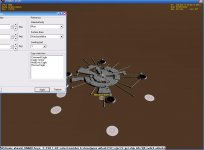
here are 2 images. Not sure why some of the textures are not shown. The edge of the bases from afar. Here is the eagle of top of the pad and all textures can be seen.
base1.jpg

base.jpg
 
Last edited:
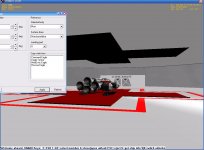
not sure if something is wrong or just orbiter. Here is a enlarged shot of pad 5 from the external view. Notice the red cross is coming through the black roof. The edge of the black roof disappears exposing the meshs underneath. From another view of a another vessel on top of the pad all looks good.
base5.jpg
 
here she is:
http://www.4shared.com/file/65511216/e3403b29/MarsBase_Alpha_Release_BETA2.html
tgep has got some new Eagles included. Any vessel can be used on the pads. As long as the Attachment ID are APR, VAC, or VAP.

BASE CONSTRUCTION:
The Mars Base Alpha is based on the Moon Base Alpha from Space 1999. What is different: Pads were rotated to 90 degrees so attachment would work. Removed the docking lodges from above the pads. The pads have side doors to allow access from the ground. Airlocks were added at each pad. As in the Moon Base Alpha the top of the pad was above the surface of the moon. On the Mars Base the top of the pad is above the surface. By making the Base a vessel it allows one to control everything without switching to the different pads. The Mars Base Alpha needs to set for pad 0 on the Mars Base Alpha Base.cfg.

The Pads:
Each pad is numbered 1-5. Number one pad is due north. The pads are number clockwise from there. Numbers were added on the pad doors, pad and airlock so it would easier to locate. By using the key W, one selects the pad to operate the upper doors, pad and side doors. A white beacon is where the attachment point is. By using Scenario Editor one can place a vessel on pads 1-5. Attach the vessel and raise/lower the vessel. The upper pad doors must be open to raise the pad. Multiview, was used so see inside the pads. For Attaching the Attachment ID must be APR, VAC, or VAP.

Must have Multiview and UMMU.

Keys: W Selects pads, O opens/closes selected top pad doors, D open/close selected side doors, G raises/lowers selected pad, K attaches vessel to selected pad, J releases vessel. Standard UMMU keys, 9/0 selects airlocks.
 
Last edited:
I feel so stupid now. :P

I put all that stuff in the Doc folder and forgot a simple txt file with the Key commands.

I'll up date the download in a moment with your post by placing it in your readme file.

Too many irons in the fire on my end I think. Sorry bout that folks.:sorry:
 
Hello! Very nice add-on. I installed it before and like it a lot. But maybe I found a bug. By replacing the base via Scenario editor i get CTD. After I change the line in MarsBaseAlpha.cfg "MESH FILE marsbasecrater POS 0 0 0 SCALE 1 1 1 ROT 90 OWNMATERIAL" to "MESH FILE marsbasecrater2 POS 0 0 0 SCALE 1 1 1 ROT 90 OWNMATERIAL the CTDs stops. Because I cannot find a marsbasecrater.msh. Only a marsbasecrater2.msh. Dont know if it is a bug. Just want to tell. Greetings, Werner
 
Thanks. Were you able to see the bottom of the pads, should be grey with a red outline or were they black. We thought we had this fixed. I can include a link to the mesh.

I uploaded a version with mesh and new folder with docs.
I changed the download link in post above

 
Last edited:
I can see them grey with red cross.
I try to attach two screenshots.
All other should work. And the pads look normal.
Werner
 

Attachments

  • mba003 Inside.JPG
    mba003 Inside.JPG
    73 KB · Views: 12
  • mba002.JPG
    mba002.JPG
    65.2 KB · Views: 11
On your shot the pads are not aligned. Was that done purposely.
I upload the marsbase.msh. It has no floor just the ridge
I wondeer if anyone else has run into that
 
Yes, I want to show you. The screens are still from the original download.
The screenshot from inside was done with the pads on correct positions.
And I relocate the Base away from Olympus Mons. But I think that should make no difference.
 
Last edited:
Back
Top