Software Orbiter launcher taking ages to load (sometimes)

Adrian

New member
Joined
Jan 27, 2025
Messages
18
Reaction score
3
Points
3
Location
Germany
Hey everyone,

I have a problem that I have no idea how to even approach fixing it, so I figured maybe someone from the community encountered it too.

I have an Orbiter installation at home on Windows 11, which works perfectly every time. But then I copied the installation to a different PC. There it also works, but sometimes it randomly decides it wants to take forever to start the launcher. When I open the application nothing happens, but I can see in the task manager that the program is running without using any significant system resources. (about 1,4mb of ram, 0% cpu, 0% gpu)
Ending the task and trying to start it again doesn´t help. I need to wait 5-10 Minutes until the program finally opens properly and then everything works.

But the kicker is, that this issue is not reproducable. Sometimes the launcher starts instantly without any problems, sometimes it doesn´t. It often happens after the first start of the system in the morning, but not always. And as I said, it only happens on the other PC, not on mine.

Some more things that I think are unrelated but might have something to do with it:
  • Orbiter sometimes has problems quitting properly without crashing on the problem PC
  • The problem PC was recently upgraded to Windows 11. I use Windows 11 on my PC too
  • I tried starting the Orbiter launcher with an Autohotkey script, but that never works
  • When the problem with the start time appeared, it also took forever to load in the solar system config files. After removing everything except the sun, earth and moon loading the scenarios works fine.
I would really apprechiate it if someone could help me here, because I have no idea how to even approach finding a solution here. I tried finding something in the windows power managment settings, but power saving was off and Orbiter already had a very high priority. Further increasing it didn´t help.

Thanks,
Adrian
 
Did the log contain any complaints? For example different GPU drivers?
 
Did the log contain any complaints? For example different GPU drivers?
Not that I can see. Here are two logs, one were it loaded normally and one where it took very long.

I can´t tell any difference between the two, and I also don´t think the log can even help because the problem appears when starting the launcher.
But the PC has no Internet connection, so do you think it could be related to outdated drivers or an outdated windows version?
 

Attachments

Not that I can see. Here are two logs, one were it loaded normally and one where it took very long.

I can´t tell any difference between the two, and I also don´t think the log can even help because the problem appears when starting the launcher.
But the PC has no Internet connection, so do you think it could be related to outdated drivers or an outdated windows version?

Not really, but having a wrong driver configuration copied from an other instance could delay initialization. Modern anti-virus software could also be a cause, if you have no internet connection.
 
Not really, but having a wrong driver configuration copied from an other instance could delay initialization. Modern anti-virus software could also be a cause, if you have no internet connection.
Okay, this seems like a Rabbit Hole worth going down, since I have no other idea what to do.
As far as I know, no Antivirus is installed except Defender. Where is the driver configuration saved and how do I reset it?
 
Okay, this seems like a Rabbit Hole worth going down, since I have no other idea what to do.
As far as I know, no Antivirus is installed except Defender. Where is the driver configuration saved and how do I reset it?

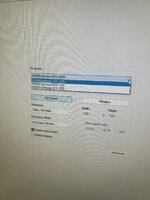
Oh, yes, the Rabbit Hole feeling is included with such phenomena. Just look into Orbiter Launchpad, section "Video", and there the box with "3D device". Orbiter saves this as the local device index in Orbiter.cfg (non-portable!), so copying files from one computer to another can cause insanity.

Off-topic: Defender is no good protection, though many argue its at least better than nothing*. Microsoft does not create serious competition to the large AV developers.

* And I disagree there. It gives a false feeling of security, which is even worse than being unprotected.
 
Okay so it shows the correct graphics card (3 times because there are 3 screens):
image.jpg

Deleting the config files (for orbiter_ng and the normal orbiter) unfortunately didn‘t help either. Really stumped here.

For the moment I don‘t need any antivirus because the computer is not on the internet, but I‘ll keep your point in mind.
 
Did you look at the task manager already when starting Orbiter? Maybe you can find a bottleneck there, like a resource that is utilized at peak capacity while loading Orbiter. Since the GPU is of an older generation, maybe some other components are also older.
 
Did you look at the task manager already when starting Orbiter? Maybe you can find a bottleneck there, like a resource that is utilized at peak capacity while loading Orbiter. Since the GPU is of an older generation, maybe some other components are also older.
Yes, often to see if it started😅
When loading it just sits there not using any CPU or GPU and 0,4mb of memory. No other application is running and utilisation of all the resources is very low.

The PC may be old, but launching orbiter is not bringing it to its knees😂
 
Back
Top