Problem Playback scenarios

Wolf

Donator
Donator
Joined
Feb 10, 2008
Messages
1,094
Reaction score
26
Points
48
Location
Milan
Running a recorded scenario from the playback list what happens is that after a couple of minutes the playback function stops and the scenario "go live".
Is there a way to prevent this from happening?
 
So nobody here has any tips on how to properly use the playback function and avoid the inconvenience reported above? :blink:
 
The playback will only play, as long as the recording time. It stops because there is nothing left to play ...if I am understanding the problem correctly.
 
This means that while recording the playback, the original user stopped recording at a certain "mid-point", and that's where your playback stops (quite obviously...)
 
Running a recorded scenario from the playback list what happens is that after a couple of minutes the playback function stops and the scenario "go live".
Is there a way to prevent this from happening?

What should happen instead? Quit the simulation? Repeat?
 
That is not what happened in my case. I kept recording the scenario for 10-15 minutes without stopping the rec function. Then I stopped the recording, closed the scenario and exited Orbiter. Launched the playback and after a while it went live...
 
Orbiter's playback feature roughly works like so:
  1. Start the simulator with the given scenario.
  2. As long as there are playback events, play them.
  3. If there are no events anymore, do nothing (aka. let the simulator run as usual).

The "event" of closing the simulation while recording is not recorded as such, and therefore not played. Nor is the "event" of stopping recording.
 
Ah! So you are the original user who recorded the playback!

Yes I am. So just to make sure there is no misunderstanding on either side:
I run and record a scenario let's say for 15', then I stop recording and end the orbiter session.
Then I start orbiter again, select the recorded scenario from the playback folder and run it. The playback should last 15' (or as long as the rec function was active)
If the above is correct then again my question is: why the playback stops after 1 or 2 minutes? I tried different settings in the rec function but no luck...

---------- Post added at 11:38 PM ---------- Previous post was at 11:31 PM ----------

Orbiter's playback feature roughly works like so:
  1. Start the simulator with the given scenario.
  2. As long as there are playback events, play them.
  3. If there are no events anymore, do nothing (aka. let the simulator run as usual).

The "event" of closing the simulation while recording is not recorded as such, and therefore not played. Nor is the "event" of stopping recording.

I am bit lot here Face. I did record my own scenario which was saved in the playback folder but when it comes to seat and wacht simply launching the playback scenario that's when the problem shows. A 15' recorded and saved scenario should give me 15' of playback not just 1 and then switch to live
 
Yes, you are right, n minutes recording should definitely give as many minutes of playback time, as long as you don't time accelerate.
But, are we speaking about O2016? Couldn't it be a bug?
 
Is there a set time limit ?
 
I am bit lot here Face. I did record my own scenario which was saved in the playback folder but when it comes to seat and wacht simply launching the playback scenario that's when the problem shows. A 15' recorded and saved scenario should give me 15' of playback not just 1 and then switch to live

Now I understand. You don't get the full recorded time played back, just some part of it. That would be a bug, then.

Check the files in the playback scenario folder (the one you're starting). For every vessel recorded, you should have 3 files (*.atc, *.att, *.pos). Those give you the recording stream for vessel events (like gears up and such), attitude and position. They are human-readable text files that show each recording sampling point on a separate line (after some header data). These lines always start with the timestamp measured in seconds since recording/simulation start.
In addition, there is the possibility to have a system.dat file. This file contains tutorial options that play back screen text and the like. You normally don't have it on self-recorded scenarios, but in the flights folders that come with Orbiter.
If one of the files has a sample timestamp beyond the time you see the playback mark go away, you've found a bug.

 
Now I understand. You don't get the full recorded time played back, just some part of it. That would be a bug, then.

Check the files in the playback scenario folder (the one you're starting). For every vessel recorded, you should have 3 files (*.atc, *.att, *.pos). Those give you the recording stream for vessel events (like gears up and such), attitude and position. They are human-readable text files that show each recording sampling point on a separate line (after some header data). These lines always start with the timestamp measured in seconds since recording/simulation start.
In addition, there is the possibility to have a system.dat file. This file contains tutorial options that play back screen text and the like. You normally don't have it on self-recorded scenarios, but in the flights folders that come with Orbiter.
If one of the files has a sample timestamp beyond the time you see the playback mark go away, you've found a bug.

Where do I find those files? (Which Orbiter folder?)
 
Where do I find those files? (Which Orbiter folder?)

It's in the /Flights/ directory. There you should find a folder named according to the scenario you've started.
 
Yes, you are right, n minutes recording should definitely give as many minutes of playback time, as long as you don't time accelerate.
But, are we speaking about O2016? Couldn't it be a bug?

I think in the REC settings there is a way to let the system record the scenario regardless of time accel/decel use. Am I wrong?
 
Yes, more precisely you can switch on/off the recording of timeaccel events.
And there's an option where the final user can toggle the use of time acceleration while viewing the playback.
See pages 109~112 of Orbiter2016 pdf documentation.
 
Last edited:
Yes, and (if I'm not wrong) there's an option to decide if the final user can/cannot use time acceleration while viewing the playback, too.
See page 109 of Orbiter2016 pdf documentation.

Yes. I used time decel actually and with different REC settings. I ll have to check that again and see if the issue depends on time warp changes
 
I think there is a problem with SSU and playback mode.
This is what happens:

SSU launch scenario recorded in Orbiter2016 with D3D9 - NO time accel/decel. Time frame from liftoff to post MECO ET SEP.

Playback sequence of events:

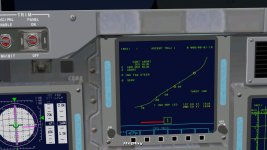
1) As soon as the orbiter clears the tower OPS1 shows a double engine failure
0124.jpg

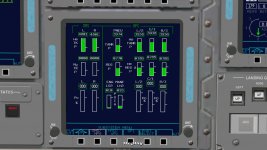
2) All 3 SSME show shutdown (but the outside view shows they are still working)
0126.jpg

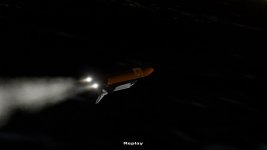
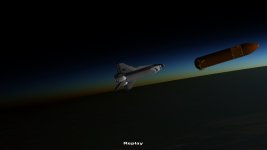
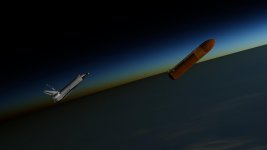
3) At SRB SEP the rockets separate and there is no axhaust plum (like they instantly shutdown) then OMS assist starts and the OMS ehhausts are displaced and show some bizarre graphics (like the SRB exhaust were mixed up with the OMS ones). At the same time the ET detaches from the Orbiter but stays mated; it starts shifting back and forth along the Shuttle X axis
0130.jpg

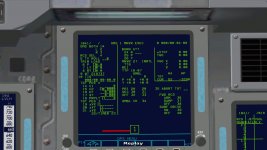
4) This apparent ET separation shows in the instruments as GPC transitions from MM103 to 104
0221.jpg

5) Roll to heads up clearly shows SSU and ET rotating in syncronous
0240.jpg

6) Well before MECO (and when the scenario was still in REC mode) the Playback function stops as you can see here (on screen REPLAY message disappears)
0242.jpg

Now the instruments incorrect info displayed during playback on the SSME and MM status maybe can be fixed by playing with the parameters in the files found in Orbiter/Flights folder (?)
What concerns me more is the incorrect behaviour of the SSU and ET plus the fact that again here the playback stopped itself before it should...

Can anybody test this and confirm there could be an issue between SSU and REC/Playback functions?
 
What concerns me more is the incorrect behaviour of the SSU and ET plus the fact that again here the playback stopped itself before it should...

So, are there any timestamps in the recorded files beyond the point the playback stops for you or not?

It could well be that vessel-specific actions are not recorded as they should, simply because the vessel developers did not implement the RecordEvent action and the clbkPlaybackEvent callback properly.

However, the playback mark (the little green arrow to the right) should not disappear as long as some vessel with "FLIGHTDATA" in the scenario has a recorder file still showing timestamps.
 
Back
Top