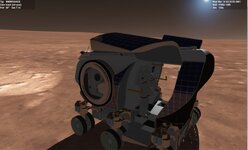
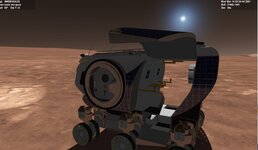
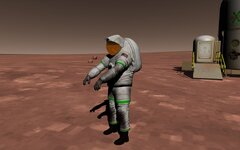
Project Universal Astronaut and Cargo System (UACS)

So I found an issue. I added this cargo. and you see it is a bit high. but then exit and restart now it is good?

Left ALt +A add the cargo. what key deploys the cargo and can you set the location?
ALT +R releases. But it just releases where it was attached. Can you make a release point?
Can you send the vessel and cargo files and code so I can investigate further? I suspect you didn't set the attachment points properly.

To unpack a cargo, release the cargo then unpack it (Alt + R -> Alt + U). You can set the release position by manipulating the slot info ground info struct. The cargo is unpacked at its current position.
Not sure how to fix this. Your cargo using attachments. BUT in the eagle freighter. You can't see the cargo from the inside view. I have the mesh at meshVIS_Always. if I give it MESHVIS_EXTPASS I can see the cargo from inside. but then the eagle is seen thru the walls also.
If you send the files I can investigate this as well.
 
And here is the Eagle freighter and a cargo that would go in it.
For the Eagles and the modules. We are using old UMMU key layout. 9/0 selects the airlock and D then opens the airlock/door.
This does the same as the Eagle skid. where when the cargo is loaded is different then when you reload.

How's the re release so that sound can be used?
 

Attachments

Here is the skid/pallet with the nuclearwaste can
There are several issues with your code:
1. The API clbkPostCreation method is not called in the vessel clbkPostCreation. That's why the attachment point position differs when you add a cargo vs when you reload the scenario.
2. The attachment points position height is set higher than the floor. The Y value should be set to -0.9982 instead of -0.956.
3. The packed cargo mesh size is not according to the specifications (1.3m x 1.3m x 1.3m) nor is it symmetrical at the center (0 0 0), which will cause multiple issues, including elevation when grappled. This is because UACS shifts the attachment point position by 0.65m in the holding direction (as defined by slotInfo.holdDir), since the vessel attachment point position is set to the floor while the cargo attachment point position is set at the cargo middle. Therefore, if the cargo is held from below for example, UACS shifts the vessel attachment point position up by 0.65m so that the cargo bottom is at the floor when the cargo is attached.
And here is the Eagle freighter and a cargo that would go in it.
For the Eagles and the modules. We are using old UMMU key layout. 9/0 selects the airlock and D then opens the airlock/door.
This does the same as the Eagle skid. where when the cargo is loaded is different then when you reload.

How's the re release so that sound can be used?
There is no source code included so I couldn't investigate the mesh issue. As for a soundset for the astronaut, I don't think it will be in the first release. For XRSound compatibality, I will change the runtime library to /MT in the next release to be compitable with it.
 
Now it is this.
Code:
void EAGLESKID::clbkPostCreation(void)

{

    mdlAPI.clbkPostCreation();
    for (size_t idx{}; idx < vslAstrInfo.stations.size(); ++idx)
    {
        if (!vslAstrInfo.stations.at(idx).astrInfo) continue;

        const auto& astrInfo = *vslAstrInfo.stations.at(idx).astrInfo;

        SetEmptyMass(GetEmptyMass() + astrInfo.mass);

        SetStationMesh(idx, astrInfo.role, true);
    }


}
So it sounds like the bottom should be at -.65 is i used odd shaped things.

what about release points?
I will need to adjust the attachments in the freighter. But release points.
Thanks
 

Attachments

Now it is this.
Code:
void EAGLESKID::clbkPostCreation(void)

{

    mdlAPI.clbkPostCreation();
    for (size_t idx{}; idx < vslAstrInfo.stations.size(); ++idx)
    {
        if (!vslAstrInfo.stations.at(idx).astrInfo) continue;

        const auto& astrInfo = *vslAstrInfo.stations.at(idx).astrInfo;

        SetEmptyMass(GetEmptyMass() + astrInfo.mass);

        SetStationMesh(idx, astrInfo.role, true);
    }


}
So it sounds like the bottom should be at -.65 is i used odd shaped things.

what about release points?
I will need to adjust the attachments in the freighter. But release points.
Thanks
Not only the bottom should be at -0.65m. All sides should be at 0.65m (whether left, right, top, or bottom) as some vessels may attach the cargo from the top instead of the bottom, and some may attach it from the side. If you want your cargo to be compatible will all vessels, make it a box 1.3m x 1.3m x 1.3m with its center at (0 0 0).

I am not sure what you mean by release points. Do you mean the ground release position? If so, you can adjust them as you want. What's the issue you are facing?

As for the code you attached, I have very limited experience in dealing with meshes in Orbiter, but from the documents it appears that you must have the MESHVIS_EXTPAS flag if you want the cargo to appear inside the vessel, but with this flag, objects in the external render pass are clipped at a camera distance of 2.5m. Meshes that are rendered during the internal pass always cover all other objects, and have a smaller clipping distance. This explains why you can see through the walls. Usually this is used for a payload bay which is far from the POV so the issue isn't noticeable, but since you have cargoes in the center of the mesh, I don't think there is a solution.

The code also has the first 2 issues noted above: the API clbkPostCreation isn't called and the attachment points poision is set higher than the floor.
 
Thanks. I really wasn't thinking of using these cargo on other vessels. I think we had to make them smaller as to match the show

figured how to set the ground release points.
Code:
slotInfo.hAttach = CreateAttachment(false, { 1.62,.552,-2 }, { 0,1,0 }, { 0,0,1 },
        "UACS");
    slotInfo.holdDir = { 0, -1, 0 };
    slotInfo.relVel = 0.05;
    slotInfo.gndInfo.pos = { -4,0,-1.3 };
    vslCargoInfo.slots.push_back(slotInfo);
[\code]


on the freighter.  it has this:
[code]
void EAGLEFREIGHTTRANSPORT::clbkPostCreation(void)

{
    mdlAPI.clbkPostCreation();

    for (size_t idx{}; idx < vslAstrInfo.stations.size(); ++idx)
    {
        if (!vslAstrInfo.stations.at(idx).astrInfo) continue;

        const auto& astrInfo = *vslAstrInfo.stations.at(idx).astrInfo;

        SetEmptyMass(GetEmptyMass() + astrInfo.mass);

        SetStationMesh(idx, astrInfo.role, true);
    }
    vslAstrInfo.airlocks.at(0).open = DOOR0_proc >= 1;//right
    vslAstrInfo.airlocks.at(1).open = DOOR1_proc >= 1;//left
    vslAstrInfo.airlocks.at(2).open = DOOR2_proc >= 1;//front
    vslAstrInfo.airlocks.at(3).open = DOOR3_proc >= 1;//aft

  
}
the carrier has this:
Code:
void Carrier::clbkPostCreation()
        {
            mdlAPI.clbkPostCreation();

            SetEmptyMass(GetEmptyMass() + mdlAPI.GetTotalAstrMass());
        }
 
Last edited:
New release with a lot of changes in preparation for first stable release. Special thanks to @Buck Rogers for his help and contributions!

Please test and evaluate thoroughly for any bugs. As for compiling with static runtime for compatibility with XRSound library, that is sadly not possible due to UACS architecture (passing data structures between the API and DLL, which requires dynamic runtime).

Download from here: https://github.com/abdullah-radwan/UACS/releases/download/v1.0-prerelease7/v1.0.Pre-release.7.zip

Added​

  • Astronaut custom cockpit.
  • NASA Z2 astronaut suit.
  • EnableCockpit and ShowMeshGenCockpit astronat config options.
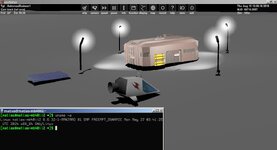
  • Lamps to Moon base scenario.
  • UCSO containers.
  • D3D9 textures for several cargoes.

Changed​

  • Only one spotlight can be defined in astronaut config file.
  • Unpackable only cargo naming scheme when unpacked.
  • Solar panels and lamps unpacked count to 4.
  • Cargo EnableFocus config option to DisableFocus.
  • Touchdown points when the suit is off.
  • Suit is now off when adding astronaut to a breathable atmosphere.
  • Astronaut will lay down on the face when dead.
  • Cargo UnpackableOnly is forced true when UnpackingType is Orbiter vessel.
  • Astronaut headlight parameters.
  • Renamed astronaut Name, Role, and BodyMass to DefaultName, DefaultRole, and DefaultBodyMass.
  • Renamed AstronautSuit to GenericSuit.
  • Astronaut cargo attachment point position.
  • Containers for various cargoes.

Fixed​

  • clbkGeneric not called when adding or transfering astronaut.
  • Astronaut being not able to release cargo inside another cargo.
  • Astronaut cargo ground release position offset from slot position.
  • License being MIT instead of GPLv3.
 
Last edited:
Sad no sound. Would OrbiterSound work with this?
Downloaded.
I need to relook at the code for the MMSEV.
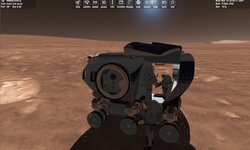
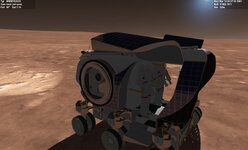
here I load 2 guys and the mesh showed up. BUt when i exited it still shows 2 mehses? When I reload it showed 1. Not sure what I need to fix. It was made under version6 and just rebuilt on version 7


MMSEVUACS:MMSEVUACS ASTR_STATION 0 ASTR_NAME Buck Rogers ASTR_ROLE commander ASTR_MASS 80.00 ASTR_OXYGEN 1.00 ASTR_FUEL 1.00 ASTR_ALIVE 1 ASTR_CLASSNAME UACS\Astronauts\Z2 LIGHTF SOLAR 0 0.0000 FDOORL 0 0.0000 FDOORR 0 0.0000 ADOORL 1 1.0000 ADOORR 1 1.0000 SOLP 4 0.0000 1 0.5000 CAM 0 0.0000 STATUS Landed Mars POS -102.1971192 -7.0124952 HEADING 348.71 ALT 2.239 AROT 97.910 13.232 -12.322 AFCMODE 7 NAVFREQ 0 0 XPDR 0 END AstronautRogers1:UACS\Astronauts\Z2 STATUS Landed Mars POS -102.1970714 -7.0125172 HEADING 348.71 ALT 1.200 AROT 94.445 12.512 -12.404 RCSMODE 0 AFCMODE 7 PRPLEVEL 0:1.000000 1:0.999127 NAVFREQ 0 0 NAME Buck Rogers ROLE commander MASS 80.000000 ALIVE 1 SUIT_ON 1 VISOR_STATE 0 VISOR_PROC 0.000000 HUD_MODE 0 HEADLIGHT 0 END END_SHIPS

Code:
void MMSEV::SetStationMesh(size_t stationIdx, std::string_view role, bool show)
{
    //sprintf(oapiDebugString(), "stationidx %d", stationIdx);
    switch (stationIdx)
    {
    //case -1://right
    // Show first station commander mesh
    //    SetMeshVisibilityMode(4, MESHVIS_NEVER);
    //    SetMeshVisibilityMode(5, MESHVIS_NEVER);

        // Show first station pilot mesh


        //break;
    case 0://left
        // Show first station commander mesh
         SetMeshVisibilityMode(4,   MESHVIS_EXTERNAL);
         SetMeshVisibilityMode(5, MESHVIS_NEVER);

        // Show first station pilot mesh
        
        break;

    case 1://right
        // Show first station commander mesh
        SetMeshVisibilityMode(4, MESHVIS_EXTERNAL);
     SetMeshVisibilityMode(5, MESHVIS_EXTERNAL);

        // Show first station pilot mesh
    
        
        break;

        break;
    }
}
[\code]
 

Attachments

  • mmsevcode1.zip
    mmsevcode1.zip
    21.7 KB · Views: 5
  • mmsevnocrew2b.jpg
    mmsevnocrew2b.jpg
    71.9 KB · Views: 4
  • mmsevnocrew2A.jpg
    mmsevnocrew2A.jpg
    78.4 KB · Views: 4
  • mmsevnocrew2.jpg
    mmsevnocrew2.jpg
    69 KB · Views: 4
  • mmsevnocrew1a.jpg
    mmsevnocrew1a.jpg
    70.8 KB · Views: 4
  • mmsevnocrew1.jpg
    mmsevnocrew1.jpg
    67.5 KB · Views: 3
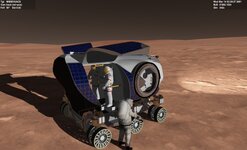
Just some thoughts are there other Z2 EVA guys and do they load up on gattis FLEX rover and inside this rover. the EVA guy I see needs larger red stripe on his suit
 
Sad no sound. Would OrbiterSound work with this?
Yes, since Orbiter Sound library is dynamically linked. So XRSound default sounds can be used alongside Sound Bridge OS to basically have XRSound with dynamic linking.
here I load 2 guys and the mesh showed up. BUt when i exited it still shows 2 mehses? When I reload it showed 1. Not sure what I need to fix. It was made under version6 and just rebuilt on version 7
Yes, the SetStationMesh method is completely messed up. You need to write it properly and use the show parameter to hide/show meshes as needed. You should also use the mesh index as returned by AddMesh instead of using hard-coded numbers.
 
Thanks. I will try with orbiter sound. What should the set station look like.
 
0562.jpg
I've been making skins with various stripes (including blank for the generic cockpit), but for each one I have to copy the mesh and all textures, only the base tex. is different. Is there maybe a smarter way to implement skins into UACS?

And just a thought: G-Limit (maybe optional?), I think UMMU did it that the mesh was flattened on excess g's.
 
I think NASA will have 4 different ones no stripe, solid red stripe, broken red stripe and a candy cane stripe
 
Thanks. I will try with orbiter sound. What should the set station look like.
First, there is no need to use oapiLoadMeshGlobal to load the meshes. Change eva1_mesh and eva2_mesh variables type to UINT and load the meshes using AddMesh.
C++:
void MMSEV::clbkSetClassCaps(FILEHANDLE cfg)
{
    eva1_mesh = AddMesh("MMSEVUACS/MMSEVsuitleft1", &mesh1ofs);
    SetMeshVisibilityMode(eva1_mesh, MESHVIS_NEVER);
    eva2_mesh = AddMesh("MMSEVUACS/MMSEVsuitright1", &mesh1ofs);
    SetMeshVisibilityMode(eva2_mesh, MESHVIS_NEVER);
}
Since you aren't using the role in the SetStationMesh, there is no need to have it as a parameter. Implement the method then as follows:
C++:
void MMSEV::SetStationMesh(size_t stationIdx, bool show)
{
    switch (stationIdx)
    {
    case 0://left
        SetMeshVisibilityMode(eva1_mesh, show ? MESHVIS_EXTERNAL : MESHVIS_NEVER);       
        break;

    case 1://right
        SetMeshVisibilityMode(eva2_mesh, show ? MESHVIS_EXTERNAL : MESHVIS_NEVER);
        break;
    }
}
I've been making skins with various stripes (including blank for the generic cockpit), but for each one I have to copy the mesh and all textures, only the base tex. is different. Is there maybe a smarter way to implement skins into UACS?

And just a thought: G-Limit (maybe optional?), I think UMMU did it that the mesh was flattened on excess g's.
Why do you have to copy the meshes and all textures for a new skin? You should only need to create a copy of the mesh (which can reference all old textures, no need to copy them for it) and a copy of the configuration file and reference the new mesh in it.

I am not sure what you mean by a g-limit. Do you mean to make the astronaut die when exposed to excessive g-forces? If so, I should be able to implement it. As for flattening the mesh, I will look into it, and if it's not complicated, I may implement it.
 
Code:
rover_mesh = AddMesh("MMSEVUACS / MMSEVUACS4", &mesh1ofs);
        SetMeshVisibilityMode(rover_mesh, MESHVIS_EXTERNAL);

        solar_mesh = AddMesh("MMSEVUACS/MMSEVsolarpanel1", &mesh1ofs);
        SetMeshVisibilityMode(solar_mesh, MESHVIS_EXTERNAL);

        VCMESH = AddMesh(" MMSEVUACS/MMSEVUACSvc4", &mesh1ofs);
        SetMeshVisibilityMode(VCMESH, MESHVIS_VC);

        back_mesh = AddMesh("MMSEVUACS/sevback", &mesh1ofs);
        SetMeshVisibilityMode(back_mesh, MESHVIS_EXTERNAL);


        eva1_mesh = AddMesh("MMSEVUACS/MMSEVsuitleft1", &mesh1ofs);
        SetMeshVisibilityMode(eva1_mesh, MESHVIS_NEVER);
        eva2_mesh = AddMesh("MMSEVUACS/MMSEVsuitright1", &mesh1ofs);
        SetMeshVisibilityMode(eva2_mesh, MESHVIS_NEVER);
    }
[\code]


I have these:
[code]
void MMSEV::clbkPostCreation(void)
{
    mdlAPI.clbkPostCreation();

    for (size_t idx{}; idx < vslAstrInfo.stations.size(); ++idx)
    {
        if (!vslAstrInfo.stations.at(idx).astrInfo) continue;

        const auto& astrInfo = *vslAstrInfo.stations.at(idx).astrInfo;

        SetEmptyMass(GetEmptyMass() + astrInfo.mass);

        SetStationMesh(idx, astrInfo.role, true);
    }
    vslAstrInfo.airlocks.at(0).open = ADOOR1_proc >= 1;//LEFT
    vslAstrInfo.airlocks.at(1).open = ADOOR2_proc >= 1;//RIGHT
    vslAstrInfo.airlocks.at(2).open = DOOR1_proc >= 1;//LEFT
    vslAstrInfo.airlocks.at(3).open = DOOR2_proc >= 1;//RIGHT
}

void MMSEV::SetStationMesh(size_t stationIdx, bool show)
{
    switch (stationIdx)
    {
    case 0://left
        SetMeshVisibilityMode(eva1_mesh, show ? MESHVIS_EXTERNAL : MESHVIS_NEVER);
        break;

    case 1://right
        SetMeshVisibilityMode(eva2_mesh, show ? MESHVIS_EXTERNAL : MESHVIS_NEVER);
        break;
    }
}
and in the h:
Code:
void SetStationMesh(size_t stationIdx, std::string_view role, bool show);
[\code]
 but i get this error:
Severity    Code    Description    Project    Path    File    Line    Suppression State
Error    C2511    'void MMSEV::SetStationMesh(size_t,bool)': overloaded member function not found in 'MMSEV'    LTVUACS    D:\Orbiter2016\Orbitersdk\samples\MMSEVUACS2    D:\Orbiter2016\Orbitersdk\samples\MMSEVUACS2\MMSEV.cpp    885    
Error    C2597    illegal reference to non-static member 'MMSEV::eva1_mesh'    LTVUACS    D:\Orbiter2016\Orbitersdk\samples\MMSEVUACS2    D:\Orbiter2016\Orbitersdk\samples\MMSEVUACS2\MMSEV.cpp    889    
Error    C2597    illegal reference to non-static member 'MMSEV::eva2_mesh'    LTVUACS    D:\Orbiter2016\Orbitersdk\samples\MMSEVUACS2    D:\Orbiter2016\Orbitersdk\samples\MMSEVUACS2\MMSEV.cpp    893    

also now my VC will not work.
i think this needs to be a meshahndle??
[code]SURFHANDLE mfd_buttons_surf = oapiGetTextureHandle(VCMESH, 2);
Severity Code Description Project Path File Line Suppression State
Error C2664 'SURFHANDLE oapiGetTextureHandle(MESHHANDLE,DWORD)': cannot convert argument 1 from 'UINT' to 'MESHHANDLE' LTVUACS D:\Orbiter2016\Orbitersdk\samples\MMSEVUACS2 D:\Orbiter2016\Orbitersdk\samples\MMSEVUACS2\MMSEV.cpp 2425

 
You should only need to create a copy of the mesh
The mesh is the "big chunk" and only needs to be copied for the link to the new texture, the 3ds textures follow the main tex. naming and hence have to be copied as well. It could be coded to use the same mesh and only exchange the link to the new tex. (and use the unchanged additional 3ds tex.)
If this is worth the effort just for the Z2 is another question, but would save space and would be a nice (easy skinning) feature for future additions with multiple skins (little detail changes on spacesuits are not uncommon, note the mk3 has easily exchangeable patches but it would still save on multiple meshes).
Do you mean to make the astronaut die when exposed to excessive g-forces?
Yes. Something like: 20g+= instant death (maybe more detailed), mesh x and z= x2, and y axis x0.1
 
Code:
rover_mesh = AddMesh("MMSEVUACS / MMSEVUACS4", &mesh1ofs);
        SetMeshVisibilityMode(rover_mesh, MESHVIS_EXTERNAL);

        solar_mesh = AddMesh("MMSEVUACS/MMSEVsolarpanel1", &mesh1ofs);
        SetMeshVisibilityMode(solar_mesh, MESHVIS_EXTERNAL);

        VCMESH = AddMesh(" MMSEVUACS/MMSEVUACSvc4", &mesh1ofs);
        SetMeshVisibilityMode(VCMESH, MESHVIS_VC);

        back_mesh = AddMesh("MMSEVUACS/sevback", &mesh1ofs);
        SetMeshVisibilityMode(back_mesh, MESHVIS_EXTERNAL);


        eva1_mesh = AddMesh("MMSEVUACS/MMSEVsuitleft1", &mesh1ofs);
        SetMeshVisibilityMode(eva1_mesh, MESHVIS_NEVER);
        eva2_mesh = AddMesh("MMSEVUACS/MMSEVsuitright1", &mesh1ofs);
        SetMeshVisibilityMode(eva2_mesh, MESHVIS_NEVER);
    }


I have these:
Code:
void MMSEV::clbkPostCreation(void)
{
    mdlAPI.clbkPostCreation();

    for (size_t idx{}; idx < vslAstrInfo.stations.size(); ++idx)
    {
        if (!vslAstrInfo.stations.at(idx).astrInfo) continue;

        const auto& astrInfo = *vslAstrInfo.stations.at(idx).astrInfo;

        SetEmptyMass(GetEmptyMass() + astrInfo.mass);

        SetStationMesh(idx, astrInfo.role, true);
    }
    vslAstrInfo.airlocks.at(0).open = ADOOR1_proc >= 1;//LEFT
    vslAstrInfo.airlocks.at(1).open = ADOOR2_proc >= 1;//RIGHT
    vslAstrInfo.airlocks.at(2).open = DOOR1_proc >= 1;//LEFT
    vslAstrInfo.airlocks.at(3).open = DOOR2_proc >= 1;//RIGHT
}

void MMSEV::SetStationMesh(size_t stationIdx, bool show)
{
    switch (stationIdx)
    {
    case 0://left
        SetMeshVisibilityMode(eva1_mesh, show ? MESHVIS_EXTERNAL : MESHVIS_NEVER);
        break;

    case 1://right
        SetMeshVisibilityMode(eva2_mesh, show ? MESHVIS_EXTERNAL : MESHVIS_NEVER);
        break;
    }
}
and in the h:
Code:
void SetStationMesh(size_t stationIdx, std::string_view role, bool show);
but i get this error:
Severity Code Description Project Path File Line Suppression State
Error C2511 'void MMSEV::SetStationMesh(size_t,bool)': overloaded member function not found in 'MMSEV' LTVUACS D:\Orbiter2016\Orbitersdk\samples\MMSEVUACS2 D:\Orbiter2016\Orbitersdk\samples\MMSEVUACS2\MMSEV.cpp 885
Error C2597 illegal reference to non-static member 'MMSEV::eva1_mesh' LTVUACS D:\Orbiter2016\Orbitersdk\samples\MMSEVUACS2 D:\Orbiter2016\Orbitersdk\samples\MMSEVUACS2\MMSEV.cpp 889
Error C2597 illegal reference to non-static member 'MMSEV::eva2_mesh' LTVUACS D:\Orbiter2016\Orbitersdk\samples\MMSEVUACS2 D:\Orbiter2016\Orbitersdk\samples\MMSEVUACS2\MMSEV.cpp 893

also now my VC will not work.
i think this needs to be a meshahndle??
Code:
SURFHANDLE mfd_buttons_surf = oapiGetTextureHandle(VCMESH, 2);
Severity Code Description Project Path File Line Suppression State
Error C2664 'SURFHANDLE oapiGetTextureHandle(MESHHANDLE,DWORD)': cannot convert argument 1 from 'UINT' to 'MESHHANDLE' LTVUACS D:\Orbiter2016\Orbitersdk\samples\MMSEVUACS2 D:\Orbiter2016\Orbitersdk\samples\MMSEVUACS2\MMSEV.cpp 2425
Have you changed the method definition in the header file? Remove role from the method parameters.

As for the VC, it appears that you must load its mesh (VCMESH) using oapiLoadMeshGlobal for it to work, so you can leave it as it was set before. Other meshes can be added with AddMesh normally. Also, when the mesh offset is zero, there is no need to pass a 0 vector to the AddMesh method. Simply pass the mesh filename (or MESHHANDLE for VCMESH) directly without specifying an offset vector.
The mesh is the "big chunk" and only needs to be copied for the link to the new texture, the 3ds textures follow the main tex. naming and hence have to be copied as well. It could be coded to use the same mesh and only exchange the link to the new tex. (and use the unchanged additional 3ds tex.)
If this is worth the effort just for the Z2 is another question, but would save space and would be a nice (easy skinning) feature for future additions with multiple skins (little detail changes on spacesuits are not uncommon, note the mk3 has easily exchangeable patches but it would still save on multiple meshes).

Yes. Something like: 20g+= instant death (maybe more detailed), mesh x and z= x2, and y axis x0.1
I will look into that, but the issue is that you may need a new UV map for the texture (which will necessiate modification to the mesh), and it seems too much to have a texture change feature for only a single use case.

How can you change the mesh X, Y, and Z in code? I can shift for example but modify the mesh itself?
 
Back
Top