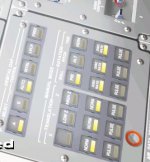
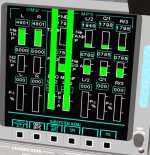
ITEM 27 trouble

jalexb88

Addon Developer
Addon Developer
Joined
Aug 11, 2008
Messages
153
Reaction score
154
Points
43
Location
Canada
Hello, Id first like to say im impressed by the level of progress since the last time I downloaded SSU. I do have a few issues here that are kind of annoying. I cannot get ITEM 27 to orient the shuttle for OMS-1. I load ITEM 10 for the TIG and ITEM 19, 160 FPS VX. I Then push ITEM 22, ITEM 23 and then I push ITEM 27 to get the shuttle to orient, but nothing happens. My DAP is in A, AUTO, PRI. Ive included a few screenshots of my situation. In the last screenshot this bug occurs in the OMS tape. Also there is a scenario where the issues occur, its from the "Launch Test" and Im using the latest release candidate version of SSU 3.0 R2255-rc1.

P.S 1. The TiG of 00:40:00 is more for testing purposes after I missed my original OMS-1

2. Sometimes if I save and reload, after the ITEM 27, the shuttle then starts to rotate, but still not to the correct attitude.
 

Attachments
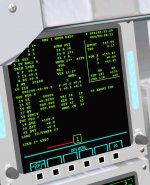
  • CRT1.jpg
    CRT1.jpg
    166.7 KB · Views: 560
  • CRT2.jpg
    CRT2.jpg
    39.6 KB · Views: 574
  • CRT3.jpg
    CRT3.jpg
    129.6 KB · Views: 517
  • (Current state) 0001.scn
    (Current state) 0001.scn
    15.5 KB · Views: 496
Last edited:
TTG below the BURN ATT items indicate the maneuver is complete. The attitude is shown in INRTL reference frame, not LVLH. Also, you have OMS-1 MNVR EXEC (MM104). The normal procedure is to use OMS-2 MNVR EXEC.

Also, did you allow the MPS propellant dump to take place? The Off-Scale High (OSH) gages for the MPS LO2/LH2 Engine Manifold pressures indicate that you didn't allow the MPS dump to take place or interrupted it somehow making the pressures build up in the manifolds until they exploded (well in real-life that is).
 
Ok I punched in OPS 105, for the OMS-2 display, but ITEM 27 still does not orient my shuttle, It says TTG, but evn if, lets say, I put in Vx +200 (prograde), then when I reach my Tig the shuttle is not in a prograde orientation at all. Does my scenario work on your side? The OMS ignites, but I get nowhere near the target Apogee/Perigee. For the engine indications, that may of been, me while playing around with the OMS-1, somehow interrupted the dumping.
 
Last edited:
I'll look at the MPS stuff in just a bit.
 
You need to wait for the MPS propellant dump to be completed. You can check this by observing the BODYFLAP Push Button Indicator (PBI) light. When the MPS propellant dump is complete, the light goes out. You should wait until about 14 minutes into the mission (000/00:14:00) before moding over to MM105.

Also you need enter the OMS gimbal trim angles (ITEMs 5-7). These can found in the ASCENT checklist, the OMS2/ORBIT OMS BURNS cuecard, page 4-3.
 
I can reproduce the issue with the OMS/MPS display using the posted scenario.

The WT (weight) seems much too low, and as a result the burn time is much shorter than it should be. The attitude control code is working as expected, and the shuttle is in the correct attitude when the burn starts.
 
The WT (weight) seems much too low, and as a result the burn time is much shorter than it should be. The attitude control code is working as expected, and the shuttle is in the correct attitude when the burn starts.

I can confirm the correct attitude control code.

What I am not sure: If the residuals are really correct. The orbit is possibly much closer to the target than calculated.

Still, we have a problem that attitude hold during OPS104 does not work. The more powerful dumps cause a significant rotation that is not even stopped by RCS, the weaker dumps cause the attitude to push again the attitude dead band.

---------- Post added at 11:00 AM ---------- Previous post was at 10:56 AM ----------

I committed the SSUWorkbench code to the repository, its still not open-source qualified code and lacks documentation, I will fix this as I find the time during the next weeks.

I just want to get some WPF help, sorry for the bad state of it.
 
Back
Top