Idea Shuttle Fleet recompile for Orbiter 2016

So I got the FRlight working witha popupwindow also.


My OMS particle stream has, it may be not 100% accurate, but looks better than static texture:


Code:
[PARTICLESTREAM_1]
NAME=OMSex
SRCSIZE=0.5
SRCRATE=1000
V0=5.0
SRCSPREAD=0.6
LIFETIME=0.10
GROWTHRATE=1.5
ATMSLOWDOWN=0
LTYPE=EMISSIVE
LEVELMAP=LVL_LIN
;LMIN=0
;LMAX=2
ATMSMAP=ATM_FLAT
AMIN=1
;AMAX=1
and, this line in [CONFIG] section, of course:


Code:
MAIN_PSTREAM1=OMSex
also:


Code:
[EX_MAIN_0]
OFF=(-2.7,3.50,-13.5)
DIR=(-0.03, 0.25885, -0.96545)
LENGTH=2.5
WIDTH=0.6

[EX_MAIN_1]
OFF=(2.7,3.50,-13.5)
DIR=(0.03, 0.25885, -0.96545)
LENGTH=2.5
WIDTH=0.6
Thanks
working on it:
Code:
PARTICLESTREAMSPEC OMSex = {
        0, .5, 1000, 5.0, 06, 0.1, 1.5, 0, PARTICLESTREAMSPEC::EMISSIVE,
        PARTICLESTREAMSPEC::LVL_LIN, 1, 1, PARTICLESTREAMSPEC::ATM_FLAT, 6e7, 12e7

        /*[PARTICLESTREAM_1]
NAME=OMSex
SRCSIZE=0.5
SRCRATE=1000
V0=5.0
SRCSPREAD=0.6
LIFETIME=0.10
GROWTHRATE=1.5
ATMSLOWDOWN=0
LTYPE=EMISSIVE
LEVELMAP=LVL_LIN
;LMIN=0
;LMAX=2
ATMSMAP=ATM_FLAT
AMIN=1
;AMAX=1*/


---------- Post added at 07:46 AM ---------- Previous post was at 05:46 AM ----------

You guys might need to think about adding these guys to the ISS A to Z

I think it is basically the same guy. I think the movement is the same. The big difference is how the guy moves. Mine is via a pop up window and theirs is via keyboard.

---------- Post added at 06:31 PM ---------- Previous post was at 07:46 AM ----------

RMS WRIST camera:
xbb0IqA.jpg

the focus is 86. But you can see the end of the arm. Not sure what the focus should be to get the same effect.

The eva guy have a id of GS for the feet. I might could add a attach detach key to the mfr, pfr,... but the eva guy would need to near. But you would need attachment manger to re-tether.


oms code:
Code:
void Atlantis::CreateOMS()
{
    th_oms[0] = CreateThruster (THRUSTREF_OMSL, THRUSTDIR_OMSL, ORBITER_OMS_THRUST, ph_oms, ORBITER_OMS_ISP0, ORBITER_OMS_ISP1);
    th_oms[1] = CreateThruster (THRUSTREF_OMSR, THRUSTDIR_OMSR, ORBITER_OMS_THRUST, ph_oms, ORBITER_OMS_ISP0, ORBITER_OMS_ISP1);
    // we don't yet define a thruster group for the OMS engines
    // They will be assigned to the MAIN group as soon as the ET is jettisoned
    for (int i = 0; i < 2; i++)
        AddExhaust (th_oms[i], 4.0, 0.5);

    PARTICLESTREAMSPEC OMSex = {
        0, .5, 1000, 5.0, 06, 0.1, 1.5, 0, PARTICLESTREAMSPEC::EMISSIVE,
        PARTICLESTREAMSPEC::LVL_LIN, 1, 1, PARTICLESTREAMSPEC::ATM_FLAT, 6e7, 12e7
    };

    AddExhaustStream(th_oms[0], _V(-1, 0, -15), &OMSex);
    AddExhaustStream(th_oms[1], _V(1, 0, -15), &OMSex);


}
 
Last edited:
Thanks gattis I know this isn't a question for you but the ISS eva teather guys have a weird view of them and hard to follow plus only move 3 ways so little hard to control.

not sure if you were able to get your VC into Orion yet?
 
Thanks gattis I know this isn't a question for you but the ISS eva teather guys have a weird view of them and hard to follow plus only move 3 ways so little hard to control.

not sure if you were able to get your VC into Orion yet?

Yes not really related. Yes on Orion all except the blueish background.

So on the shuttle
RMS wrist view. this is at 63 degree focus:
KgttUrN.jpg


No clipping and d3d9.
So you can see the edge of the arm.
 
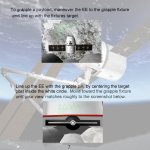
The view should line up on a grapple target. This is from the Canada2 pdf.
 

Attachments

  • canada2page7.jpg
    canada2page7.jpg
    121.5 KB · Views: 17
Thanks. I wonder if we need a white circle on the screen to align with. But not all attachment point have that target like the mfr. So I wonder how you tell how far you are away and if you are at the correct angle?
 
Last edited:
The MFR was installed by the EVA guy.
 
So made a window for eva:
RFpm8CV.jpg

I can make the eva guy and tether. But how to retether? I need some code help on how to tell EVA1 vessel to be attached to attachment point ft_pad_att.
This makes the guys:
Code:
void Atlantis::SpawnEVA(void)
{
	if (EVA1 == 0){
	//if (EXT_status == HATCH_DOWN){
		if (GetAttachmentStatus(ft_pad_att) == NULL)
		{
			SetAttachmentParams(ft_pad_att, attp_pos[1], _V(0, 1, 0), _V(0, 0, -1));

			//OBJHANDLE hVessel;
			VESSELSTATUS vs;
			GetStatus(vs);
			hMMU = oapiCreateVessel("EVA1", "SHUTTLEEVA1", vs);


			VESSEL *v = oapiGetVesselInterface(hMMU);
			ATTACHMENTHANDLE hAttWFC = v->GetAttachmentHandle(true, 0);
			AttachChild(hMMU, ft_pad_att, hAttWFC);
			oapiSetFocusObject(hMMU);
			EVA1 = 1;
			//}
		}
	}
}


I wonder if movement should be up on the window for the eva guys. That way you can be focused on the shuttle but move the guys?
 
Last edited:
Movement from the window would be nice.
 
I thought about that. But movement is really moving the tether attachment point. So you would have to have window for eva1 movement and a window for the body movement.

But I need to figure how to to re-tether. So attach vessel back to attachment point

---------- Post added 11-19-19 at 05:50 AM ---------- Previous post was 11-18-19 at 12:24 PM ----------

Progress:
So now eva is done with the window. OPen the hatch and press which eva guy you want. It makes the guy and tethers it.
Then move to the ft restraint, pfr, mfr.
QIGbP8o.jpg

switch to it and press the key it attaches the guy to it.
lq46WWT.jpg


Then press the tether button and it re-attaches to where the tether was last.

---------- Post added 11-20-19 at 05:45 AM ---------- Previous post was 11-19-19 at 05:50 AM ----------

So we get this:
HBqhBMh.jpg

I might be able to add straight arrows when in linear and curved arrows for rotation.
 
At first I could not understand what window is it all about? Flight deck rear payload bay "windows"? :) too small for EVA guys to through...
Now I understand :)
 
So I think this is the way I may do it. Have linear and rotation keys at the same time on the window.
72M9sRn.jpg

On the window the keys will have straight arrows or curved arrows.
The change is that movement along the z axis (forward/backwards) are on the up/down keys. and then up/down would be to the side.

Any thoughts?

---------- Post added at 08:05 AM ---------- Previous post was at 07:14 AM ----------

Maybe just label the keys rather than arrows
XRooyt0.jpg

on the rotation just PITCH +,PITCH -, BANK = BANK - ROT + ROT -?
 
Can't read the button words.
 
Sorry. So like this:
XnRDOOr.jpg

here the focus is on the shuttle but you can control the eva guy thru the window

---------- Post added 11-23-19 at 06:38 AM ---------- Previous post was 11-22-19 at 03:33 PM ----------

XtUqP5m.jpg

Here from the focus of the Shuttle. You can control the Foot restraint, 2 EVA guys and RMS.
 
Last edited:
can those be placed on another screen ?
 
can those be placed on another screen ?
Not sure what you mean?


LKTOI4Z.jpg
I wish there was a fix for this:


here I attached the mfr to the rms


then exited and reloaded:
ueUN68l.jpg
 
Last edited:
That's the rotation bug in Orbiter, that's been discussed many times.

With most dialog boxes, you can slide them to another monitor if you have you computer set up to display multi-monitors.\
That way you have nice clear screen to look at the orbiter and the nice beautiful earth below, without all the clutter.
 
Last edited:
Oh. Not sure. Don't know why not.

So I guess, grap the item and exit and reload?


I think this is the most complete zip.:
https://drive.google.com/open?id=1x28WRZljC4qUxAiNXYnEFco8zMNkL-Fx

It has the eva guys.
Should be good for testing. The only thing it may need is more documents.

---------- Post added at 08:30 AM ---------- Previous post was at 05:32 AM ----------

So trying to figure out why using the same attachment code from HST_ex the STS 125 will not auto attach.
So it seems the inner ring is upside down to the other HSt_ex.
n4wkaBc.jpg

but here is sts 125.
Zv78cJG.jpg


not sure which way is correct.
 
Last edited:
The ring rotates, so it's probably the setting of the scenario.
 
Back
Top