
Idea Shuttle Fleet recompile for Orbiter 2016

From Paddy2:
Now regarding STS61-C

I discovered that the "SATCOM-KU2" satellite has a working timer
to activate the booster.

These are the lines
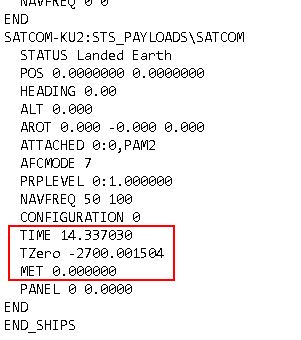


I tested by removing the three lines, but
the timer starts automatically thirty seconds after the release.
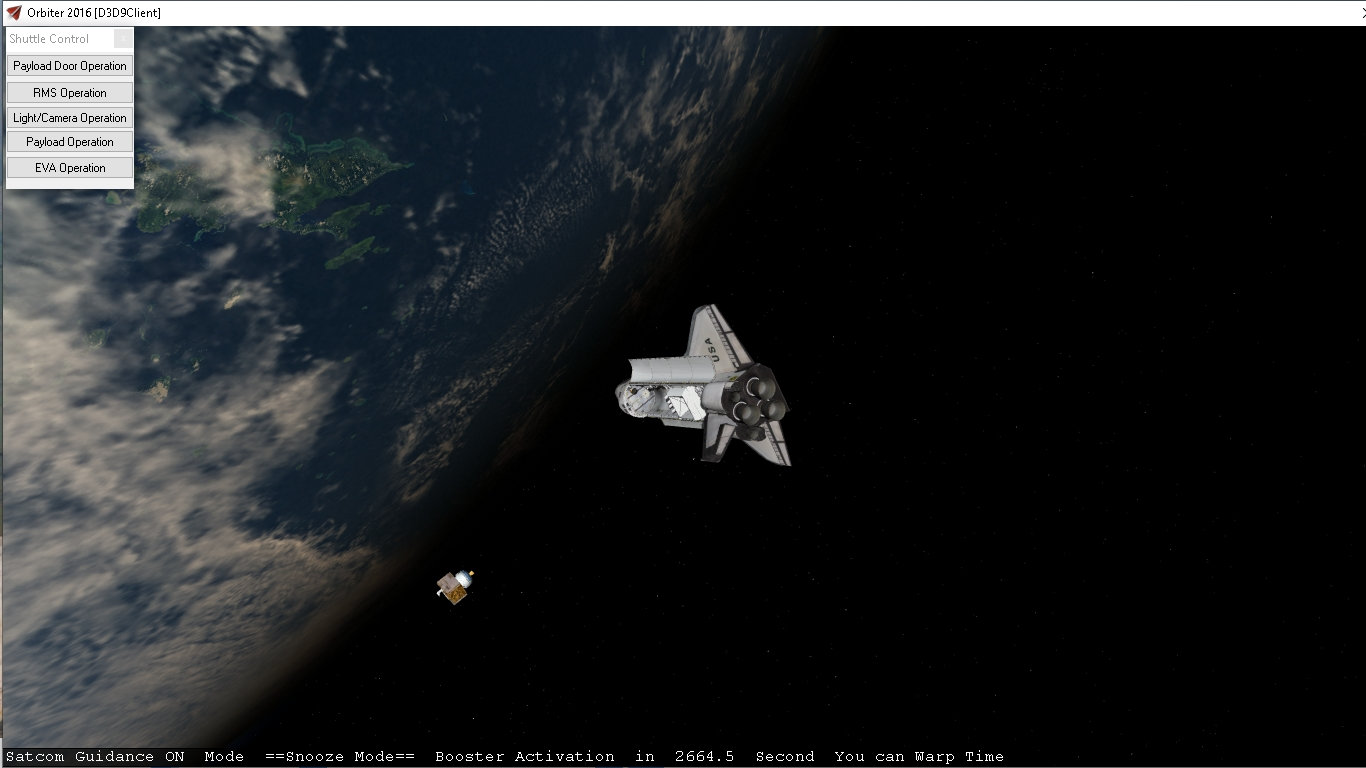
9nn7.jpg


Then after a while the PAM2 booster is activated .....
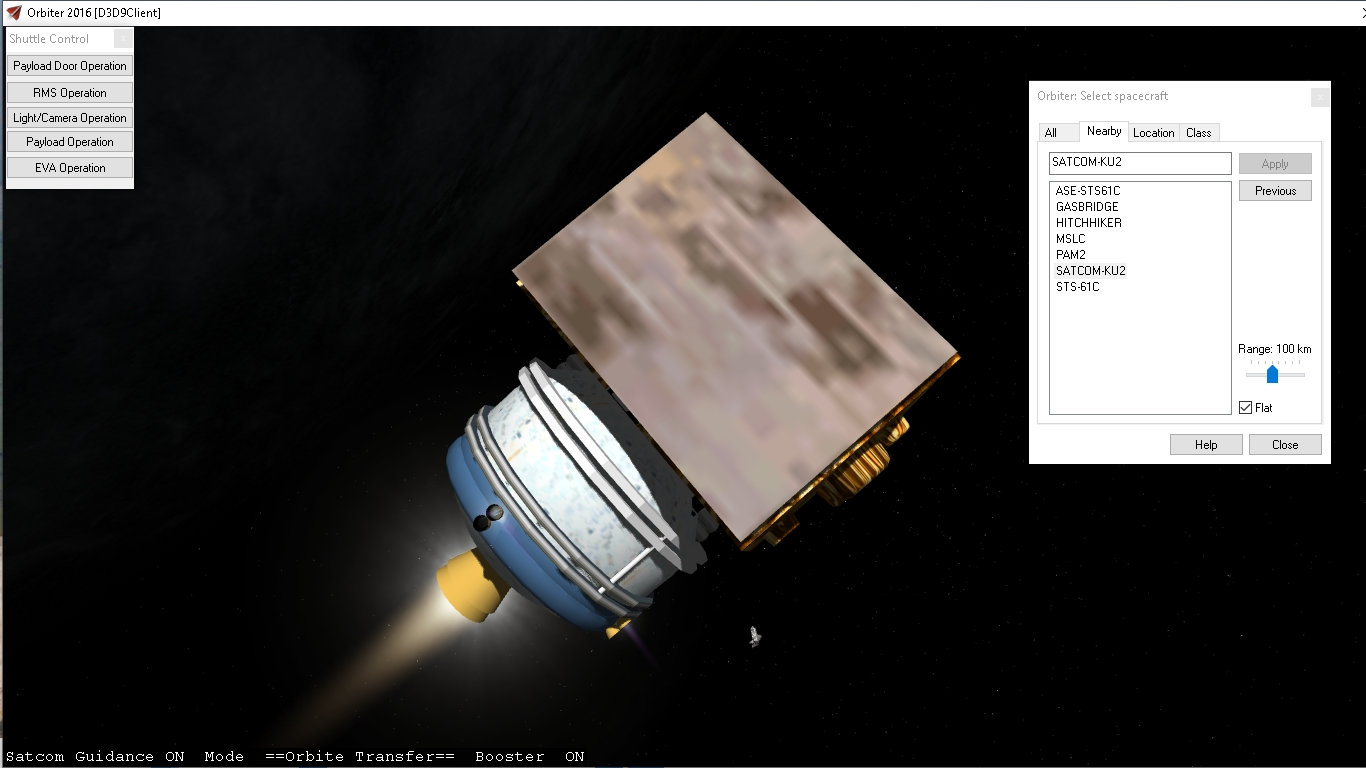
hn77.jpg


BUT
the shuttle OMS is automatically activated too !!!!!!!!!!!!
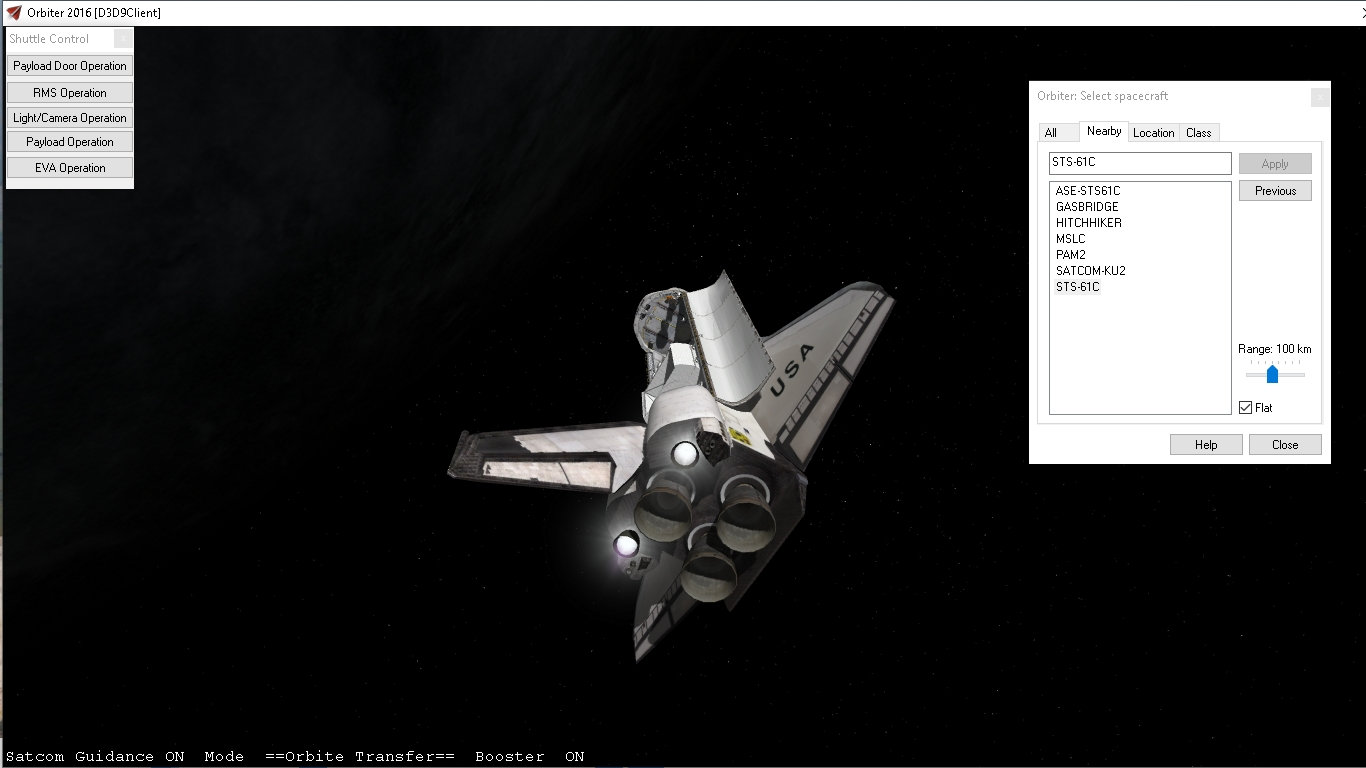
g5hy.jpg


So Not sure who coded the sat com. I not have seen any documents on the the timer,.... How to turn off the guidance,.....
Which add on has this.

The option I am trying to do is make it so that no other vessel can change the shuttle thrusters
 
Last edited:
I found where the STS61-C satellite comes from "SATCOM-KU2"

It is in the addon "STS_Payloads_version2.01" of gazza 17-09-2007
http://web.archive.org/web/20071016...angar.com/addons/STS_Payloads_version2.01.zip

it is used for the scenario "(023) STS-61-B Atlantis"

I discovered in the .pdf file "STS Payloads V2.00"
on the last page the following explanation:

"...STS-61B uses "woodylepic" satcom satellite, the satcom autopilot will turn on after being release
from the clamshell with guidelines at the bottem of the screen. The focus will change from the VC
to satcom 20 seconds after PAM-D2 igniton.
Orbiter 2006 mfd buttons for pylon
1.P+ = cycle sequence forward
2.P- = cycle sequence backwards
3.INC = activate sequence
4.DEC = cancel sequence
.............................................................................................
15. Acknowledgments
Special thanks to camelopardis for his pylon module for making this addon the way i intending,
also woodylepic for his secondary payload meshes and modules.
Dbeachy_1 for the pylon bug fixes past on to camelopardis for this newer pylon module..."


Maybe in this addon you will find information

See you soon
 
Last edited:
OH. So I may need to make a new one. But maybe wait til the shuttle is alt least a beta?
 
So on the OMS I got a PSTREAM. but there seems to be an issue?
here the shuttle the OMS is not firing:
XWHi8IZ.jpg

and then it fires.
p3ljpC0.jpg


See how the wing is brighter. It is like a light in the aft section.

Code:
void Atlantis::CreateOMS()

{

	//contrail_tex = oapiRegisterParticleTexture("Exhaust_atrcs");
	th_oms[0] = CreateThruster (THRUSTREF_OMSL, THRUSTDIR_OMSL, ORBITER_OMS_THRUST, ph_oms, ORBITER_OMS_ISP0, ORBITER_OMS_ISP1);
	th_oms[1] = CreateThruster (THRUSTREF_OMSR, THRUSTDIR_OMSR, ORBITER_OMS_THRUST, ph_oms, ORBITER_OMS_ISP0, ORBITER_OMS_ISP1);
	// we don't yet define a thruster group for the OMS engines
	// They will be assigned to the MAIN group as soon as the ET is jettisoned
	for (int i = 0; i < 2; i++)
		AddExhaust(th_oms[i], 2.5, 0.6); //2.5, 0.6

	PARTICLESTREAMSPEC OMSex = {
		0, .5, 1000, 5, .01, .1, 0, 0, PARTICLESTREAMSPEC::EMISSIVE,
		PARTICLESTREAMSPEC::LVL_LIN, 0, 1,
		PARTICLESTREAMSPEC::ATM_FLAT, 0.5, 1.0
	};

	AddExhaustStream(th_oms[0], _V(-2.7, 3.50, -13.5), &OMSex);
	AddExhaustStream(th_oms[1], _V(2.7, 3.50, -13.5), &OMSex);

}

const VECTOR3 THRUSTREF_OMSL = { -2.6, 3.3, -12.8 };
const VECTOR3 THRUSTREF_OMSR = { 2.6, 3.3, -12.8 };
const VECTOR3 THRUSTDIR_OMSL = { 0.19299542, -0.24495572, 0.95013129 };
const VECTOR3 THRUSTDIR_OMSR = { -0.19299542, -0.24495572, 0.95013129 };
this is sf thruster setting:
UHnVQHM.jpg

W1u0owi.jpg


So on the External Fuel hatches. Some scenarios start with one open and one closed?
Code:
  PETD 0 0.0000
  SETD 1 1.0000

So I have 2 separate sequences for these. BUT if one key controls both how does one just close the open one and not close one and open the other?
 
Last edited:
I thought that

PETD
SETD

Was it the left hatch and the right hatch ?
 
I thought that

PETD
SETD

Was it the left hatch and the right hatch ?

yes
PETD-port-left
SETD-Starboard -right

But only one key controls both port and starboard. But not sure how to deal with one open and one close.

---------- Post added 03-12-20 at 05:58 AM ---------- Previous post was 03-11-20 at 01:35 PM ----------

So I removed every exhaust and still when I press + I get that glow.
 
Last edited:
Thrusters act as light sources. Self shadows should prevent light from reaching the aft section, but I don't know it they are only calculated for the Sun.

Ok. So I made the main mesh not seen. When I apply thrust the glow is there on other things like the ODS,.....

If I remove the fuel and apply thrust no glow. So it is thruster related.

I moved the thruster away from the shuttle and still the glow.

Killed RCS and still the glow.

So not sure how to fix.

I will try adjusting the thruster amount values to match SF. The location is the same


So even if no exhaust or Pstream is made light would be seen?
 
Last edited:
I think there is a way, to adjust the distance of the light source.
 
Thrusters act as light sources.
Uh, not by themselves... you need to add a light and "connect" it to the engine operation.


Ok. So I made the main mesh not seen. When I apply thrust the glow is there on other things like the ODS,.....

If I remove the fuel and apply thrust no glow. So it is thruster related.

I moved the thruster away from the shuttle and still the glow.

Killed RCS and still the glow.

So not sure how to fix.

I will try adjusting the thruster amount values to match SF. The location is the same


So even if no exhaust or Pstream is made light would be seen?

Correctly if I'm wrong, but this addon is based on the stock Atlantis, right? If so, check the Atlantis constructor and clbkPreStep... there is your engine light.

IMO, the main "feature" of computers and programs is that they only do what they are told, i.e., the code, without any witchcraft involved. :shrug:
 
Is the thruster / light placed far enough outside of the mesh ?

---------- Post added at 14:18 ---------- Previous post was at 14:14 ----------

Uh, not by themselves... you need to add a light and "connect" it to the engine operation.

I though it was added by the graphic client... I'm getting old I guess :rofl:
 
Last edited:
Yes but it is not set up as a light source

---------- Post added at 09:28 AM ---------- Previous post was at 09:26 AM ----------

Is the thruster / light placed far enough outside of the mesh ?

---------- Post added at 14:18 ---------- Previous post was at 14:14 ----------


I though it was added by the graphic client... I'm getting old I guess :rofl:

The thruster is located where it would be in real life on the mesh.

But it is just a thruster no exhaust or Pstream

---------- Post added at 04:36 PM ---------- Previous post was at 09:28 AM ----------

So for me I moved the thrusts back-40 and no effect.

But pappy2 tested it and no glow at the correct values?
Code:
const VECTOR3 THRUSTREF_OMSL = { -2.8, 3.5, -40.5 };//-2.6, 3.3, -12.8
const VECTOR3 THRUSTREF_OMSR = { 2.8, 3.5, -40.5 };/
 
As GLS wrote:


Uh, not by themselves... you need to add a light and "connect" it to the engine operation.

Correctly if I'm wrong, but this addon is based on the stock Atlantis, right? If so, check the Atlantis constructor and clbkPreStep... there is your engine light.
You want to take a look at the following lines:


Code:
engine_light = AddPointLight (_V(0,0,-25), 300, 2e-4, 0, 4e-4, col_diff, col_zero, col_zero);
    engine_light->SetIntensityRef (&engine_light_level);


engine_light_level = GetThrusterGroupLevel (THGROUP_MAIN);


The first two lines can be found in the constructor while the last can be found clbkPreStep. These three lines are the source for the lights from the engines.
 
Thanks:)
Code:
engine_light_level = 0.0;
	COLOUR4 col_diff = {1,0.8,0.8,0};
	COLOUR4 col_zero = {0,0,0,0};
	//engine_light = AddPointLight (_V(0,0,-25), 300, 2e-4, 0, 4e-4, col_diff, col_zero, col_zero);
	//engine_light->SetIntensityRef (&engine_light_level);
Not sure why it was there. But now it isn't
 
Thanks:)
Code:
engine_light_level = 0.0;
    COLOUR4 col_diff = {1,0.8,0.8,0};
    COLOUR4 col_zero = {0,0,0,0};
    //engine_light = AddPointLight (_V(0,0,-25), 300, 2e-4, 0, 4e-4, col_diff, col_zero, col_zero);
     //engine_light->SetIntensityRef (&engine_light_level);
Not sure why it was there. But now it isn't
All the engines/motors on the shuttle generate light to a certain degree. The SRBs generate very bright yellow light, while the SSMEs have a weaker white light. The OMS engines generate a red light which is really the glow of the hot nozzles. The RCS jets generate a gold-white light when they're fired.


So sts61C. I think what needs to be done is make 2 new vessels. Pam and K-1 sat. I would even redo the mesh's solar panels.
hImZL0p.jpg

So each vessel will have thrust and attitude control. The pam thru rcs.
AiEm6xy.jpg

So the 2 vessels would be attached. release from the shuttle and then you would need to take control and fire the PAM's thruster. Then when you want release the sat and deploy the panels.

Both will have the stop/rotate function.

---------- Post added at 09:18 AM ---------- Previous post was at 05:44 AM ----------

Does any have a good drawing of the PAM D2 rocket. Looking for RCS. this one has 4 on each axis.
 
fixed and updated sts61c:
w29tygT.jpg

2oxE7Hr.jpg


Not too sure on the the mass, thrusts,...
I did notice that when the PAMD2 fired also rcs fired from all 4 thrusters. I can add that also.
 
Good idea to find more shuttle stuff like the aft cargo carrier. would still like to see more of the unflown missions inorbiter
 
So on the K1:
Code:
const double FUELMASS = 883;
const double ISP = 290;//33000
SetEmptyMass(1900);

PAMd2
Code:
const double FUELMASS = 883.6;//2400
const double ISP = 290;//33000
 
Last edited:
Back
Top