SSU Development Thread (2.0 to 3.0)

Status
Not open for further replies.
I'm not sure what you mean... are you talking about my suggestion to delete the glass parts?

No, about removing the buttons and indicators and paint them on the texture.
 
No, about removing the buttons and indicators and paint them on the texture.
Could you provide a sample so we others can study it and learn the appropriate techniques?
 
No, about removing the buttons and indicators and paint them on the texture.

I don't think I ever said that... looks like there's some miscomunication going on.
What I've suggested was to delete those glass parts in front of the texture, so we can see better those areas, where the talkbacks and button lights are painted. But, if "your method" is to go forward (and if it is better I'm all for it), then we might need those groups there so we can do that texture "trick", thus
my idea to delete those groups is no longer positive.
 
Sure, what kind of sample do you need?
Well, mesh(es)/texture(s) that shows just how things should be done vs the way they currently are done.
 
Well, mesh(es)/texture(s) that shows just how things should be done vs the way they currently are done.

Give me some moment, I can do this.
 
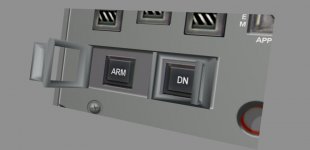
Could make them like this.
 

Attachments

  • armingcovers.jpg
    armingcovers.jpg
    25.1 KB · Views: 509
Could make them like this.

Thats almost like how I would love them. Just the corners could be a lot sharper, so that the surfaces are more flat. :love:

Here you can see some of the switch guards will in 3D (but no color)

Shuttle_Discovery_cockpit_LOC_HAER_579866pu.jpg
 
Last edited:
Could make them like this.

If the window had just a little opacity it would look nice, but not too much or it becomes what we have now (too much). A more metalic tone would also be nice. Also the handle should be as big, in the vertical, as the cover. I can post some photos if you want.

---------- Post added at 09:45 PM ---------- Previous post was at 09:36 PM ----------

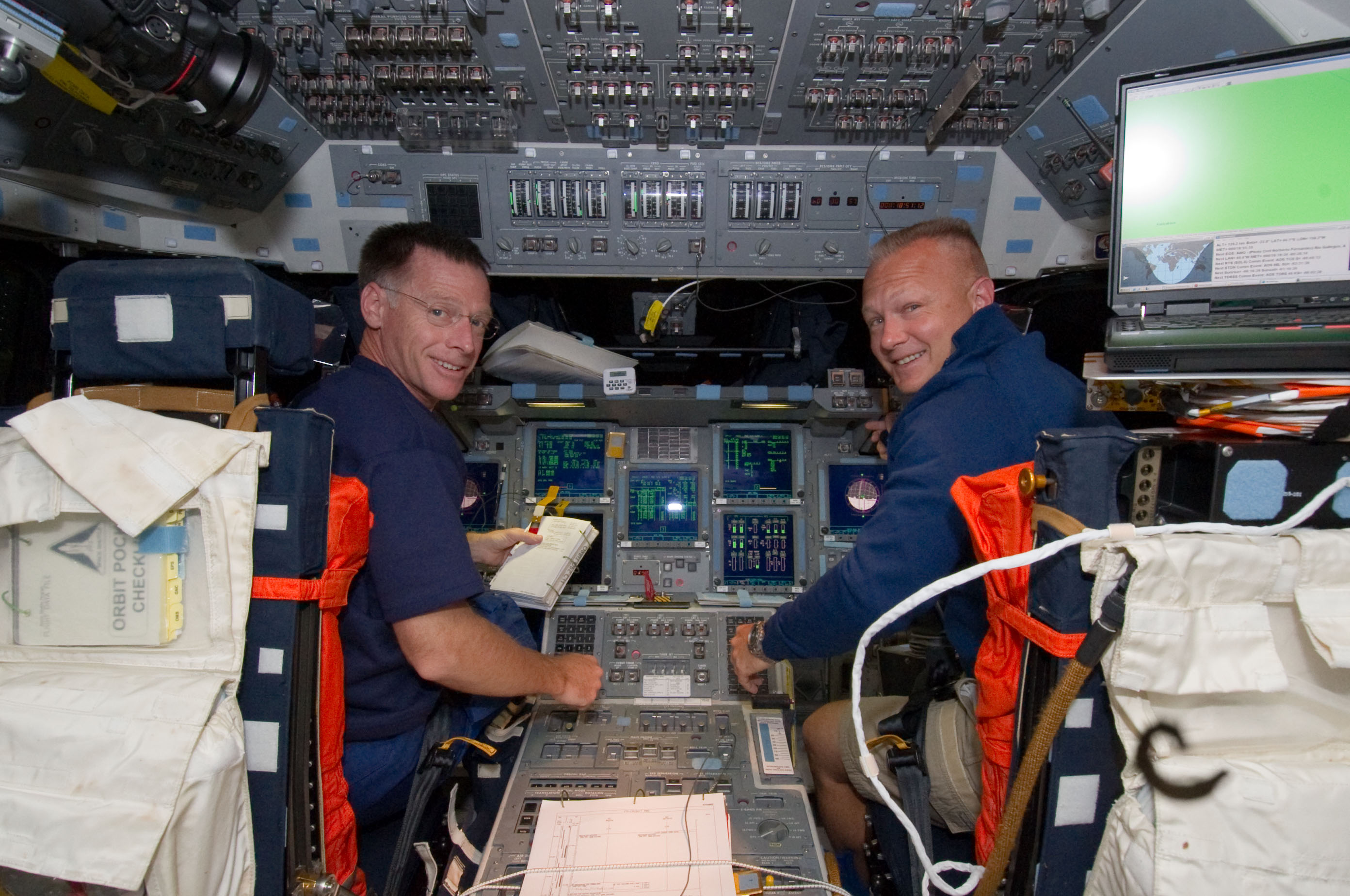
Very interesting image Urwumpe. Looking at panel C2 I thought that couldn't be Discovery, because the timer wheels are different. But then I confirmed it is in fact OV-103 as the stains on panel C3 match a photo I have from 2000, but the wheels are like we have in SSU. I wonder when they changed that part. After MEDS, at least 102 and 104 had "our" wheels.
 
I wonder when they changed that part. After MEDS, at least 102 and 104 had "our" wheels.

The wheels had been the original interface to the timers, you can see them in many pictures that also show the old CRT displays.

On the newer pictures, the push-button timer interface is shown.

I can confirm that Atlantis still had the wheels on STS-135, but Discovery and Endeavour had push buttons.

STS-135_Chris_Ferguson_and_Doug_Hurley_on_the_flight_deck.jpg
 
Last edited:
Thats almost like how I would love them. Just the corners could be a lot sharper, so that the surfaces are more flat.

Flatter and sharper edges is easy.

If the window had just a little opacity it would look nice, but not too much or it becomes what we have now (too much). A more metalic tone would also be nice. Also the handle should be as big, in the vertical, as the cover. I can post some photos if you want.

Covers with windows adds another mesh group for each cover, metalic is only accomplished with shading or textures.
 
Covers with windows adds another mesh group for each cover, metalic is only accomplished with shading or textures.

Animating two groups would not be that much harder for the covers, but it Orbiter and transparency is a long topic. I could do without any glass windows there.
 
The wheels had been the original interface to the timers, you can see them in many pictures that also show the old CRT displays.

On the newer pictures, the push-button timer interface is shown.

I can confirm that Atlantis still had the wheels on STS-135, but Discovery and Endeavour had push buttons.

STS-135_Chris_Ferguson_and_Doug_Hurley_on_the_flight_deck.jpg

So my quick search shows only OV-103 and 105 had that change to buttons. The other 2 had the wheels.
This is good, it puts more value on us having separate panels in the VC so we can simulate the differences between the OVs. :thumbup:
 
So my quick search shows only OV-103 and 105 had that change to buttons. The other 2 had the wheels.
This is good, it puts more value on us having separate panels in the VC so we can simulate the differences between the OVs. :thumbup:


Maybe we could also easier switch to the classic CRT cockpit then one day. Later. but thats not that urgent. But I think we two agree that splitting up the VC mesh would be a good requirement to be implemented in the next version to come then?
 
Covers with windows adds another mesh group for each cover, metalic is only accomplished with shading or textures.

Animating two groups would not be that much harder for the covers, but it Orbiter and transparency is a long topic. I could do without any glass windows there.

How about a transparent cover texture? Anyway, another question: if we have an empty window, would the click stuff still work as is? By clicking inside the window we would be clicking in the button instead of the cover?

---------- Post added at 10:22 PM ---------- Previous post was at 10:21 PM ----------

Maybe we could also easier switch to the classic CRT cockpit then one day. Later. but thats not that urgent. But I think we two agree that splitting up the VC mesh would be a good requirement to be implemented in the next version to come then?

I agree on everything!
 
By clicking inside the window we would be clicking in the button instead of the cover?

No, we would still be clicking on the same invisible rectangular action area.

We would still send the event to the cover first and then to the decorated push button, if I remember correctly.
 
Animating two groups would not be that much harder for the covers, but it Orbiter and transparency is a long topic. I could do without any glass windows there.


Agreed. I have all the panels mostly seperated already ( and backed up). How would they be placed ? Like the payload bay atttachments ?
 
Last edited:
Agreed. I have all the panels mostly seperated already ( and backed up). How would they be placed ? Like the payload bay atttachments ?

Could it be done like panel A8? I think it has an offset built into its mesh, so when loading it shows up in the right place. I think that would simplify the code conversion as the coordinates would be (mostly) the same.
 
Could it be done like panel A8? I think it has an offset built into its mesh, so when loading it shows up in the right place. I think that would simplify the code conversion as the coordinates would be (mostly) the same.

Not my area. I'll make'm, you place'm.:thumbup:

---------- Post added at 11:35 AM ---------- Previous post was at 11:29 AM ----------

The instuments from the old cockpit could be done ala X plane, then placed onto the panels.

---------- Post added at 11:36 AM ---------- Previous post was at 11:35 AM ----------

A working rangefinder in the aft, would be awesome.
 
I think that if you keep each part where it is (like a switch keeping the same coordinates) it will be fine.
IMO panels that have more than one version would have 1 mesh per version and which would be show would be decided in the code.
 
Status
Not open for further replies.
Back
Top