SSU Development Thread (2.0 to 3.0)

Status
Not open for further replies.
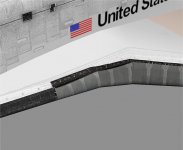
Your wrong the mapping wa done to have those lines form the curves between the RCC and black tiles. You changed the mapping of that area.
 
Thiss iss wwhat it should look like.
 

Attachments

  • truemapping.jpg
    truemapping.jpg
    75 KB · Views: 439
Thiss iss wwhat it should look like.
I don't see the purpose of the black lines on the RCC. We already have the HRSI tiles. And there's no weird shadowing going on around panels 1-5.
 
Maybe someone else can see what I mean.
 
Maybe someone else can see what I mean.

Do you want the "old panel" effect, like in this picture?
Ststpstile.jpg

The new panel has an uniform color, but the old ones (at least some) have a darker area near the carrier panels.
If this effect is what you want, I think the line is too dark. If the idea isn't this, then I don't see the point of that line, as there's no step in there to create a shadow and the carrier panels are there.

---------- Post added at 11:54 PM ---------- Previous post was at 11:47 PM ----------

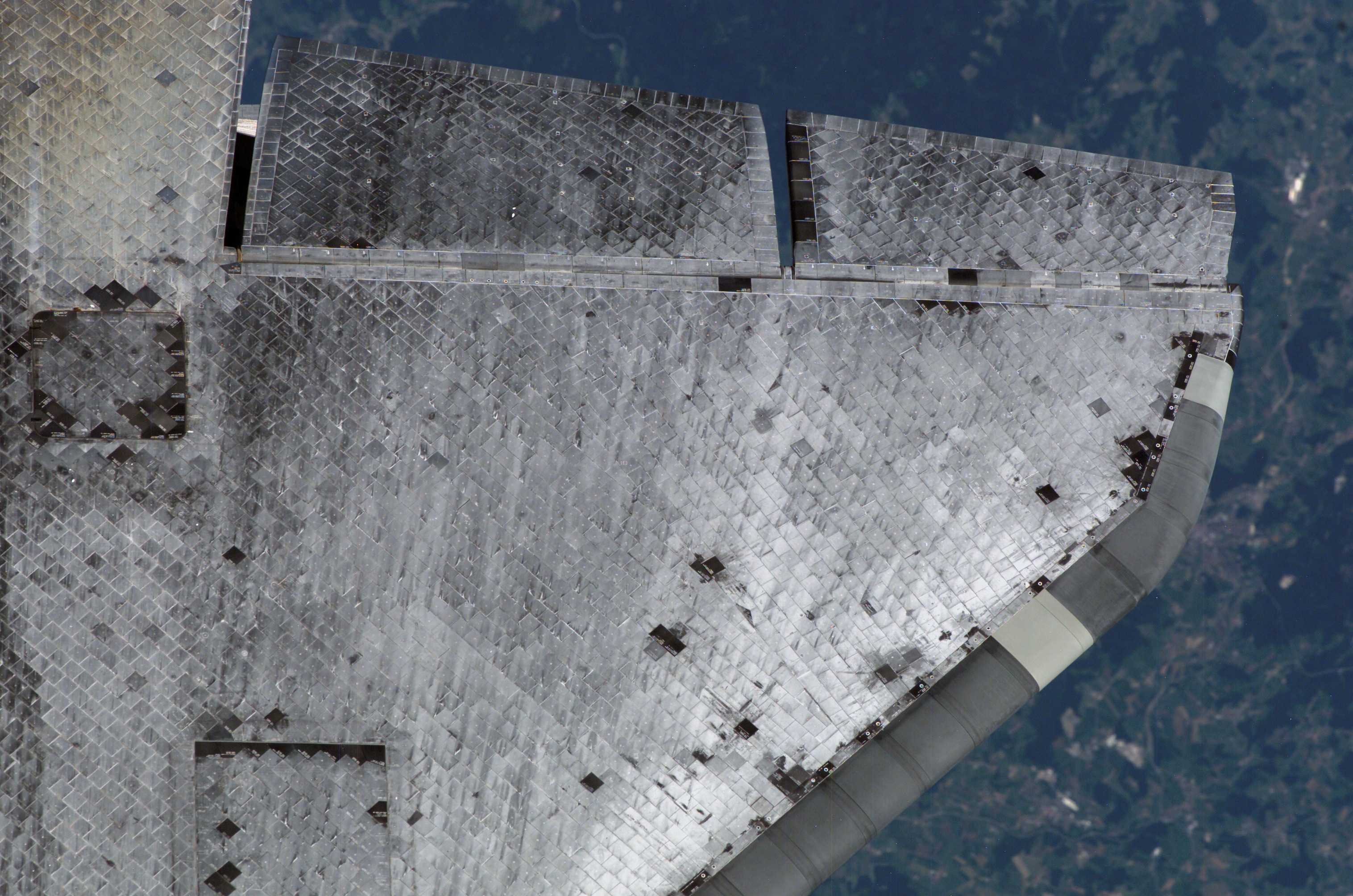
Just found another picture...
iss016e006116.jpg

...and there is something in between the RCC and the carrier panels, but I think it is part of the carrier panels, and it seems to already be in our texture.
 
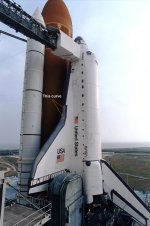
This curve is what I mean.
 

Attachments

  • orbiter_044.jpg
    orbiter_044.jpg
    112.9 KB · Views: 437
This curve is what I mean.
HRSI tiles on the upper carrier panels. We already have those in textures so those extra black lines on the first few RCC panels are completely unnecessary.

Here's a good photo that shows the WLE carrier panels:

2013-2312.jpg
 
Can anyone check that there are no problems with the fix for ticket 83 on r2200? MPS related that is, as the fix for the twitching during launch was removing a call to update the vehicle mass from the MPS/ET code. I did a bunch of launches (most with all kinds of dangerous stuff you shouldn't do in real life), and didn't find any problems. I'll leave the ticket open for a few days and if no one complaints I'll close it.
I haven't actually tested it, but I had a quick look at the code and everything looks good.
 
This curve is what I mean.
I see what you mean.
In my un-informed opinion, to do that curve, the shape of that area would have to be very well done to have RCC on the bottom and tile above, and that "border" would be shaped as the curve. OR, you graphics folks would have to copy part of the carrier panels to the RCC part, and then have both sides line up, so that the current "border" cuts between the curve. As it is, it looks like a shadow...

---------- Post added at 12:33 AM ---------- Previous post was at 12:30 AM ----------

I haven't actually tested it, but I had a quick look at the code and everything looks good.

I didn't change any c.g. code, just removed the call to update the mass from the MPS/ET "mass exchange" function. That was causing 2 updates per timestep (one pre and one post). I think any problems would be on the MPS side, but so far it still works as before. But more checking is always good. :thumbup:
 
I see what you mean.
In my un-informed opinion, to do that curve, the shape of that area would have to be very well done to have RCC on the bottom and tile above, and that "border" would be shaped as the curve. OR, you graphics folks would have to copy part of the carrier panels to the RCC part, and then have both sides line up, so that the current "border" cuts between the curve. As it is, it looks like a shadow...

That's exactly what I did in the second picture. But the model was remapped after that.

---------- Post added at 11:36 PM ---------- Previous post was at 11:34 PM ----------

Question : Are the bridgerails used yet ?
 
That's exactly what I did in the second picture. But the model was remapped after that.
You lost me with the "remapped"...

Question : Are the bridgerails used yet ?
Yes they are. Check the mission file pdf in the doc folder for details on how to turn them on.
 
I removed the black lines from RCC panels 1-5 and checked in the modified textures.
 
But the black lines are supposed to be there to make the curve. What happened to changes made, not going into the release until they were approved ?
 
But the black lines are supposed to be there to make the curve. What happened to changes made, not going into the release until they were approved ?
What curve? There is no curve. Maybe it looks like there's a curve in low-res photos, but according to several hi-res photos and close-up shots of the areas in HD videos show no artificial curve. The HRSI tile carrier panels begin where the RCC ends. There's no "in-between".
 
I totally diagree with you.
 
This clearly shows the curve.
 

Attachments

  • 201107210007hq.jpg
    201107210007hq.jpg
    283.1 KB · Views: 456
This clearly shows the curve.
That's a perspective thing due to the shape of the wing. It's certainly not present in top views of the wing.
 
That's why you need to create the illusion with texturing.
 
This clearly shows the curve.

Space_Shuttle_Atlantis-2.jpg


There here clearly shows that the curve is actually made of small straight segments, they just appear like a curve from a distance or if the angles between the projections of the segments are small enough (watching from front, for example)
 
Status
Not open for further replies.
Back
Top