Discussion Trees for Orbiter

Making trees as crossed textured flat meshes it's pretty good. In this case the maximum tree width should differ from the minimum by the square root of 2:

View attachment 38959View attachment 38960

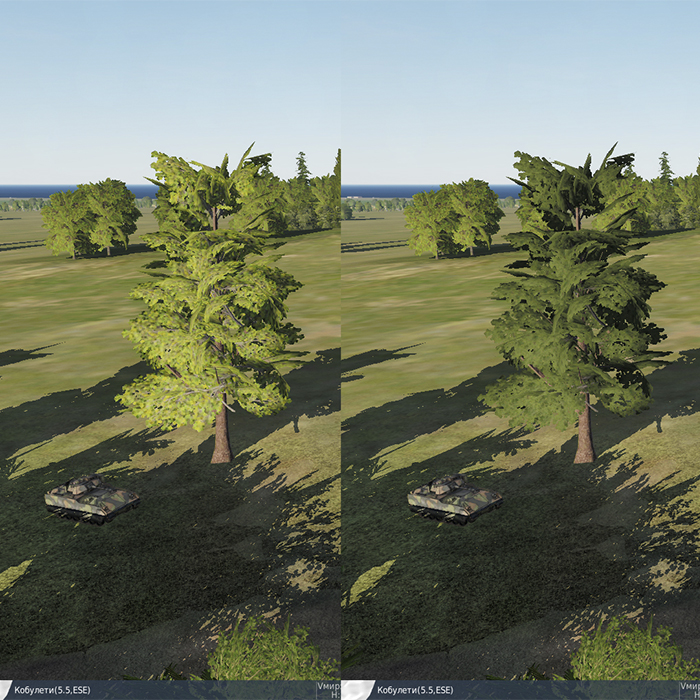
That's how they render entire forests in DCS. And they sure look good enough, for a flight sim. Though I think they use another trick for the 'top' view, like another 'foilage plane' that behaves like a '2D sprite' of the old days.

The 'low poly' 3D approach works well with a 'cartoon-like' art style (a bit like the one we use on Space Station Designer), but as you say, it isn't really compatible with a 'full-realistic' style.

You did great work already, such trees would improve a lot the Earth surface bases visuals. (y)
 
Thanks. Those 2D and crossed 2D trees have a number of disadvantages. They look good when we look perpendicular to their plane. There's a problem with shading, top view (we see a cross) and so on. But nevertheless I really don't see any better alternative yet (of course, it was not my idea). The main advantage of 3D cartoon trees is their volume, but they're much more difficult for texturing.

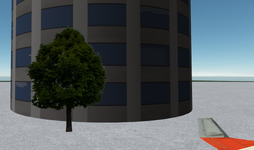
For now I don't know how to make nice forest in Orbiter, but a have a simple idea for 2D single trees, which are the good way if we can't look at them from different sides. We could place lonely trees in front of buildings, I'm going to try this.

Also, it wasn't a big work, because I didn't draw my own trees, I took free textures from the Internet.

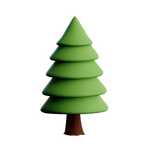
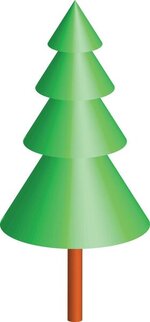
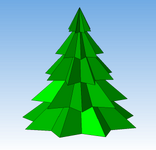
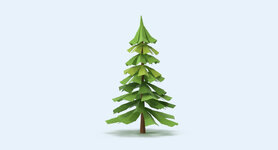
Maybe we could create and texture the 3D models like these:

2.png4.jpg1.png3.jpg
 
From what I can see in say DCS or FS, the trunk and a few main branches are a low-poly solid, but all the foliage is made of superposition of 2D planes that have different orientations.

It is obvious if you look at the top of this one (DCS) :

12.jpg
 
They don't look too bad, the masking could be better, the alpha fades to blue/white, black/brown would be better, or make the mask 1 px smaller.
 
Thank you.
the alpha fades to blue/white, black/brown would be better
Do you mean that the alpha channel fade to black/brown worse than to blue/white?
or make the mask 1 px smaller
Is it the only solution? And what does it mean? Should I reduce the texture resolution by half?
 
Well, it's probably best not to have too big textures if you intend to put multiple trees in a base (like to make a small patch of forest or something) because it could easily make a computer lag. I'd say either 256x256 or 512x512 depending on how close the trees are meant to be seen (so like 512x512 on the edge of a runway or next to a building, and 256x256 behind).
 
The "halo" effect is because the original background was too bright.
Is it the only solution? And what does it mean? Should I reduce the texture resolution by half?
I meant the alpha mask, res. looks fine if maybe a little high for gaming, what res. are they?
Where do you get your trees?
Or up the .dds and I'll see if I can improve the masking-
in photoshop fill bckground with dark colour, delete, make mask
 
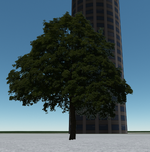
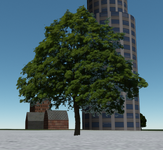
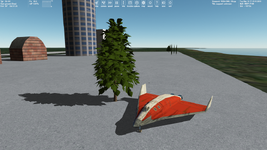
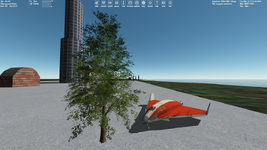
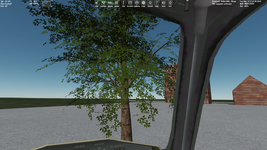
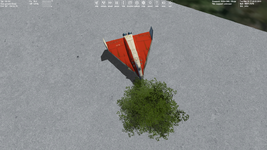
Well, after all these I already think we should think about 3D trees. Maybe we don't need forests or even just a lot of trees. Several accurate 3D low poly trees could improve a base a lot, give good shadows and views from all sides. I tried the first model I found and I think the such concept is worth it:

t1.pngt2.png
 
Well, it's probably best not to have too big textures if you intend to put multiple trees in a base (like to make a small patch of forest or something) because it could easily make a computer lag. I'd say either 256x256 or 512x512 depending on how close the trees are meant to be seen (so like 512x512 on the edge of a runway or next to a building, and 256x256 behind).

I'm not a GPU guru, but AFAIK graphic cards are quite good at 'duplicating' a same texture (and then scaling it, etc...). So, if you use 3 or 4 different textures for a forest, it shouldn't be a huge issue. Now things can escalate quickly if you model something like an international airport, of course.
 
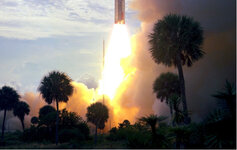
I think they look pretty good. If you have some trees that look like these, I can try to emulate this historic photo in the Viking launch .scn (btw eagerly watching your island grow!).
Viking1.jpg
 
I think they look pretty good.
Do you mean 2D or 3D trees?
If you have some trees that look like these
Not yet, but I found a tree generator tool, so I'm going to try getting various trees.
btw eagerly watching your island grow!
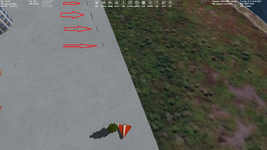
For now this is just a testing ground for objects and textures. I'm not placing objects there in the right position yet.
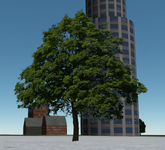
I forgotten to make an alpha channel for a texture of this tree. Now it looks like:

t1.pngt2.pngt3.png

Of course it has the same problem with the visible halo, although it's not so noticeable.
 
I'd say the one without alpha looks like a bit like a tropical tree with large leaves, while the one with alpha is definitively from the northern hemisphere lol.
 
Do you mean 2D or 3D trees?
"3D" :) Altthough I think it's where you place them AFAIK "tree tops" are included in the elevevation data. Placing a row of 2D trees along a forest edge could improve the ground view.
Not yet, but I found a tree generator tool, so I'm going to try getting various trees.
Sounds interesting. Look forward to seeing the results of your experiments:)
 
Back
Top