Follow along with the video below to see how to install our site as a web app on your home screen.
Note: This feature may not be available in some browsers.
ORBITER-FORUM will be temporarily closed at 2026-07-23 18:00 UTC while we complete some OF maintenance tasks. The amount of downtime is expected to take up to one hour, but probably less.
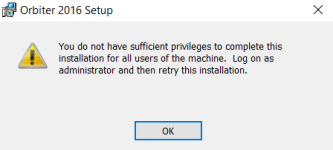
Try running the installer as administrator. This is Windows letting you know that you do not have permission to install things, not an issue with Orbiter.
I'm assuming that's the MSI-file? Right click, and look for "run as administrator" in the context menu. If it's not there, I have to assume that you indeed don't have admin priveledges on that computer, and you should talk to somebody that does.
The .msi also does not add/change anything in the registry as far as I remember.
But as many suggested above: If you like to install Orbiter on your companies machines and you don't have administrative rights there : use the ZIP
This site uses cookies to help personalise content, tailor your experience and to keep you logged in if you register.
By continuing to use this site, you are consenting to our use of cookies.