
Project Energia 5V Heavy Launch Vehicle

OK that should do it... Nice piece of rocketry we have here ?


Note small error on that pic : the wire is not rotated properly and goes over nozzles. Well now that's fixed, posting pictures here is some kind of QC ;)
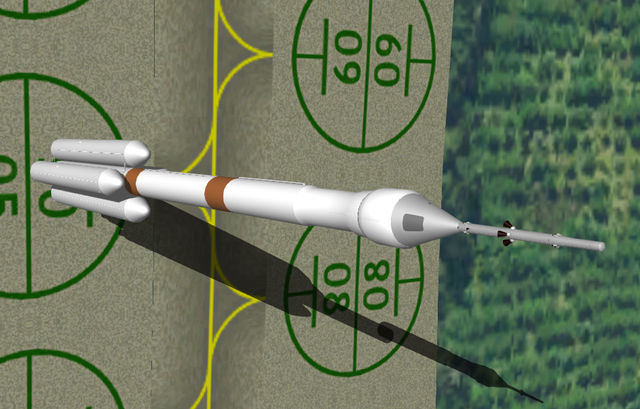
 
The full stack !

I'll have to redo the VA (descent vehicle), because I cut holes with smooth shading enabled in Blender, which causes awful shading errors. Be sure to cut holes with smooth shading DISABLED and enable it only once you're done.

Also there is an issue with the ground shadows, upper stages seem off. Not sure about that one because results can be different ?

 
Re-doing the VA (Descent Vehicle) mesh.

I noticed something interesting about ShipEdit, Blake's Blender Tools and Blender : ShipEdit crashes when you load some meshes. It kept happening, but it seemed that cleaning the meshes, removing "useless" objects in the Blender scene did the trick. Now I found the issue : in a Blender scene you can have "empty" objects, objects that have no vertices because you removed them all. Blake Tools translate this into an "empty" meshgroup, and Shipedit can't deal with that. So be sure to clean your Blender scene before exporting.
 
orbiter crashes if there is an object in the mesh that consists of only one vertex
 
OK that explains a lot of crashes I had ! It can be misleading when you code dlls and mesh at the same time. I was suspecting my code to be "leaky", but since I'm hunting such "zombie meshgroups" everything is running smoothly ! ?
 
Also, in Blender, when using "Boolean Operator / Difference" to cut holes through meshes, be sure to "triangularize" the weird faces that result from the cut, else it will look messy in Orbiter (more than it looks in Blender). And don't enable smooth shading before finished. Don't.
 
Back
Top