misha.physics
Well-known member
- Joined
- Dec 22, 2021
- Messages
- 1,534
- Reaction score
- 2,326
- Points
- 128
- Location
- Lviv
- Preferred Pronouns
- he/him
So I got to the textures.
Does anyone know if it's possible to make night textures for a mesh? I know that the pre-defined objects (like BLOCK) uses the night texture if it has "_n" in the end of the "day" texture.
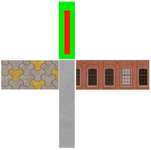
Do I understand correctly that the only way for a vessel texturing is creating the so-called UV maps, which look like (it's an example from the Cessna by @jacquesmomo):
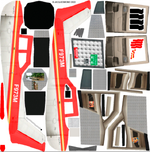
Any advice on how you make your ship textures and what tools you use would be very appreciated. I've just never done it, and it looks very hard. Once I used the UVMapper Classic following one tutorial, but it was for a cylindrical rocket.
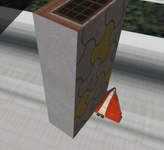
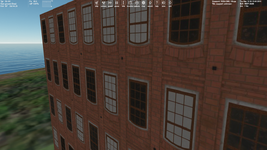
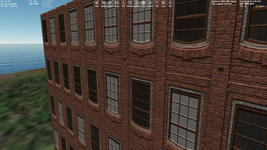
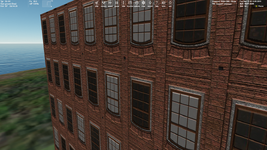
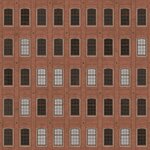
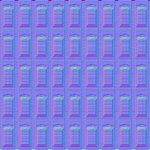
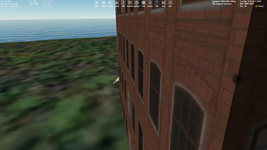
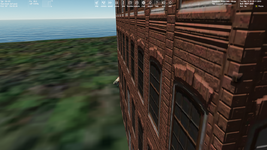
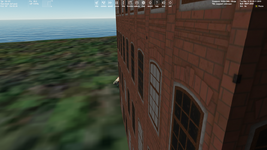
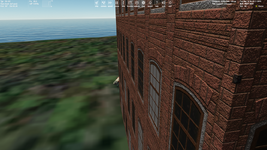
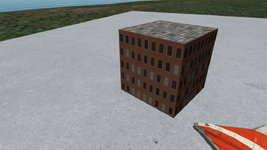
For now I can only apply textures to the cube mesh using the integrated "Texture UV" tool in Anim8or. Also I used the pre-defined "RUNWAY" object to make this concrete slab (it has 4K resolution, whereas the building has 2K textures):
Does anyone know if it's possible to make night textures for a mesh? I know that the pre-defined objects (like BLOCK) uses the night texture if it has "_n" in the end of the "day" texture.
Do I understand correctly that the only way for a vessel texturing is creating the so-called UV maps, which look like (it's an example from the Cessna by @jacquesmomo):
Any advice on how you make your ship textures and what tools you use would be very appreciated. I've just never done it, and it looks very hard. Once I used the UVMapper Classic following one tutorial, but it was for a cylindrical rocket.
For now I can only apply textures to the cube mesh using the integrated "Texture UV" tool in Anim8or. Also I used the pre-defined "RUNWAY" object to make this concrete slab (it has 4K resolution, whereas the building has 2K textures):