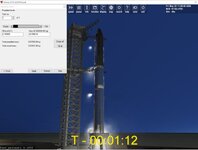
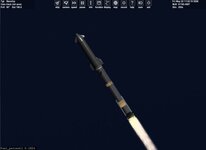
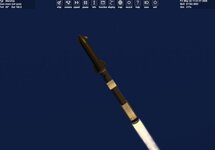
Project Starship version3

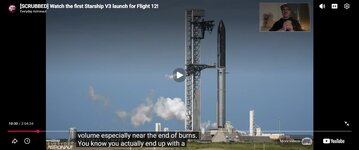
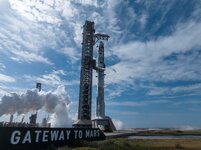
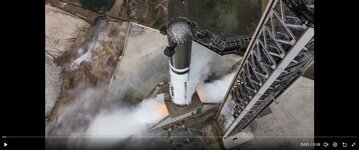
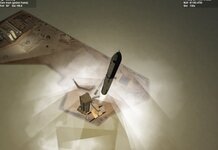
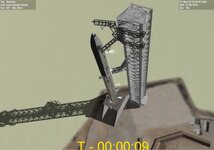
Thanks. that worked. Now I need to look at the tower. And may the star ship.
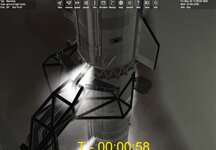
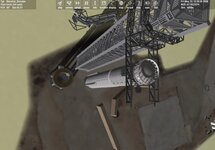
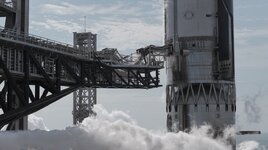
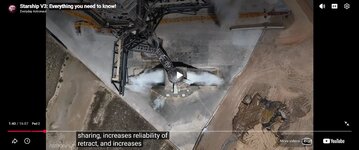
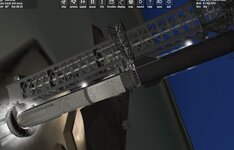
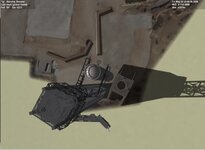
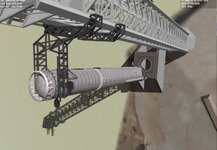
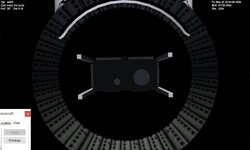
It looks like the arm that fuels the star ship moves up and down?

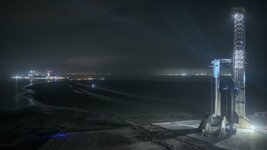
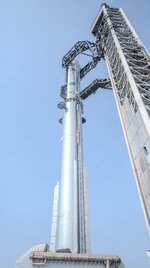
Shorter catch arms. And the stand is different.

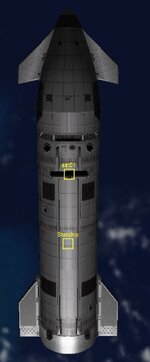
On the starship I am not seeing the fueling ports on my mesh.

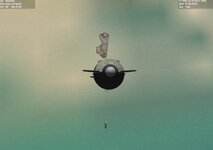
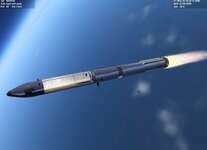
And on the booster I need to figure out fin animation. which fin(s) for yaw, pitch, bank?
 

Attachments

  • bctowerarm.jpg
    bctowerarm.jpg
    51.2 KB · Views: 11
  • bctowercapture.jpg
    bctowercapture.jpg
    64.4 KB · Views: 11
  • HH5WAvPW0AIC9Mx.jpg
    HH5WAvPW0AIC9Mx.jpg
    54.4 KB · Views: 10
  • HH5WYg_WsAUmFmE.jpg
    HH5WYg_WsAUmFmE.jpg
    31.4 KB · Views: 11
  • starshiptower.jpg
    starshiptower.jpg
    50 KB · Views: 8
  • HIEFK0mW0AIH5xq.jpg
    HIEFK0mW0AIH5xq.jpg
    96.7 KB · Views: 8
  • HIEFJrBXwAALuiq.jpg
    HIEFJrBXwAALuiq.jpg
    81.1 KB · Views: 11
  • starshiptower1.jpg
    starshiptower1.jpg
    85.6 KB · Views: 11
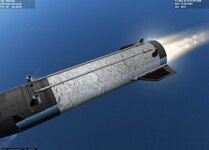
Not sure why the frost doesn't animate. It should scale based on the fuel level. I can remove all fuel and it goes away and add fuel but no animation until full?
FUELMASS=GetPropellantMass(hProp1);
fuel_percent1 = int(100 * (GetFuelMass()) / (FUELMASS));
SetAnimation(anim_FROST, fuel_percent1);

This is in

void ss_upper::clbkPreStep(double SimT, double SimDT, double MJD)
{
 
@BrianJ Any idea on this.
double fuelmass1 = GetFuelMass();
FUELMASS = GetPropellantMass(hProp1);// main fuel
fuel_percent1 = int(100 * (fuelmass1) / (FUELMASS));//difference of ful tank versus current fuel
SetAnimation(anim_FROST, fuel_percent1);//animate frost level based off of percent of tank

sprintf(oapiDebugString(), "fuel_percent1 %0.4f fuel_mass %0.4f,fuel_mass1 %0.4f", fuel_percent1, FUELMASS, fuelmass1);

All values are 0.000. What I what is get the current fuel amount and check against full amount and that percent is the amount for the frost animation
 
Thanks.
@BrianJ Any ideas?
anim_FROST = CreateAnimation(0);
static UINT frostGrp[1] = { 0 };//21,27,39,41,42,48,62,122,132,131
static MGROUP_SCALE FROST(2, frostGrp, 1, _V(0, 0, 11.84), _V(1, 1, 1500));
AddAnimationComponent(anim_FROST, 0, 1, &FROST);
static UINT frost1Grp[1] = { 1 };//21,27,39,41,42,48,62,122,132,131
static MGROUP_SCALE FROST1(2, frost1Grp, 1, _V(0, 0, -31.3403), _V(1,1, 3500));
AddAnimationComponent(anim_FROST, 0, 1, &FROST1);
The animations works on the pad but once launched it doesn't act the same?
hMStg2 = oapiLoadMeshGlobal("Starshipversion3/starshipvers3A");
SetMeshVisibilityMode(AddMesh(hMStg2, &STG1STG2_OFF),MESHVIS_ALWAYS);

hMhull = oapiLoadMeshGlobal("Starshipversion3/booster19");
SetMeshVisibilityMode(AddMesh(hMhull, &STG1_OFF),MESHVIS_ALWAYS);


HMFROST = oapiLoadMeshGlobal("Starshipversion3/booster19FROST");
SetMeshVisibilityMode(AddMesh(HMFROST, &STG1_OFF), MESHVIS_ALWAYS);

Now I get a ctd when I separate to the booster??
 

Attachments

  • boosterfrost2.jpg
    boosterfrost2.jpg
    46.7 KB · Views: 5
  • boosterfrost3.jpg
    boosterfrost3.jpg
    23.3 KB · Views: 5
  • starshipfrost1a.jpg
    starshipfrost1a.jpg
    68.5 KB · Views: 6
@BrianJ
thanks. for that code. Something is wrong

the scaling works on the pad but once launch is is wrong. I can adjust the fuel in Vessel builder and it works.

But then I started to get a CTD when it separates?

If I set the animation at .5 it works no ctd.
CONFUSED
void ss_upper::clbkPreStep(double SimT, double SimDT, double MJD)
{
// double current_fuel = GetPropellantMass(hProp1);
//double max_fuel = GetPropellantMaxMass(hProp1);
//double fuel_fraction = current_fuel / max_fuel;
//sprintf(oapiDebugString(), "fuel_percent1 %0.4f ", fuel_fraction);


SetAnimation(anim_FROST, .5);

}

No CTD.
But If I uncomment I get a CTD when it separates????????????
 

Attachments

  • frostathalf.jpg
    frostathalf.jpg
    20.3 KB · Views: 4
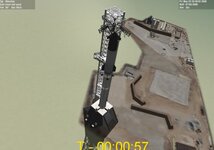
redid the tower and pad. She caught the booster. on the tower maybe add more concrete to the area?
Just need to figure out why the CTD when the booster separates. It has something to do with the fuel?
And I guess for the starship the frost should be based off the fuel tank.
 

Attachments

  • TOWERLAUNCH.jpg
    TOWERLAUNCH.jpg
    81.5 KB · Views: 6
  • BCTOWER3.jpg
    BCTOWER3.jpg
    40.7 KB · Views: 6
  • BCTOWER4.jpg
    BCTOWER4.jpg
    45.1 KB · Views: 6
Better. Need to adjust attachment. But she caught the booster.

So really the only issue the frost code. I think it is due to the fuel tank being deleted with the booster seps?

Something odd? is when I exit it ctds.
 

Attachments

  • STARSHIP12TIME.jpg
    STARSHIP12TIME.jpg
    54.3 KB · Views: 6
  • STARSHIP12TIME1.jpg
    STARSHIP12TIME1.jpg
    70.9 KB · Views: 6
Redid starship and tower.
Not sure what changes need to be made for Flight 13?
 

Attachments

  • STARSHIPFINS.jpg
    STARSHIPFINS.jpg
    22.2 KB · Views: 15
  • STARSHIPFROST.jpg
    STARSHIPFROST.jpg
    52.3 KB · Views: 15
  • STARSHIPICE.jpg
    STARSHIPICE.jpg
    43.4 KB · Views: 14
This is the latest I have. It works in 2024 also. You need the lastest starship and Starlink Sat:
Starlink:https://www.orbiter-forum.com/resources/starlink.339/

Install mine last it has a new cfg for the sat to fit in the starship.
P opens the hatch on the star ship. On the tower after launch press B to catch the booster.
The new version has the Ice and 25 satellite attachments
 

Attachments

This is the latest I have. It works in 2024 also. You need the lastest starship and Starlink Sat:
Starlink:https://www.orbiter-forum.com/resources/starlink.339/

Install mine last it has a new cfg for the sat to fit in the starship.
P opens the hatch on the star ship. On the tower after launch press B to catch the booster.
The new version has the Ice and 25 satellite attachments
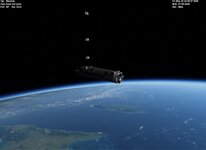
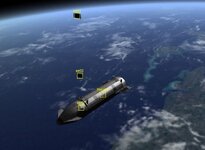
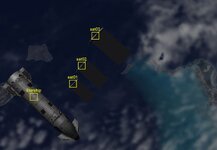
Great update except for my starlink sats are deploying through the skin of starship out the top of the ship
 
The test just has 3 Sats. But it should be able to load 24 sats in her
 

Attachments

  • starshipflightsat.jpg
    starshipflightsat.jpg
    35 KB · Views: 6
  • sat3atttachment.jpg
    sat3atttachment.jpg
    48.3 KB · Views: 6
  • starshipflight.jpg
    starshipflight.jpg
    35 KB · Views: 6
Thanks. I guess Next I need to set up flight 13,... I think Flight 13 the booster just lands in the sea. I am not sure if the Starship will land
 
Speaking of landing. Is the landing autopilot working? I couldn't figure it out
yes, it should be. It is basically the same code as this vessel.https://www.orbiter-forum.com/threads/spacex-superheavy.39783/
But I am not sure.
LAUNCH CONTROL PANELPress [K] to toggle the Launch Control Panel On/Off.Attach any existing vessel as payload, by entering name and click on “Attach”.Enter target orbit parameter and click on “Enter”. Inclination must be greater than launch latitude.Enter positive inclination for launch to ascending-node azimuth, negative inclination for descendingnode.1st Stage Apogee at MECO is automatically calculated from target orbit perigee, but can be overiden.Enter name of 1st Stage boostback-and-landing target (can be base or landed vessel).Enable/disable 1st Stageboostback-and-landing autopilot.Toggle 1st Stage autopilot mode: “boostback-and-landing” or “landing only”.Enter fuel reserved for 1st Stage boostback and landing.Enter name of Starship reentry and landing target.Enter max. acceleration limiter for ascent autopilot.Activate T-10 Launch Autopilot for launch to target orbit or set Liftoff time UTC.DE-ORBIT FOR RE-ENTRY NOTESUse IMFD"Base Approach" or BaseApproachMFD to perform de-orbit burn for reentry.Re-entry interface parameters:Altitude (Alt.) Re-entry Angle (ReA) Anterior Angle (Ant) DOCKING120km1.5°
 

Attachments

Back
Top