New Release D3D9Client Development

I can't speak for the D3D9 client with any authority, but since the source data (meshes, tile elevation files) are shared between all clients, it stands to reason that they must have compatible scaling strategies.

Currently, there are two separate ways of defining non-spherical celestial object surfaces: either by defining a single mesh for the entire body, or by using the multi-level quad-tree tile strategy described in Doc/PlanetTextures.pdf. The former is mainly used for small bodies which don't need a scalable approach (and which are not landed on, since there is no collision mechanism in place other than a virtual sphere at the mean radius). The latter is used for larger bodies, where rendering the entire surface even when in close proximity would be prohibitively inefficient, and where vessel-surface interaction handling is important.

I am assuming you are referring to the whole-mesh version - is that correct? The data format for the quad-tree approach should be reasonably well described in the documentation, but let me know if anything is unclear.

As regards the whole-mesh approach, you are correct - the vertex coordinates are expected in units of the planet 'Size' parameter (as defined by its config file). This was originally done for internal reasons (to make the transformation matrices used by the renderer compatible with the other planet render mechanisms), but it also has the added benefit of allowing to change (or correct) the planet size by changing just a single config parameter, rather than having to scale the entire mesh. This is how the DX7-based engines (inline and D3D7 client) are handling it. If the D3D9 client is doing something different I am unaware. Maybe to test it you could try the latest Orbiter development build from the github page. This should minimise the risk of using an out-of date D3D9 client.

In general, I would discourage the use of whole-mesh rendering strategies for new projects, for the above mentioned limitations. Using the quad-tree approach is a bit more complex, but is more versatile. In any case, I have no plans of changing the way the whole-mesh rendering works (other than maybe eventually phasing it out).

Would it be possible, in practice, to adjust Earth's elevation such that terrain height is above an ellipsoid rather than a sphere? Intuitively it seems like this would work.
 
  • Like
Reactions: GLS
Would it be possible, in practice, to adjust Earth's elevation such that terrain height is above an ellipsoid rather than a sphere? Intuitively it seems like this would work.
I think that would be "easy" for the terrain, but maybe not so easy for the atmosphere. Still, a correctly-shaped Earth would be a nice thing to have.


Not to derail the D3D9 thread, maybe this topic should be moved to the existing thread? https://www.orbiter-forum.com/threads/shape-of-the-earth-and-earth-atmosphere-in-orbiter-2016.34568/
 
Is there a download link within this thread for the most up-to-date D3D9 Client? I'm not referring to the one on the download page; is it somewhere in the most recent thread pages?
 
Hi,
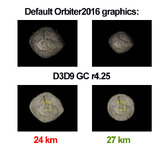
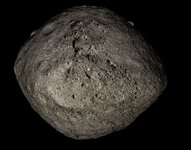
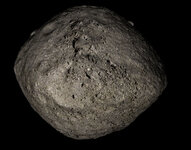
I wonder if someone could check on the way the newer versions of D3D9 GC are handling the rendering of small celestial bodies with elevation tiles, e.g. asteroid Bennu (included in Osiris-Rex add-on). Or try Vesta.

The latest version I tried r4.25 (on the D3D9 GC download website) does not render heightmaps until you are quite close to the object. (This also happens for r4.1). And rendering with Planetarium mode on [F9] is....not quite right?

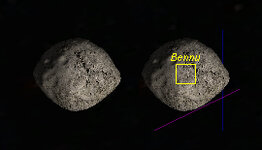
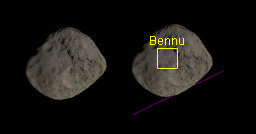
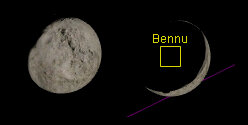
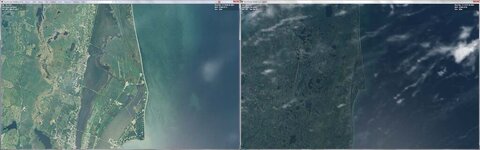
Here are comparison screenshots of Bennu at 30km distance, 10deg FoV, 1600 x 900 pixel window.
Normal view on left, Planetarium Mode on right..........

Default Orbiter2016 graphics:
bennu_default_orbiter.jpg

D3D9 GC r2.1:
bennu_d3d9_r2_1.jpg

D3D9 GC r4.25
bennu_d3d9_r4_25.jpg

Many thanks,
BrianJ
 
Hi BrianJ :salute:

So, I (nearly) followed your instructions :
  • screen 1900 1068 with and without D3D6 (version 4.25)
  • FOV = 10
  • Planetarium or normal view is same for me.

and here is what I have :

03.jpg

And at 3.5 km without D3D9 :

01-3-35-noD3D9.jpg

with D3D9 :

01-3-35-noD3D9.jpg

so we can see that at some distance, Bennu becomes spherical with D3D9
I hope that can help you. 🤔
 
Thanks jacquesmomo.
NOTE: I can't reproduce the "Planetarium-lighting" thing with any other body/viewpoint.
But the "Spherical-at-a-distance" thing persists.
Cheers,
BrianJ
 
Ah yes, I hadn't understood (and especially not seen) I have the same problem as you in "normal" view and in "planetarium" view
(the shadow "jumps"....)
 
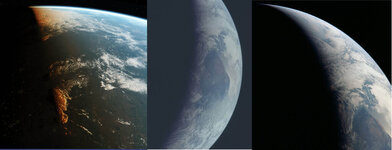
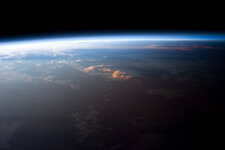
The rework of atmospheric and planet rendering has reached a point where it's ready for testing. I have made a pull request https://github.com/orbitersim/orbiter/pull/324 it should be tested very well because the number of changes are huge. There are some problems with sun glare appearance during sunset/sunrise. Also I still need to do something for the clouds because they don't look that good when viewed from below and against a sunset. This has taken awfully lot of work so let's hope it was worth it.

EDIT:
Sun and sun-glare textures are mathematically generated and the code is located in a bottom of Glare.hlsl feel free to tune it to your liking. Graphics controls dialog has a re-compile button so the code can be modified/recompiled while the Orbiter is running.
 
Last edited:
Hi Jarmo,
thanks for your work on the atmospheric rendering! I had a few problems getting the PR to run on my machine (details on the PR discussion page), so applied some quick patches to get past the errors.
One thing I noticed is that the planet surface brightness seems to drop quite significantly as you move the camera up away from the surface (see picture for comparison at 50km and 250km altitude). Is this expected? Note that my shader patches may well have screwed up something, so this report should be taken with a grain of salt ...
d3d9atm_a.jpg
I guess the mechanisms by which brightness could be expected to drop with altitude are atmospheric absorption and scattering, but I wouldn't expect this to affect the net albedo by this amount. Also, at 50km altitude I would expect atmospheric effects already nearly fully applied, so there shouldn't be any more significant change between 50 and 250km.
 
Last edited:
One thing I noticed is that the planet surface brightness seems to drop quite significantly as you move the camera up away from the surface (see picture for comparison at 50km and 250km altitude). Is this expected? Note that my shader patches may well have screwed up something, so this report should be taken with a grain of salt ...
This is very likely a configuration issue and not a code/math problem. There are three configuration points Surface level, Low Orbit and High Orbit so the Earth appearance can be customized for each viewing condition separately. There's been a lot of trouble/headache with the relatively high dynamic range of the atmosphere and how to fit it properly on screen. Also the so called eye adaption is a problem, there's no easy simulation for that. I guess that the habit for a darker Earth from a higher altitudes comes from the famous Apollo era photographs. I'll check the configurations and I guess that it's more important to focus on a daytime consistency than a twilight rendering.
 
Ah, ok, that makes sense. I am starting to play around with the settings in the Atmospheric controls. I think for my personal use I'll tone the surface brightness down a bit and the orbit brightness up a bit, so that the transitions are less pronounced.
 
Hey Jarmo,

I can not start a session (Delta-glider\DG Mk4 in orbit.scn of course ;) ) without it crashing.

First I found some errors when loading the microtextures:
Code:
...
000008.627: D3D9: [3DDevice Initialized]
000011.790: D3D9ERROR: Failed to read microtexture [Textures/D3D9Moon_A.dds] for [Ð]c»´]
000011.791: D3D9ERROR: Failed to read microtexture [Textures/D3D9Moon_B.dds] for [Ð]c»´]
000011.791: D3D9ERROR: Failed to read microtexture [Textures/D3D9Moon_C.dds] for [Ð]c»´]
000011.792: D3D9ERROR: Failed to read microtexture [Textures/D3D9Mars_A.dds] for [ÀYc»´]
000011.793: D3D9ERROR: Failed to read microtexture [Textures/D3D9Mars_B.dds] for [ÀYc»´]
000011.794: D3D9ERROR: Failed to read microtexture [Textures/D3D9Moon_C2.dds] for [fc»´]
000023.779: D3D9: [D3D9Client Initialized]
...
which looks like UTF-8 / ANSI mixup (I'll look into that).
EDIT: It was just missing .dds files in Textures folder (the ugly error output however is not nice ;) )

Then it crashes (I think when trying to render the first time) at this point:
Code:
...
000029.088: D3D9: [Scene Initialized]
000029.556: Finished initialising panels
000030.491: D3D9: NewShader [DG\deltaglider_ns]=4
000030.503: D3D9: NewShader [DG\deltaglider_ns]=4

I am currently unable to run Orbiter_ng in Debug mode (so a thrown exception might pop up) but that's another issue.
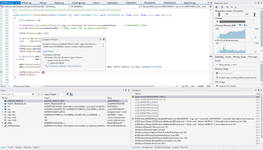
On another machine an exception was thrown at the end of D3D9Effect::Render2DPanel.
 

Attachments

Last edited:
I am currently unable to run Orbiter_ng in Debug mode (so a thrown exception might pop up) but that's another issue.
On another machine an exception was thrown at the end of D3D9Effect::Render2DPanel.
In case this is to do with the debugger not attaching to the spawned Orbiter process, here is a tip that might help: instead of running Orbiter_ng.exe, you can run Modules/Server/Orbiter.exe directly, also from within VS (just pick "Orbiter.exe (Modules\Server\Orbiter.exe)" as the debugging target from the list). The Orbiter server version automatically switches its working directory to ..\.. - I did this specifically to help with debugging.
 
Update:
The exception thrown looks like this
1670876017149.png

And (thanks doctor) I managed to be able to "run-debug" again (y)

The scrambled text at the microtexture error message was due to giving body.first as std::string to the LogErr() function/macro; a simple change to use the const char* fixes that:
C++:
LogErr("Failed to read microtexture [%s] for [%s]", file_path, body.first.c_str());
I will make a note at the PR.
 
The last commit has improved the rendering at the terminator (no longer visible band artefacts), I am still not quite sure about the spectral balance at the terminator, especially the distinct orange of the clouds. In photos, the spectral dispersion seems much less pronounced, and if anything, more towards purple than orange. I guess this may be a result of improving the cloud appearance from the ground during dusk, but from space it looks a bit strange.
terminator.jpg
I guess one can argue that the light arriving in the terminator region is redder because the blue component has been filtered out through the atmosphere by Rayleigh scattering. But then when observing from above the terminator, you would get light primarily composed from Rayleigh in-scattering, so maybe the two effects somewhat cancel.
 
Last edited:
I have also noticed the purple color that's often in a real world photographs. This atmospheric model doesn't support multiple scattering which will reduce blue color. There is a simple model that tries to approximate the effect but it's not working that well. Might be worth considering using a manually defined color gradient for orbital view of the clouds. Also, there is a pretty sharp line on the ground which is especially well visible on the ice caps. Lambertian shading term dot(Normal, Sun) creates the terminator region too dark and taking a square-root of that creates sharp lines very easily. I have to think about other options.
 
Altitude of the clouds is also a factor and a clouds might be shadowed by other clouds.
 
Thinking about it, my above statement that light arriving in the terminator region would be redder is probably wrong, since this only applies to direct (unscattered) light. Considering light from all directions, this would have the blue Rayleigh component added back in, and the two components would mix back together in the clouds by multiple Mie scattering, leaving the cloud white. Except for the lit edge, where the arriving unscattered red light would be single-scattered to the observer.
 
Last edited:
Back
Top