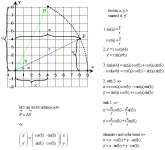
I wondered if the graphical representation of the burn vector views of IMFD or TransX or RendevouzMFD etc. are custom-made, or if they are already integrated somehow in the default MFD?
If not, I guess I have to use WinGUI functions to draw them, right?
---------- Post added 07-15-10 at 03:17 PM ---------- Previous post was 07-14-10 at 03:22 PM ----------
Ok, after looking some more into the matter it became clear to me that the Burn vector view isn't part of the MFD-class, so I'll have to do it myself. Now, as far as I could discern, Orbiter 2010 does provide its own interface for drawing operations, Sketchpad. I have so far failed to find any comprehensible examples for it, and my own experiments haven't really worked out. To be honest, I couldn't even define a sketchpad-object in my code, and I don't even know if I'm supposed to. In other words, I have no Idea how to use the thing, and so far haven't managed to draw a simple line or put some text in the MFD with it (the Windows GUI function seem to be much less complicated, but I want to do this right...)
If anyone has a short example, I'd be very glad.
If not, I guess I have to use WinGUI functions to draw them, right?
---------- Post added 07-15-10 at 03:17 PM ---------- Previous post was 07-14-10 at 03:22 PM ----------
Ok, after looking some more into the matter it became clear to me that the Burn vector view isn't part of the MFD-class, so I'll have to do it myself. Now, as far as I could discern, Orbiter 2010 does provide its own interface for drawing operations, Sketchpad. I have so far failed to find any comprehensible examples for it, and my own experiments haven't really worked out. To be honest, I couldn't even define a sketchpad-object in my code, and I don't even know if I'm supposed to. In other words, I have no Idea how to use the thing, and so far haven't managed to draw a simple line or put some text in the MFD with it (the Windows GUI function seem to be much less complicated, but I want to do this right...)
If anyone has a short example, I'd be very glad.